What Is a Form 1040?
A Form 1040 is the standard income tax form used by individuals to report their annual income, claim deductions and credits, and calculate the amount of tax owed or the refund due to them.
Who Is Required to Fill Out Form 1040?
Any U.S. citizen or resident who earns income during the year and whose gross income reaches the filing threshold ($15,750 for a single filer under 65 or $31,500 for a married couple filing jointly, both under 65, for 2025) must complete Form 1040 to report their earnings, deductions, and credits to the IRS for accurate tax assessment.
When Is Form 1040 Due for Submission?
Form 1040 is typically due on April 15 each year; if this date falls on a weekend or holiday, the deadline moves to the next business day. You can also request an extension for additional filing time, until October 15, though it doesn’t extend the time to pay.
Where to File a 1040 Form?
You can file your 1040 Form electronically through IRS Free File or tax software, or by mailing a paper copy to the IRS address for your state; just be sure to keep a copy of your 1040 Form for your records.
What Are the Penalties for Not Submitting the Form?
Not submitting Form 1040 by the deadline can result in penalties and interest. The IRS may charge a failure-to-file penalty of 5% of the unpaid tax per month, up to 25%, plus interest on any unpaid taxes. Filing on time, even if you can’t pay in full, avoids that penalty and leaves only the 0.5% monthly failure-to-pay penalty.
Frequently asked questions
#1. How to get a blank 1040 form?
You can get a blank 1040 Form directly from our website; simply open the fillable template using our PDF Editor, input your details, then print it and mail it to the IRS.
#2. What are the different types of 1040 forms?
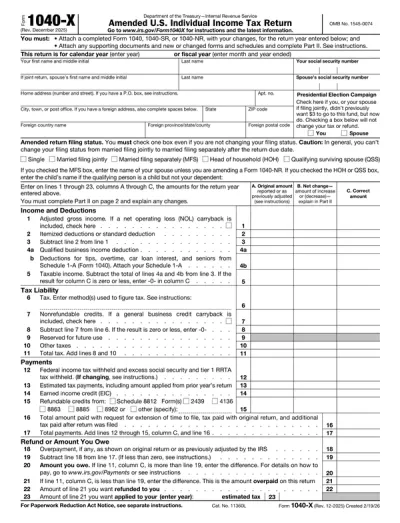
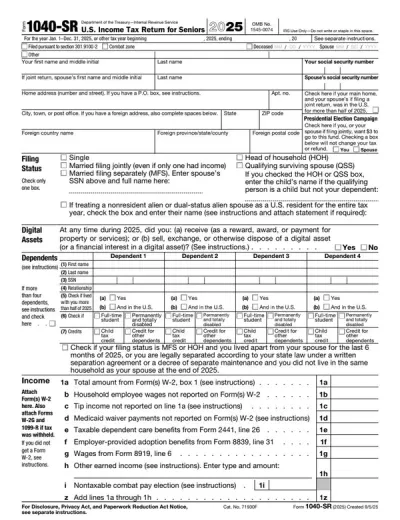
There are several types of 1040 Forms for different tax situations, including the standard Form 1040, Form 1040-SR for taxpayers 65 and older, Form 1040-NR for non-resident aliens, and Form 1040-X for amended returns. Make sure you choose the correct one before you start filing.
#3. What if my 1040 form is missing information?
If your 1040 form is missing information, review your records and complete the necessary fields using our PDF editor. If you already submitted it, you need to file Form 1040-X to amend it.
#4. Can I fill out my 1040 form online?
Yes, you can complete a 1040 fillable form directly in your browser by using our PDF editor. Enter your income, deductions, and credits, review all the details carefully, and download the finished version that is ready to print and mail.
#5. Is this form free?
This form is free to view and edit on pdf.net. However, downloading it to your device requires a monthly/annual subscription plan.