pdf.net

1099-MISC Form

2025
1099-MISC Form
Official IRS form
Official IRS form
Filed annually
Filed annually
Trusted by accountants

Form 1099-MISC is a document generally reporting certain miscellaneous payments totaling at least $2,000 per recipient during the year (or $10 for royalties).

Select our fillable Form 1099-MISC on our PDF Forms page, open it in our editor, and fill out the required information. Afterward, you can save the document to your device for further use.

How to Fill Out a 1099-MISC Form?

  1. Order the official Copy A of Form 1099-MISC from the IRS.
  2. Open Copy B of the IRS Form 1099-MISC in our PDF editor.
  3. Fill out both copies with details outlined in the Form 1099-MISC instructions.
  4. Submit Copy B to the payee.
  5. If filing on paper, prepare Form 1096, used for the transmittal of information returns.
  6. File Copy A and Form 1096 with the IRS, or e-file instead.

What Is the 1099-MISC Form?

The 1099-MISC Form is a document that reports payments of at least $10 in royalties or at least $2,000 in rents, prizes and awards, crop insurance proceeds, and more (the $2,000 threshold applies to payments made from 2026; it was $600 before). Essentially, this encompasses very specific types of income other than non-employee compensation.

Who Is Required to Fill Out the 1099-MISC Form?

Any business or entity that has made a payment in the course of its trade or business that fits the above-mentioned description is required to fill out the 1099-MISC Form. This document is also supposed to help the payee accurately calculate their taxes.

When Is the 1099-MISC Form Due?

The 1099-MISC Form should be submitted to the IRS by 28th February if filed on paper or 31st March if filed electronically, unless the deadline falls on a weekend or a national holiday. In that case, it’s pushed to the next working day. The payer is also expected to furnish a copy to the payee, which should be completed by 31st January.

What Are the Penalties for Not Submitting the 1099-MISC Form?

Penalties for not submitting the 1099-MISC Form are $60 to $340 per form, depending on how late it is filed, though they may be higher if the IRS determines intentional disregard. In that case, the payer is required to pay $680 per form or 10% of the income reported on the form, whichever is higher.

Where Do I File the 1099-MISC Form?

You should file the 1099-MISC Form with the IRS, either electronically or by mail (electronic filing is mandatory if you submit 10 or more information returns in total). The payee should also get a copy so they can accurately calculate tax on this income.

How to Get Your 1099-MISC Form?

  1. 1

    Open the editable Form 1099-MISC

  2. 2

    Enter the required information in the fields

  3. 3

    Download Form 1099-MISC to your device

Related Forms

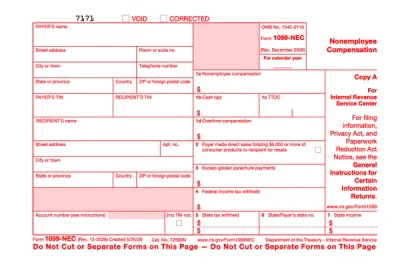
Form 1099-NEC
Form 1099-NEC is used to report payments of $600 or more to nonemployees who have performed services for you.Complete our editable Form 1099-NEC online and download it to your device. All you have to do is open it in our editor, and enter the required information as instructed.
Preview
Form 1099
Form 1099 is a family of IRS information returns that payers use to report income other than regular wages, such as freelance pay, interest, dividends, or proceeds from certain sales.Access our editable Form 1099 online, enter your details, make quick changes, and download your form instantly. Simple, secure, and perfect for freelancers, contractors, and small business owners.
Preview
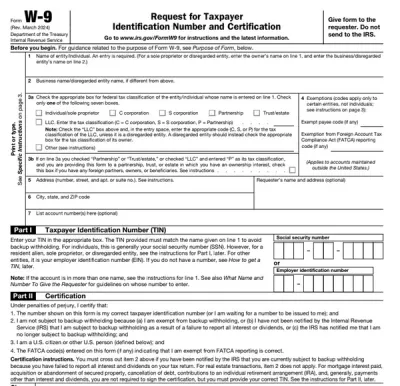
Form W-9
Form W-9 is a document used to give your correct taxpayer identification number (TIN) to a person who must report payments to the IRS.Get yours ready in minutes; add your details to our fillable Form W-9 and prepare it for submission more simply.
Preview
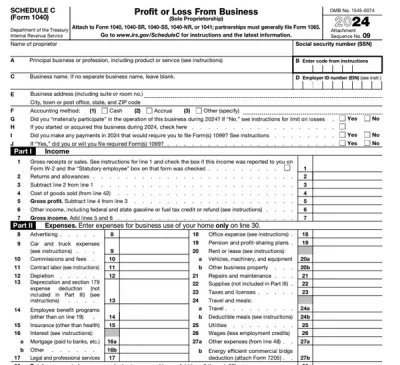
Schedule C (Form 1040)
Schedule C on Form 1040 is used to report income and loss from a business you operated or a profession you practiced as a sole proprietor.Our editable Schedule C (Form 1040) facilitates the tax filing process. All you have to do is type information directly into the empty slots.
Preview
Schedule SE (Form 1040)
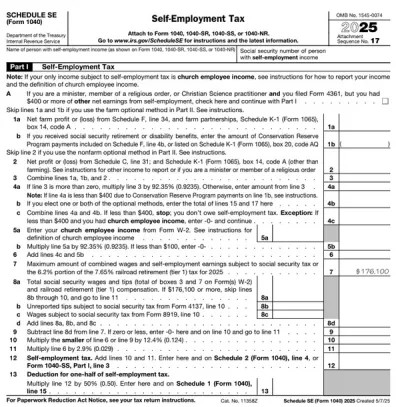
Schedule SE (Form 1040) is used to calculate the self-employment tax you owe based on your net earnings.Access our editable template for free and complete it in just a few clicks! pdf.net works across devices, including smartphones and tablets, so you can fill out your Schedule SE on the go, too.
Preview

Frequently asked questions

#1. How do I get a blank 1099-MISC Form?

You can get a blank 1099-MISC Form from pdf.net by accessing the document in our editor and filling out the required information. However, note that Copy A for the IRS must be the official form ordered from the IRS.

#2. What if my 1099-MISC is missing information?

If you are the payee and your 1099-MISC is missing information, contact the payer and request a corrected form; if you can’t reach them, you can request help from the IRS. To avoid issues, cross-check your document with an example of Form 1099-MISC as soon as you receive it.

#3. Can I fill out my 1099-MISC Form online?

You can fill out your 1099-MISC Form online in our PDF editor. Simply select the document, open it, and input information directly into the empty boxes.

#4. Is this form free?

This form is free to view and edit, but you can’t download it unless you subscribe to one of our premium plans.

#5. Can I correct mistakes on the 1099-MISC Form?

You can correct mistakes on the 1099-MISC Form by filing a new form with updated information and checking the “CORRECTED” box on the document, not the “VOID” box. You’ll also need a new Form 1096 for each correction you submit to the IRS on paper; make sure to send an updated form to the payee as well.

#6. What is the difference between 1099-MISC and 1099-NEC?

The difference between 1099-MISC and 1099-NEC is that the latter reports non-employee compensation paid to freelancers and contractors, while the former is used for other types of miscellaneous income. In other words, payments that don’t fit Form 1099-NEC might be suitable for Form 1099-MISC.