Form 1040-ES is used to figure and pay your estimated taxes on income that isn’t subject to withholding, like self-employment earnings.

Form 1040-ES
2026

Trusted by accountants

Official IRS form
How to Fill Out a Form 1040-ES
Step 1: Open Form 1040-ES in our editor.
Step 2: Use the Estimated Tax Worksheet to figure your taxes by following the Form 1040-ES instructions, but keep this document for your records.
Step 3: Separate the four payment vouchers and fill out the first one, due by April 15th, with your contact information and the estimated amount.
Step 4: Send this voucher to the IRS.
Step 5: Repeat the process for each of the remaining three vouchers before the deadline.
What Is IRS Form 1040-ES Used For?
IRS Form 1040-ES is used for figuring and paying estimated taxes on income that isn’t subject to an employer’s withholding. For instance, you should fill out this document if you receive earnings from self-employment, interest, dividends, rent, alimony, and more. The taxable part of social security benefits and unemployment compensation should also be included in it.
Who Should Use Form 1040-ES?
Form 1040-ES should be used by all individuals who meet the following conditions:
- They expect to owe at least $1,000 in tax for the current year.
- They expect their withholding and refundable credits to be less than 90% of the tax shown on the current year tax return or 100% of the tax shown on the previous year tax return, whichever number is smaller.
When Is the Form 1040-ES Due?
Form 1040-ES is submitted quarterly because the payments should be made quarterly, too. The due dates are as follows:
- April 15th of the current year
- June 15th of the current year
- September 15th of the current year
- January 15th of the following year
You can also opt to pay the entire amount of your estimated tax by April 15th of the current year instead. If any of these dates fall on a weekend or a national holiday, the deadline is pushed to the next business day.
Are There Penalties for Not Filing Form 1040-ES?
There are penalties for not filing Form 1040-ES, and they are applied each day your taxes remain unpaid. You may also be fined if you underpay your taxes, so it’s very important to estimate them accurately. If you’re not sure whether your estimates are correct, use the previous year’s taxes as guidance; paying 100% of this tax will help you avoid the penalty.
How and Where Do I File Form 1040-ES?
You should file Form 1040-ES with the IRS, either in person, by mail, online, by phone, or using an app. All the available methods are secure and thoroughly explained on the form itself, so there should be no confusion.
How to Get Your Form 1040-ES
 1
1Open the fillable Form 1040-ES
 2
2Enter the necessary information
 3
3Download Form 1040-ES
Related Forms

Form 1040
A Form 1040 is the IRS tax return used to report your annual income, calculate taxable income, claim credits and deductions, and determine whether you owe taxes or will receive a refund.Access our 1040 fillable form online and handle your tax return without a hassle. You can enter your income, deductions, and credits easily, review the details, and download a completed copy ready to print and mail.
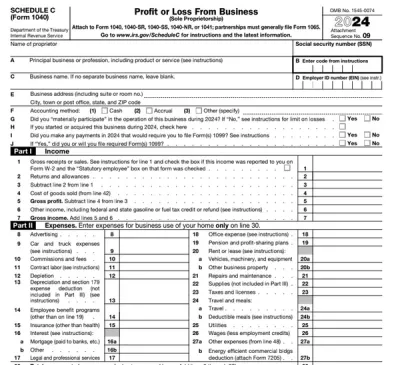
Schedule C (Form 1040)
Schedule C on Form 1040 is used to report income and loss from a business you operated or a profession you practiced as a sole proprietor.Our editable Schedule C (Form 1040) facilitates the tax filing process. All you have to do is type information directly into the empty slots.
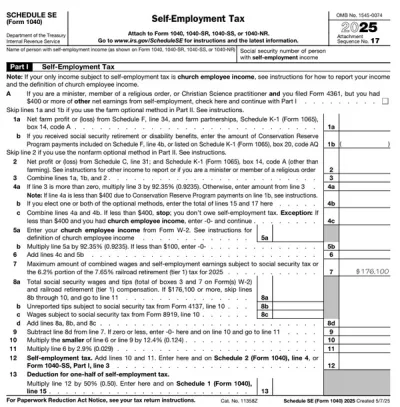
Schedule SE (Form 1040)
Schedule SE (Form 1040) is used to calculate the self-employment tax you owe based on your net earnings.Access our editable template for free and complete it in just a few clicks! pdf.net works across devices, including smartphones and tablets, so you can fill out your Schedule SE on the go, too.
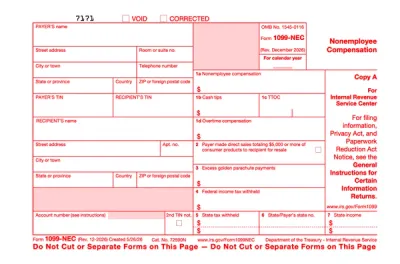
Form 1099-NEC
Form 1099-NEC is used to report payments of $600 or more to nonemployees who have performed services for you.Complete our editable Form 1099-NEC online and download it to your device. All you have to do is open it in our editor, and enter the required information as instructed.
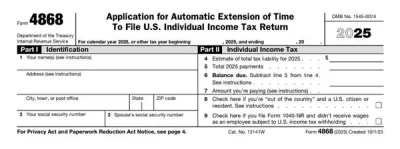
Form 4868
Form 4868 is used by U.S. citizens and residents who wish to request a 6-month extension of time to file their individual income tax return.The printable Form 4868 on our website can be filled out in mere minutes. It’s short, and you can simply open it in our editor, enter the required details, save it all, and submit the form either electronically or by mail.
Frequently asked questions
#1. How do I get a blank Form 1040-ES?
You can get a blank Form 1040-ES from pdf.net or the official IRS website. Both forms are valid and come with detailed instructions on how to fill out and submit them.
#2. Can I submit a Form 1040-ES electronically?
You can submit Form 1040-ES electronically, using your account on the IRS website, which allows you to quickly fill out forms and pay your liabilities. Furthermore, you can download the IRS2Go app to make your payments from your mobile device.
#3. What if my Form 1040-ES is missing information?
If your Form 1040-ES is missing information, you may be subject to penalties, especially if this leads to underpaying your taxes. To avoid owing debt to the IRS, recalculate your taxes using the worksheet and make additional payments to cover the difference in the amount you owe and the amount you paid. Also, when filling out the vouchers, compare them to a Form 1040-ES example to make sure everything’s in place.
#4. Can I fill out my Form 1040-ES online?
You can fill out your Form 1040-ES online by using pdf.net or the online tools available on the official IRS website. In fact, there are several electronic options available for this form, so you can use whichever suits you best.
#5. Is this form free?
This form is free to view and edit, but you can’t download it without a subscription plan. You’ll find the available options on our pricing page.
#6. Can I correct mistakes on Form 1040-ES?
You can correct mistakes on Form 1040-ES by contacting the IRS and requesting changes to the document. This may not be necessary if you’ve made a math error and overpaid or underpaid your taxes. In these cases, you can simply correct the amount on your future payments or wait for the IRS to refund you.
#7. Is a 1040-ES the same as a W-2 form?
No, a 1040-ES isn’t the same as Form W-2 because the former figures and pays your estimated taxes, while the latter is used by employers to report annual wages and taxes withheld from employees’ salaries.