Form 1040-SR
Fill Form

Form 1040-SR

2025
Monthly top‑searched
Trusted by accountants
Official IRS form
Official IRS form
Filled annually
Filled annually

Form 1040-SR is a U.S. income tax return for taxpayers aged 65 or older, with the same rules and schedules as Form 1040.

Access our fillable template to edit the form without hassle and download it once it’s ready for submission. This way, you will complete your return faster, relying on a clear, easy-to-read format.

Form 1040-SR

2025
Form 1040-SR
Fill Form
Monthly top‑searched
Trusted by accountants
Official IRS form
Official IRS form
Filled annually
Filled annually

Form 1040-SR is a U.S. income tax return for taxpayers aged 65 or older, with the same rules and schedules as Form 1040.

Access our fillable template to edit the form without hassle and download it once it’s ready for submission. This way, you will complete your return faster, relying on a clear, easy-to-read format.

How to Fill Out a Form 1040-SR

Step 1: Open the editable Form 1040-SR.

Step 2: Enter your personal information, including name, Social Security number, filing status, and address.

Step 3: Report all sources of income, such as wages, Social Security benefits, and retirement distributions.

Step 4: Adjust your income and claim deductions.

Step 5: Calculate your tax and apply any credits.

Step 6: Sign and date your form.

What Is a Form 1040-SR Used For?

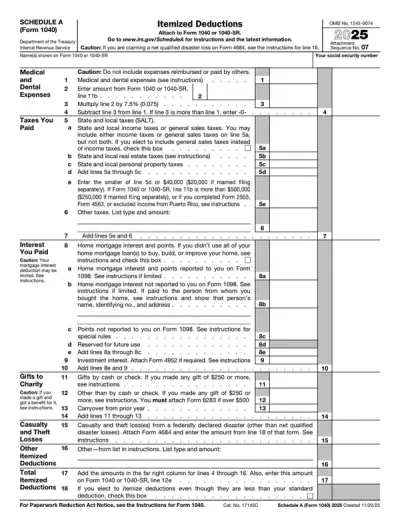
Form 1040-SR is used to report income, claim deductions, and calculate federal taxes for seniors. It follows the same tax rules as Form 1040, including schedules and credits, but features a larger font and clearer layout for easier completion.

Who Should Use a Form 1040-SR?

Taxpayers aged 65 or older by the end of the tax year can use Form 1040-SR. It is especially useful for retirees with income from Social Security, pensions, or investments who prefer a more readable and accessible tax form format.

When Is the Form 1040-SR Due?

The Form 1040-SR is generally due on April 15 of the year following the tax year. If April 15 falls on a weekend or holiday, the deadline moves to the next business day. You can request an automatic 6-month extension by filing Form 4868, but any taxes owed must still be paid on time.

What Happens If a Form 1040-SR Is Not Submitted?

If a Form 1040-SR is not submitted, you may face penalties, interest on unpaid taxes, and delays in refunds. Continued non-filing can lead to additional enforcement actions.

How and Where Do I File a Form 1040-SR?

You can file your form with the IRS electronically or by mail. If mailing, send your printable Form 1040-SR to the appropriate address listed in the official instructions.

How to Get Your Form 1040-SR

  1. Open the fillable Form 1040-SR on our online editor
    Open the fillable Form 1040-SR on our online editor
    1

    Open the fillable Form 1040-SR on our online editor

  2. Fill in the required fields and sign and date the form
    Fill in the required fields and sign and date the form
    2

    Fill in the required fields and sign and date the form

  3. Download a completed copy for submission to the IRS
    Download a completed copy for submission to the IRS
    3

    Download a completed copy for submission to the IRS

#1. How do I get a blank Form 1040-SR?

You can get a blank Form 1040-SR from our PDF Forms hub page. Click on the Tax Forms category to find our fillable template; you can open it for free and fill it out using our online editor.

#2. Can I submit the Form 1040-SR electronically?

Yes, you can submit your form electronically; alternatively, you can print it out and mail it to the IRS using the address listed on the Form 1040-SR instructions.

#3. What if my Form 1040-SR is missing information?

If your form is missing information, use pdf.net to update it. You can open the fillable form in our editor, then use the tools available to make changes directly. It helps to cross-check your document with a Form 1040-SR example to ensure everything is fully completed.

#4. Can I fill out my Form 1040-SR online?

Yes, you can fill out your Form 1040-SR online with our editor tool. All you should do is open the form on any device and use the Text tool at the top of the page to start typing. You can also use pdf.net to check or uncheck boxes and apply your signature.

#5. Is this form free?

This form is free to view and edit with pdf.net. After filling it out, you will need an account to download your Form 1040-SR; for more details on our plans, visit the Pricing page.

#6. Can I correct mistakes on a Form 1040-SR?

Yes, you can correct mistakes on your form before you file it with the IRS. To do so, reopen it in our online editor and make your revisions directly. Additionally, reviewing a Form 1040-SR sample as you complete yours can help you avoid further errors.

#7. How long does it take to process a Form 1040-SR?

It typically takes the IRS 21 days to process an e-filed Form 1040-SR. However, if you mailed your form, it can take up to six weeks. Make sure you include all the required attachments to avoid delays.

#8. What is the difference between a Form 1040 and a Form 1040-SR?

The difference between a Form 1040 and a Form 1040-SR is that the former is the standard tax return for all eligible taxpayers, while the latter is designed for individuals aged 65 or older, featuring a larger print and a more readable layout.