Form 1096 is used by individuals and entities to transmit various information returns to the IRS when they are sent in paper form.

Form 1096
2026

Trusted by lawyers
How to Fill Out the Form 1096
Step 1: Open Form 1096 in our editor.
Step 2: Enter your information (name, address, telephone number, email address).
Step 3: Add your federal income tax withheld and reported with Form 1096, according to the Form 1096 instructions.
Step 4: Mark the checkbox next to the form you’re submitting.
Step 5: Review and sign the document.
Step 6: Attach your main form to 1096 and send both to the IRS.
What Is the Form 1096?
Form 1096 is used to transmit specific paper forms, or more precisely, Forms 1097, 1098, 1099, 3921, 3922, 5498, W-2G, and their subtypes, to the IRS. However, it shouldn’t be filed when submitting these documents electronically.
Who Is Required to Fill Out Form 1096?
The individual or entity that files any of the abovementioned forms and their subtypes must fill out Form 1096 when sending them by mail.
When Is the Form 1096 Due?
Form 1096 is due at the same time as the main form. So, for example, it should be filed by February 28th with Forms 1097, 1098, 1099, 3921, 3922, and W-2G, by January 31st with Form 1099-NEC, and by May 31st with Forms 5498. If any of these dates fall on a weekend or a national holiday, the deadline is pushed to the next business day.
What Are the Penalties for Not Submitting the Form 1096?
The consequence of not submitting Form 1096 is that the IRS will reject your information return as incorrect and potentially penalize you for late submission, even if you file it correctly afterward. These are the penalties you may face:
- $60 per information return if you file it within 30 days after the deadline
- $130 per information return if you file it more than 30 days after the deadline but before August 1st
- $340 per information return if you file it after August 1st, or don’t at all
Where Do I File the Form 1096?
You should file Form 1096 with the IRS, along with the principal form that needs to be transmitted. The package should be sent to a designated address that depends on your location.
How to Get Your Form 1096
 1
1Open the editable Form 1096
 2
2Enter the required details
 3
3Download Form 1096
Related Forms
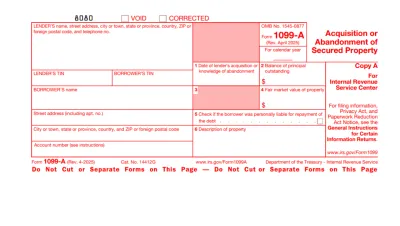
Form 1099
Access our editable Form 1099 online, enter your details, make quick changes, and download your form instantly. Simple, secure, and perfect for freelancers, contractors, and small business owners.
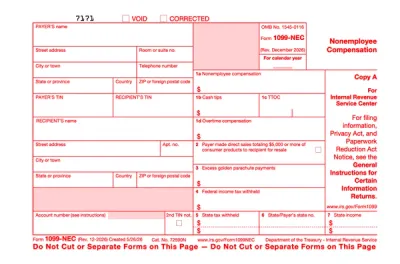
Form 1099-NEC
Form 1099-NEC is used to report payments of $600 or more to nonemployees who have performed services for you.Complete our editable Form 1099-NEC online and download it to your device. All you have to do is open it in our editor, and enter the required information as instructed.
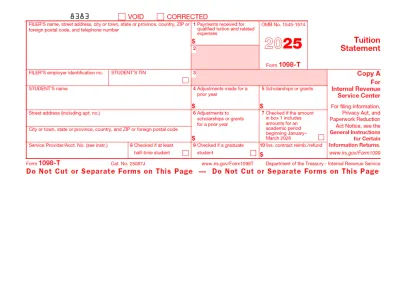
1098-T Form
The 1098-T Form is filed by eligible educational institutions to report information on qualified tuition and related expenses, thus helping students or their guardians determine whether they can claim an educational tax credit.Select our editable 1098-T Form from our PDF Tax Forms hub and open it directly in our editor. Once you input the required information, you can download it to your device to print it or submit it electronically.
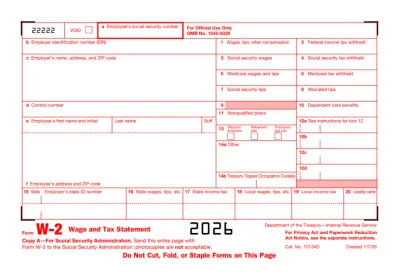
W2 Form
Form W-2, Wage and Tax Statement, reports an employee's yearly earnings and the taxes withheld from them.If you want to fill out Form W/2 and submit it with ease, pdf.net enables you to complete it online and download it to your computer or phone.
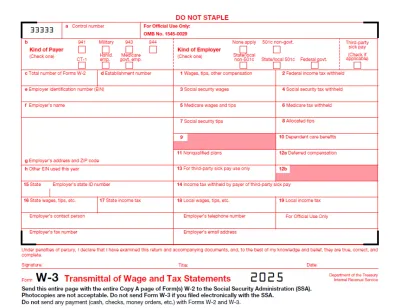
Form W-3
Form W-3 is a document used to transmit Copy A of Forms W-2, Wage and Tax Statement, to the IRS.You can find a printable Form W-3 in our PDF Forms hub, where you can easily open it in our editor and customize it according to your needs. This way, you’re saving time and getting your form ready much more swiftly.
Frequently asked questions
#1. How do I get a blank Form 1096?
You can get a blank Form 1096 from PDF.net or from the official IRS website. Once you fill it out in our editor, you can easily save it to your device and submit it.
#2. Do I need Form 1096 if I filed electronically?
No, you don’t need Form 1096 if you filed electronically, as it is only used for paper transmissions.
#3. What if my Form 1096 is missing information?
If your Form 1096 is missing information, you must resubmit a corrected document along with your principal form. However, since this can take a while, it’s best to make sure it doesn’t happen by cross-checking everything with a Form 1096 example.
#4. Can I fill out my Form 1096 online?
You can fill out your Form 1096 online in our PDF editor by simply opening it and typing directly in the empty slots.
#5. Is this form free?
This form is free to view and edit, but you need to purchase a subscription plan if you want to download it to your device and print it.
#6. Can I correct mistakes on Form 1096?
You can correct mistakes on Form 1096 by submitting a new package with the updated form and a letter explaining what changes were made.
#7. What if I forgot to file Form 1096?
If you forgot to file Form 1096, you may face significant penalties, as your information return won’t be accepted. Essentially, it will be like you haven’t sent it at all, so late submission penalties will apply.