pdf.net
Form 1098-E
Fill Form

Form 1098-E

2026
Trusted by students
Trusted by students
Official IRS form
Official IRS form
Filed annually
Filed annually

IRS Form 1098-E is used by institutions and organizations to report receiving student loan interest of $600 or more from a borrower.

Our editable Form 1098-E can easily be filled out online. Then, just download it to your device and print it out or submit it electronically.

Form 1098-E

2026
Form 1098-E
Fill Form
Trusted by students
Trusted by students
Official IRS form
Official IRS form
Filed annually
Filed annually

IRS Form 1098-E is used by institutions and organizations to report receiving student loan interest of $600 or more from a borrower.

Our editable Form 1098-E can easily be filled out online. Then, just download it to your device and print it out or submit it electronically.

How to Fill Out Form 1098-E

  1. Get Copy A and Copy B of Form 1098-E.
  2. Fill out both copies according to the Form 1098-E instructions.
  3. Include the amount of student loan interest received.
  4. File Copy A with the IRS.
  5. Furnish Copy B to the borrower.

What Is Form 1098-E Used For?

Form 1098-E is used to report student loan interest of $600 or more received by a financial institution, governmental unit, or educational institution from an individual borrower. To be reportable, the student loan must be treated as such under a specific federal, state, or local program, or be used solely to pay qualified higher education expenses.

Who Should Use Form 1098-E?

Form 1098-E is filed by any person, institution, or organization that receives a student loan interest of $600 or more during one year of trade or business. Also, the $600 threshold applies separately for each lender. So, if a borrower pays interest to multiple lenders, each lender must file Form 1098-E if their individual interest received meets or exceeds $600.

Furthermore, this form is used by the borrower to claim tax deductions on their income tax return.

When Is Form 1098-E Due?

Form 1098-E due date is by February 28th with the IRS. However, you must furnish a copy to the borrower by January 31st after the year in which the student loan in question was received.

If any of these dates fall on a federal holiday or a weekend, the deadline is pushed to the next business day. Furthermore, if you file Form 1098-E with the IRS electronically, your deadline is extended to March 31st.

What Happens If Form 1098-E Is Not Submitted?

If Form 1098-E isn't submitted correctly or on time, you may face standard information return penalties. Penalty amounts vary based on how late the filing is, ranging from $60 per return for minor delays up to $680 per return for intentional disregard. The IRS also charges interest on unpaid penalties until the balance is settled. Verify current penalty amounts with the IRS, as these figures are adjusted periodically for inflation.

How and Where Do I File Form 1098-E?

You should file Form 1098-E with the IRS and furnish a copy to the borrower as well. To submit an information return to the IRS, you should use one of the addresses provided on the website and attach Form 1096, which acts as a summary and a transmittal document.

Alternatively, you can file Form 1098-E electronically, using the Information Return Intake System (IRIS). If you’re filing more than ten returns in a year, you must use the electronic method; otherwise, you’re encouraged to do so, but not obligated.

How to Get Your Form 1098-E

  1. Open the printable Form 1098-E
    Open the printable Form 1098-E
    1

    Open the printable Form 1098-E

  2. Fill it out as instructed
    Fill it out as instructed
    2

    Fill it out as instructed

  3. Download Form 1098-E to your device
    Download Form 1098-E to your device
    3

    Download Form 1098-E to your device

#1. How do I get a blank Form 1098-E?

You can get a blank Form 1098-E from pdf.net or the official IRS website. However, keep in mind that Copy A of the form must be scannable (printed on official IRS scannable red-ink paper), so you should order it directly from the official source.

#2. Can I submit the Form 1098-E electronically?

Yes, you can submit Form 1098-E electronically, and are required to do so if you’re filing more than ten returns in a year. Use the IRIS platform for quick and simple e-filing.

#3. What if my Form 1098-E is missing information?

If your Form 1098-E is missing information, you may face penalties, so it’s important to correct it as soon as possible. Fill it out properly, tick the “CORRECTED” box, and file a replacement with the IRS. Also, make sure to send a new, updated form to the borrower, so they can make the necessary adjustments on their federal income tax returns.

If you’re a borrower, always cross-check the document you received with a Form 1098-E example to make sure everything’s in place. If something’s missing, contact the issuer immediately.

#4. Can I fill out my Form 1098-E online?

Yes, you can fill out your Form 1098-E online in our PDF editor by simply opening the document and typing information directly into the empty slots.

#5. Is this form free?

This form is free to view and edit, but you can’t download it without a subscription plan. Check out our pricing page for more information.

#6. Can I correct mistakes on Form 1098-E?

You can correct mistakes on Form 1098-E by submitting a new one with the “CORRECTED” box checked. If you do that, the form you filed previously will be replaced by an updated version. Make sure to also send the corrected document to the borrower.

#7. How long does it take to process Form 1098-E?

There is no specific processing timeline for Form 1098-E, as its purpose is to simply provide information to the IRS.

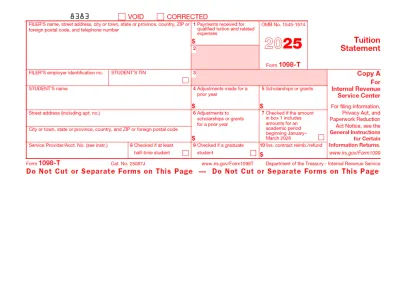
#8. What's the difference between 1098-T and 1098-E?

The difference between 1098-T and 1098-E is that the former is filed for each enrolled student for whom a reportable transaction is made, while the latter is submitted only when the institution receives student loan interest of $600 or more.