Access our fillable form for free and complete it in just a few minutes online. Form 14039 is used to report tax-related identity theft and request an IRS investigation.

Form 14039
2024

Official IRS form

Trusted by accountants
How to Fill Out a Form 14039?
Step 1: Open the IRS Form 14039.
Step 2: Check the appropriate boxes in Section A to specify your situation.
Step 3: Complete Section B describing how you were impacted.
Step 4: Enter your personal details, including name, address, and SSN, in Section C.
Step 5: Provide your tax account information in Section D.
Step 6: Sign, date, and submit the form to the IRS.
What Is Form 14039?
Form 14039, officially called the IRS Identity Theft Affidavit, is used to report suspected tax-related identity theft. You should file it if you believe someone used your Social Security Number to file a tax return, received an IRS notice about suspicious activity, or were instructed by the IRS to verify your identity.
Who Is Required to Fill Out Form 14039?
Anyone who suspects their SSN has been used without their permission on a tax return or believes they are a target of tax-related identity theft is required to fill out Form 14039. Submitting Form 14039 alerts the IRS, triggers protective measures on your tax account, and starts an investigation to resolve the identity theft issue.
Where Do I File the 14039 Form?
You can file the form by mailing or faxing it to the IRS using the contact details listed on the Form 14039 instructions. If you fax the Form 14039, don’t forget to include a cover sheet marked "Confidential.”
How to Get Your Form 14039?
 1
1Open the editable Form 14039
 2
2Fill in your details
 3
3Download a completed copy
Related Forms
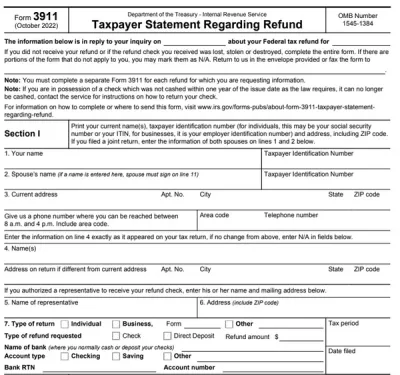
Form 3911
Form 3911, or the Taxpayer Statement Regarding Refund, should be used when a taxpayer believes their federal tax refund was issued but was not received or was lost, stolen, or destroyed. You can mail or fax yours quickly by editing our 3911 fillable form online.

Form 1040
A Form 1040 is the IRS tax return used to report your annual income, calculate taxable income, claim credits and deductions, and determine whether you owe taxes or will receive a refund.Access our 1040 fillable form online and handle your tax return without a hassle. You can enter your income, deductions, and credits easily, review the details, and download a completed copy ready to print and mail.
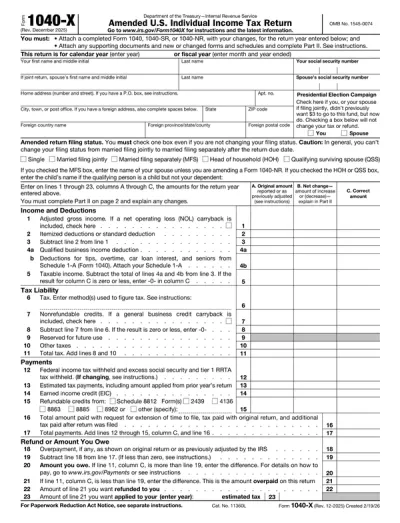
Form 1040-X
A Form 1040-X is used to correct errors or update information on a previously filed federal tax return, including Forms 1040, 1040-SR, or 1040-NR. Access a fillable Form 1040-X on our platform to edit, download, and submit your amended return quickly and accurately.
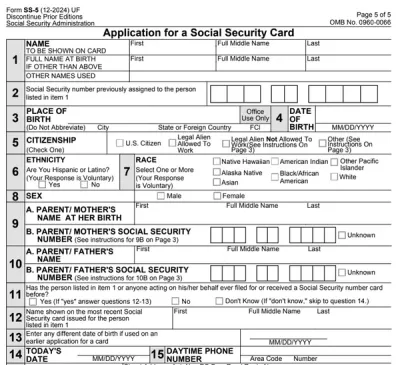
Form SS-5
SS-5 is the official application you use to get a new Social Security card, replace a lost card, or correct your Social Security number record. With our SS-5 fillable form, you can complete your application fast.
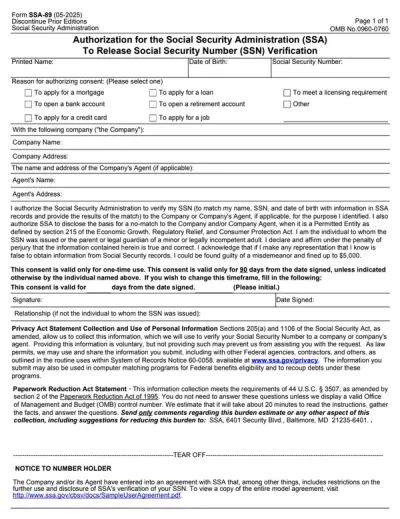
Form SSA-89
Form SSA-89 is a consent form that authorizes the Social Security Administration (SSA) to verify your name and Social Security Number (SSN) for a third party.Our PDF Forms hub offers a fillable Form SSA-89 that you can easily open in our editor, complete with the required details, download to your device, and submit it to the SSA.
Frequently asked questions
#1. How do I get a blank Form 14039?
You can get a blank Form 14039 from PDF.net’s forms page, under the Tax Forms category. Clicking on it will navigate you to a new tab, where you can fill in the fields and complete the form.
#2. What if my Form 14039 is missing information?
If your 14039 form is missing information, you can reopen it in our online editor and enter the required details before submitting. If you already sent the form to the IRS, you may submit an updated version or wait until the IRS contacts you for clarification.
#3. Can I fill out my Form 14039 online?
Yes, you can fill out your Form 14039 online with PDF.net. Once everything is completed, download and send it to the IRS via mail or fax.
#4. Is this form free?
This form is free to view and access. However, to download Form 14039, you’ll need an account and purchase a plan. We have three plans for you to choose from: $1.45 (7 days of limited access), $1.95 (7 days of full access), and $19.95 (annual access).
#5. Can I correct mistakes on Form 14039?
Yes, you can correct mistakes on your Form 14039 using PDF.net’s editor and cross-checking it with a Form 14039 example to avoid additional errors. If it is already sent to the IRS, you can submit a corrected version along with a note explaining the changes.
#6. What happens after I file Form 14039?
After you file Form 14039, the IRS reviews your submission, places protections on your tax account, and may contact you for additional verification or documentation to resolve the suspected identity theft.
#7. How long does it take the IRS to process Form 14039?
The IRS typically processes Form 14039 within 120 days, but current delays mean it may take around 582 days. To avoid further delays, don’t submit duplicate forms or contact the IRS about your claim.
#8. Can someone else submit Form 14039 for me?
Yes, someone else can submit Form 14039 for you if they are a designated representative, conservator, parent, or guardian. They need to check the appropriate box in Section F to explain their authority to act on your behalf.
#9. Do I need to attach supporting documents?
You may need to attach supporting documents to Form 14039, such as proof of identity or IRS notices, depending on your situation. Providing these helps the IRS verify your claim and resolve the case more efficiently.