Form 172
Fill Form

Form 172

2024
Official IRS form
Official IRS form
Trusted by accountants

IRS Form 172 is used by individuals, estates, and trusts to calculate the amount of a net operating loss (NOL) available for carryback or carryforward.

Our fillable Form 172 makes filing easy. Just open the form, fill in the details, and download to your device.

Form 172

2024
Form 172
Fill Form
Official IRS form
Official IRS form
Trusted by accountants

IRS Form 172 is used by individuals, estates, and trusts to calculate the amount of a net operating loss (NOL) available for carryback or carryforward.

Our fillable Form 172 makes filing easy. Just open the form, fill in the details, and download to your device.

How to Fill Out Form 172

  1. Open the editable Form 172.
  2. Enter your tax year, name, and mailing address.
  3. Complete Part I to calculate your NOL, including prior-year NOL deductions and Section 1202 exclusions.
  4. Complete Part II for each carryback year and any remaining NOL carryover.
  5. Refigure AGI-based deductions, itemized deductions, and charitable contributions per Form 172 instructions.
  6. Sign the form and attach it to your applicable tax return before filing.

What Is Form 172 Used For?

Form 172 is used for calculating the amount of a net operating loss (NOL) that individuals, estates, and trusts can carry back or carry forward to other tax years. It helps reduce taxable income in those years and is commonly used when deductions exceed income due to business, rental, or federally declared disaster-related losses.

Who Should Use a Form 172?

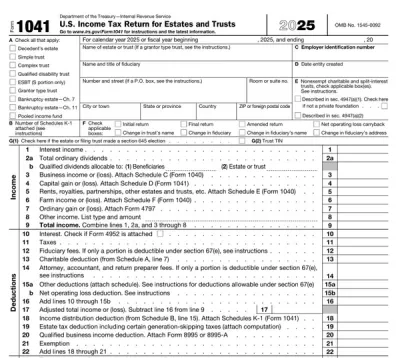
All individuals, estates, and trusts that have a net operating loss should use Form 172. Also, partners and S corporation shareholders may use IRS Form 172 to calculate their individual share of business-related losses. However, partnerships and S corporations do not file this form on the entity level; instead, the NOL is reported on Form 1040 or 1041.

On the other hand, corporations do not use Form 172. They use Form 1139 to claim NOL carrybacks instead.

When Is Form 172 Due?

Form 172 is due when you file the related tax return or amended return used to claim the net operating loss deduction. It is commonly attached to Form 1040, Form 1041, or Form 1040-X when claiming or amending an NOL deduction, or to Form 1045 when applying for a tentative refund.

What Happens If Form 172 Is Not Submitted?

If Form 172 is not submitted on time, the IRS may delay processing your return, deny or reduce your net operating loss deduction, or request additional information. Missing the Form 172 due date can also delay refunds or affect future carry-forward claims.

How and Where Do I File Form 172?

Form 172 is attached to your applicable federal tax return and submitted to the IRS along with it. File electronically through IRS-approved tax software where supported, though mailing requirements may vary depending on the attached form.

How to Get Your Form 172

  1. Open our editable Form 172
    Open our editable Form 172
    1

    Open our editable Form 172

  2. Enter the required information
    Enter the required information
    2

    Enter the required information

  3. Download Form 172 to your device
    Download Form 172 to your device
    3

    Download Form 172 to your device

#1. How do I get a blank Form 172?

You can get a blank Form 172 from pdf.net or the IRS official page. Either way, you can easily fill it out online using our PDF editor.

#2. Can I submit Form 172 electronically?

Yes, you can submit Form 172 electronically if you file your federal tax return online through IRS-approved tax software that supports attachments. Check current IRS guidelines for your specific filing situation, as requirements may vary.

#3. What if my Form 172 is missing information?

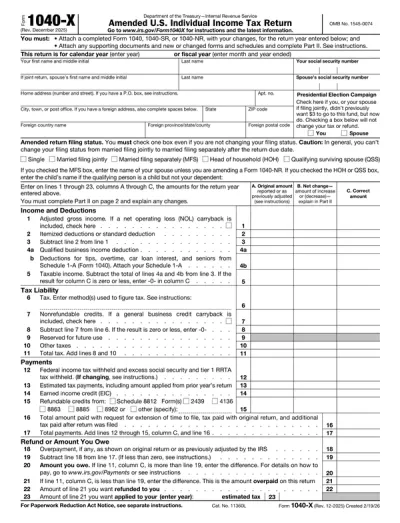
If your Form 172 is missing information, the IRS may delay processing by requesting corrections or additional details. In this case, file an amended return using the appropriate form for your situation, e.g., Form 1040-X for individuals or Form 1041 for estates and trusts, and attach the corrected Form 172.

#4. Can I fill out my Form 172 online?

Yes, you can fill out your Form 172 online with pdf.net. Just open the form in our editor and enter your information. Once you are done, download Form 172 in a single click and submit it to the IRS.

#5. Is this form free?

This form is free to view and edit. However, you need a subscription plan to download your Form 172. Visit our pricing page to learn more.

#6. Can I correct mistakes on Form 172?

Yes, you can correct mistakes on Form 172. To do so, file an amended return with the corrected IRS Form 172 attached. To avoid mistakes in the first place, use a Form 172 example for reference.

#7. How long does it take to process Form 172?

The time it takes to process Form 172 depends on the form it is attached to and whether you file electronically or by mail. If attached to an e-filed tax return, processing may take a few weeks. If attached to an amended return, such as Form 1040-X, it can take longer.

#8. Does Form 172 get attached to Form 1040?

Yes, Form 172 gets attached to Form 1040 when it applies to the calculation of your net operating loss (NOL) deduction or carryforward. It may also be attached to Form 1041, Form 1045, or Form 1040-X when claiming an NOL carryback or amending a prior return.