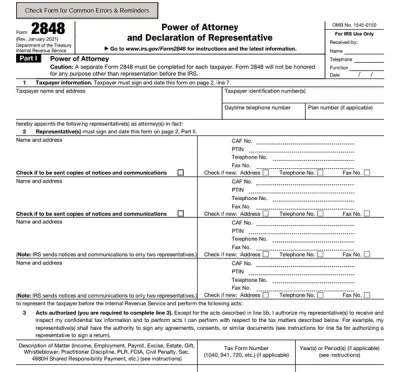
Form 23
Fill Form

Form 23

2022
Official IRS form
Official IRS form
Trusted by accountants

Form 23 is used by tax professionals who want to become enrolled agents (EAs) and officially represent taxpayers before the IRS.

Fill out Form 23 online and become an EA. Just open the editable form on our website, fill it out, and send it to the IRS to complete your application.

Form 23

2022
Form 23
Fill Form
Official IRS form
Official IRS form
Trusted by accountants

Form 23 is used by tax professionals who want to become enrolled agents (EAs) and officially represent taxpayers before the IRS.

Fill out Form 23 online and become an EA. Just open the editable form on our website, fill it out, and send it to the IRS to complete your application.

How to Fill Out Form 23

  1. Open the IRS Form 23 online in our PDF editor.
  2. Check the box at the top of the form if you are a former IRS employee.
  3. Enter your personal details (SSN, name, date of birth, address, PTIN)
  4. Complete questions about your background according to the Form 23 instructions.
  5. Sign the document.
  6. Submit it to the IRS or through the pay.gov website.

What Is Form 23 Used For?

Form 23 is used to apply for the enrolled agent status, which grants a tax professional the right to represent taxpayers before the IRS. This is the highest credential the IRS awards, so the individuals who apply must undergo background checks and pass the Special Enrollment Examination (SEE) first.

Who Should Use Form 23?

Form 23 should be used by candidates who have successfully passed the SEE and hold a valid Preparer Tax Identification Number (PTIN), or by former IRS employees who qualify for a waiver of the SEE. All applicants are subject to a suitability background check conducted by the IRS.

How and Where Do I File Form 23?

You should file Form 23 with the IRS, either by sending it to the designated address or using the pay.gov link, where you can find and submit it electronically. Note that a non-refundable $140 user fee is required at the time of submission.

How to Check IRS Form 23 Status?

You can check IRS Form 23 status by contacting the Office of Enrollment, either by telephone, mail, or email. All contact information can be found on the official IRS website, but make sure to wait 60 days after submitting before inquiring about the status.

Who Do I Call if I Have Questions About Form 23?

If you have any other questions about Form 23, you can contact the Office of Enrollment using the same contact information provided for checking IRS Form 23 status.

How to Get Your Form 23

  1. Open the editable Form 23
    Open the editable Form 23
    1

    Open the editable Form 23

  2. Enter the required information
    Enter the required information
    2

    Enter the required information

  3. Download Form 23 to your device
    Download Form 23 to your device
    3

    Download Form 23 to your device

#1. How do I get a blank Form 23?

You can get a blank Form 23 from pdf.net or the official IRS website. Both are easy to fill out in our editor; the only difference is that you can open our fillable Form 23 with a single click.

#2. Can I submit Form 23 electronically?

Yes, you can submit Form 23 electronically by visiting pay.gov and following the instructions there. Enrolled agent candidates are encouraged to use electronic submission whenever possible.

#3. What if my Form 23 is missing information?

If your Form 23 is missing information, you should contact the Office for Enrollment to inquire about your next steps. You’ll likely be asked to submit the information, but be prepared for potential processing delays. To avoid this, cross-check your form with a Form 23 example to make sure everything is in its place.

#4. Can I fill out my Form 23 online?

Yes, you can fill out your Form 23 online by using our PDF editor or completing the application through the pay.gov portal.

#5. Is this form free?

This form is free to view and edit, but downloading requires an active subscription plan. Check out our pricing page for more information.

#6. Can I correct mistakes on Form 23?

Yes, you can correct mistakes on Form 23 by contacting the Office of Enrollment and inquiring about the process. Depending on the nature of the mistake, you may be required to submit a completely new form.

#7. How long does it take to process Form 23?

The IRS Form 23 processing time is 60 days, after which your enrollment status becomes effective. It’s also advised to wait that long before contacting the Office of Enrollment with questions.

#8. What is the difference between an enrolled agent and a CPA?

The difference between an enrolled agent and a certified public accountant (CPA) is in the scope of work. CPAs handle accounting and financial planning, whereas EAs specialize exclusively in taxation and can represent taxpayers before all administrative levels of the IRS, including audits, collections, and appeals.