Form 4852
Fill Form

Form 4852

2020
Official IRS form
Official IRS form
Trusted by accountants

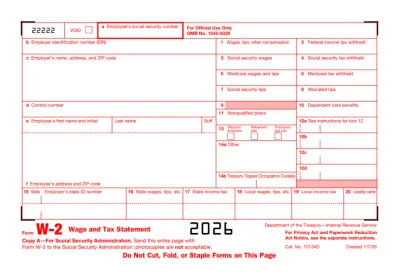
Form 4852 is used as a replacement for Forms W-2, W-2c, and 1099-R when your employer or payer doesn’t send them to you or submits incorrect ones.

Fill out Form 4852 online in our intuitive editor and have your printable form ready in just 10 minutes.

Form 4852

2020
Form 4852
Fill Form
Official IRS form
Official IRS form
Trusted by accountants

Form 4852 is used as a replacement for Forms W-2, W-2c, and 1099-R when your employer or payer doesn’t send them to you or submits incorrect ones.

Fill out Form 4852 online in our intuitive editor and have your printable form ready in just 10 minutes.

How to Fill Out Form 4852?

Step 1: Try to get the required forms from your employer or payer and contact the IRS for help.

Step 2: If all your attempts fail, open Form 4852 in our PDF editor.

Step 3: Include your name, address, and social security number.

Step 4: Add the information about your employer or payer.

Step 5: Estimate your wages and taxes withheld, according to the Form 4852 instructions.

Step 6: Attach the document to the Form 1040 and submit it to the IRS.

What Is Form 4852?

Form 4852 is a replacement document for Forms W-2, W-2c, and 1099-R (original and corrected), used when the employer or payer fails to submit these. Essentially, employees submit Form 4852 to inform the IRS that they didn’t receive any of these correct forms and to estimate their tax liability as accurately as they can.

Who Should Use Form 4852?

Employees who didn’t receive the correct Forms W-2, W-2c, or 1099-R should use Form 4852 instead. However, it’s important to first try to reach the employer or payer and ask them to furnish a copy; only if this fails should you send Form 4852.

When Do I File Form 4852?

You should file Form 4852 along with your federal income tax return (Form 1040), which is due every year by April 15th. If this date falls on a weekend or a national holiday, the deadline is pushed until the next business day.

What Are the Penalties For Not Filing Form 4852?

The IRS may challenge improper use of Form 4852 to evade federal tax liability. Penalties can include a 20% accuracy-related penalty, a 75% civil fraud penalty on unpaid taxes, and a $5,000 civil penalty for filing a frivolous or noncompliant return under Section 6702.

Where Do I File Form 4852?

You should file Form 4852 with the IRS, along with Form 1040. Even though the federal income tax return can be filed electronically, for Form 4852 you need the Employer Identification Number (EIN) to do so. This number is typically found on a W-2 or 1099-R.

How to Get Your Form 4852

  1. Open the editable Form 4852
    Open the editable Form 4852
    1

    Open the editable Form 4852

  2. Enter the required information
    Enter the required information
    2

    Enter the required information

  3. Download Form 4852 to your device
    Download Form 4852 to your device
    3

    Download Form 4852 to your device

#1. How do I get a blank Form 4852?

You can get a blank Form 4852 from pdf.net or from the official IRS website. In both cases, you can easily open it in our editor to fill it out with the required information.

#2. Can I submit Form 4852 electronically?

You can submit Form 4852 electronically if you have the Employer Identification Number (EIN), which is usually found on Forms W-2 and 1099-R. However, since you’re filing this form, it’s safe to assume you’re missing these two documents, as well as the EIN, so paper filling is a more common option.

#3. What if my Form 4852 is missing information?

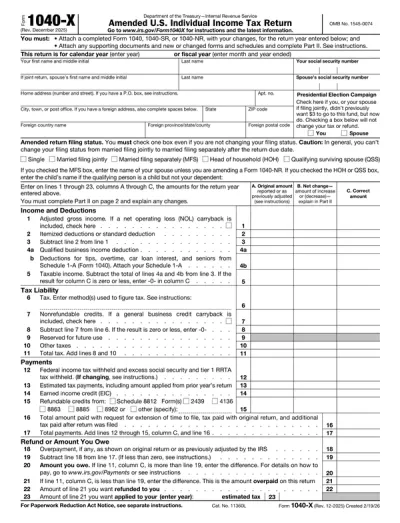
If your Form 4852 is missing information, you may need to file a new one to ensure your tax liability is calculated as correctly as possible. However, that means submitting the amended federal income tax return, Form 1040-X, with a 4852 attached to it. To avoid these issues, cross-check your document with a Form 4852 example and make sure everything’s in place.

#4. Can I fill out my Form 4852 online?

You can fill out your Form 4852 online by using our PDF editor and typing the information directly into the empty slots. Once you do so, download the tax form and submit it to the IRS.

#5. Is this form free?

This form is free to view and edit, but you need to purchase a subscription plan if you want to download it to your device.

#6. Can I correct mistakes on Form 4852?

You can correct mistakes on Form 4852 by submitting a new one with Form 1040-X. This is especially important if you receive Form W-2 or Form 1099-R after filing your federal income tax return. Although it was sent late, it’s still your responsibility to give the IRS the correct information, so you must submit Form 1040-X, amended accordingly.

#7. Do I need to file Form 4852 every year?

No, you don’t need to file Form 4852 every year; you only submit it when you don’t receive the W-2, W-2c, or 1099-R forms.

#8. Is Form 4852 complicated to complete?

Form 4852 is fairly short, but it may be complicated to complete because it requires estimated information about wages, taxes, tips, and distributions. These details would be found on Forms W-2 and 1099-R, but since you don’t have them, you have to try and determine the amounts on your own.