pdf.net
Form 4972
Fill Form

Form 4972

2025
Trusted by lawyers
Trusted by lawyers

Form 4972 is used to calculate your taxes on a qualified lump-sum distribution, typically received from a pension or 401(k) plan, and potentially lower your tax liability.

You’ll find a printable Form 4972 on our website, where you can open it in our PDF editor with a single click. Then, read the instructions carefully, see whether you qualify, and type the information directly on the document.

Form 4972

2025
Form 4972
Fill Form
Trusted by lawyers
Trusted by lawyers

Form 4972 is used to calculate your taxes on a qualified lump-sum distribution, typically received from a pension or 401(k) plan, and potentially lower your tax liability.

You’ll find a printable Form 4972 on our website, where you can open it in our PDF editor with a single click. Then, read the instructions carefully, see whether you qualify, and type the information directly on the document.

How to Fill Out a Form 4972

Step 1: Open Form 4972 in our PDF editor.

Step 2: Complete Part I to see if you should be using this form in the first place.

Step 3: Decide whether you’ll choose the 20% capital gain election, the 10-year tax option, or both.

Step 4: Fill out the appropriate section.

Step 5: Calculate your tax on the lump-sum distribution and include the amount on Form 1040.

Step 6: Attach this document to Form 1040 and submit it.

What Is the Form 4972?

Form 4972 is used to figure your taxes on a qualified lump-sum distribution received from a pension or profit-sharing fund. Since you can choose to be taxed using the 20% capital gain election, the 10-year tax option, or both, your tax liability may be lower than if you reported the distribution as regular income.

Who Should Use the Form 4972?

Individuals who receive qualified lump-sum distributions and are born before 2nd January 1936 can use Form 4972 to report and calculate taxes. Furthermore, after their deaths, their beneficiaries should fill out this document if they received the distribution in their name.

When Do You File the Form 4972?

You should file Form 4972 with your federal income tax return (Form 1040), which is due annually on 15th April. However, Form 4972 isn’t recurring; you submit it only for the year when you receive the distribution.

What Are the Penalties For Not Filing the Form 4972?

There are no specific penalties for not filing Form 4972, as you can report your lump-sum distribution as regular income and pay taxes accordingly. However, you might lose an opportunity to lower your liability in that case.

Where Do I File the Form 4972?

You should file Form 4972 with the IRS, either by mail or electronically. Whatever you choose, remember to attach it to Form 1040 and send it as a package.

How to Get Your Form 4972

  1. Open the editable Form 49721

    Open the editable Form 4972

  2. Fill out the required fields2

    Fill out the required fields

  3. Download Form 4972 to your device3

    Download Form 4972 to your device

Related Forms

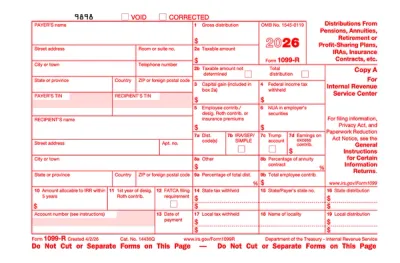
Form 1099-R
Form 1099-R is used to report designated distributions of $10 or more by retirement plan administrators, IRA custodians, insurance companies, and government pension systems. Select the fillable 1099-R Form from our PDF Tax Forms hub, open it in our editor, and enter the required information. Afterward, you can download it to your device to send it electronically or print it and submit it by mail.
Preview
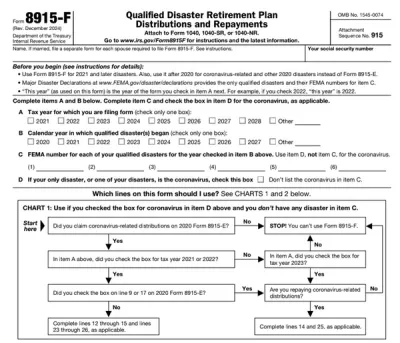
Form 8915-F
Form 8915-F is used by individuals adversely impacted by coronavirus and other qualified disasters beginning in 2021 to report retirement fund distributions and repayments. Browse through our PDF Forms hub, and you’ll find the fillable Form 8915-F you can easily open in our editor and complete with the required information on the spot. Afterward, you can download it to your device for filing and further use. “PDF.net saved me hours when completing Form 8915-F, since it’s really easy to use and gets the job done quickly. I’ll definitely be using it in the future!”
Preview
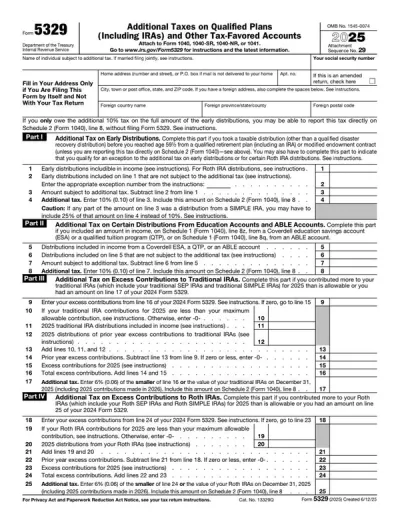
Form 5329
Form 5329 is a document used to report additional taxes on individual retirement accounts (IRAs) and other qualified plans. If you need to file one, our PDF editor includes a fillable form you can complete, save, and submit in no time.
Preview
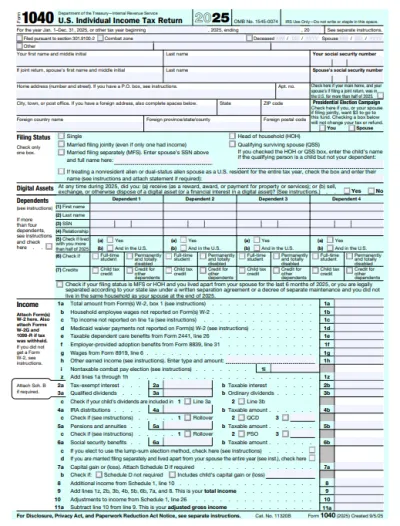
1040 Form
A Form 1040 is the IRS tax return used to report your annual income, calculate taxable income, claim credits and deductions, and determine whether you owe taxes or will receive a refund. Access our 1040 fillable form online and handle your tax return without a hassle. You can enter your income, deductions, and credits easily, review the details, and download a completed copy ready for filing.
Preview
Form 1040-SR
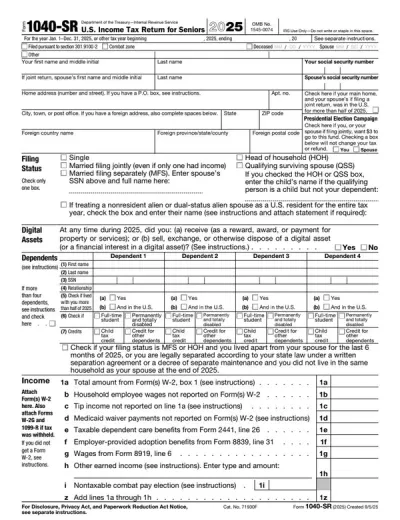
Form 1040-SR is a U.S. income tax return for taxpayers aged 65 or older, with the same rules and schedules as Form 1040. Access our fillable template to edit the form without hassle and download it once it’s ready for submission. This way, you will complete your return faster, relying on a clear, easy-to-read format.
Preview

#1. How do I obtain a blank Form 4972?

You can obtain a blank Form 4972 from pdf.net or the official IRS website. Both are valid, and you can open them in our PDF editor to fill them out.

#2. Can I submit the Form 4972 electronically?

You can submit Form 4972 electronically along with your federal income tax return if you use the online tools available on the official IRS website. E-filing may also shorten your processing time, so it’s generally encouraged by the IRS.

#3. What if my Form 4972 is missing information?

If your Form 4972 is missing information, the IRS might not be able to process it correctly, which could lead to issues and delays. That’s why it’s important to cross-check your document with a Form 4972 example at least a couple of times before filing. However, if you notice your mistake only after submission, you can correct it by filing Form 1040-X (amended income tax return) with a new Form 4972 attached.

#4. Can I fill out my Form 4972 online?

You can fill out your Form 4972 online if you use pdf.net or the tools available on the official IRS website.

#5. Is this form free?

This form is free to view and edit, but you’ll need to purchase a subscription plan if you want to download it to your device.

#6. Can I correct mistakes on Form 4972?

You can correct mistakes on Form 4972 if you file a new copy along with a Form 1040-X. Essentially, the steps are the same as when your form is missing information.

#7. How long does it take to process Form 4972?

Form 4972 is processed along with Form 1040, which usually takes up to 21 days for e-filing and 6 weeks for mail. This process may be longer if you need to file the amended return.