Form 8027
Fill Form

Form 8027

2025
Official IRS form
Official IRS form
Trusted by accountants
Filled annually
Filled annually

Form 8027 is used to report receipts and tips from large food and beverage establishments and determine allocated tips for tipped employees.

With our editable Form 8027, you can easily fill out the required information online. After that, just download the form to your device and submit it to the IRS.

Form 8027

2025
Form 8027
Fill Form
Official IRS form
Official IRS form
Trusted by accountants
Filled annually
Filled annually

Form 8027 is used to report receipts and tips from large food and beverage establishments and determine allocated tips for tipped employees.

With our editable Form 8027, you can easily fill out the required information online. After that, just download the form to your device and submit it to the IRS.

How to Fill Out Form 8027

  1. Open Form 8027 in our PDF editor.
  2. Enter details about the establishment and the employer.
  3. Check the box to identify the type of establishment you’re running.
  4. Complete information about the tips and receipts according to the Form 8027 instructions.
  5. Sign the document.
  6. Submit it to the IRS along with a Form 8027-T if necessary.

What Is Form 8027 Used For?

Form 8027 is used to report receipts and tips from large food and beverage establishments that employ more than 10 employees on a typical business day. In addition, employers fill it out to determine allocated tips for tipped employees.

Who Should Use Form 8027?

Form 8027 should be used by food and beverage establishments described above, which also meet the following conditions:

  • Located in the 50 U.S. states or the District of Columbia
  • Tipping of food and beverage employees is customary
  • Provided food or beverages are consumed on the premises (so fast-food restaurants, which primarily allow pick-ups, don’t count)

When Is Form 8027 Due?

Form 8027 is due by February 28th or 29th each year when filed on paper. However, if you’re filing it electronically, the deadline is March 31st. If any of these dates fall on a weekend or a federal holiday, the deadline is pushed to the next business day.

What Happens If Form 8027 Is Not Submitted?

If Form 8027 isn’t submitted, you may be subject to late filing penalties, which range from $60 to $310 per form, depending on how late it is. This penalty increases to $660 per form when the IRS determines that the rules have been intentionally disregarded. Furthermore, you won’t be able to correctly prepare a W-2 if you don’t complete Form 8027, which can lead to further fines.

How and Where Do I File Form 8027?

You should file Form 8027 with the IRS either by mailing it to the address listed on the official website or by submitting it electronically. If you must file 10 or more returns during one year, you’re required to do so electronically, unless you request and receive a waiver. Also, if you’re filing several Forms 8027, use Form 8027-T for their transmittal.

How to Get Your Form 8027

  1. Open the printable Form 8027
    Open the printable Form 8027
    1

    Open the printable Form 8027

  2. Enter the required details
    Enter the required details
    2

    Enter the required details

  3. Download Form 8027 to your device
    Download Form 8027 to your device
    3

    Download Form 8027 to your device

#1. How do I get a blank Form 8027?

You can get a blank Form 8027 from pdf.net or from the official IRS website. Both can be easily edited with our tool, but it’s easier to use ours, as it can be opened with a single click.

#2. Can I submit the Form 8027 electronically?

Yes, you can submit Form 8027 electronically. Moreover, you’re required to do so when filing 10 or more information returns. In this case, you should use the Filing Information Returns Electronically (FIRE) system to do this.

#3. What if my Form 8027 is missing information?

If your Form 8027 is missing information, you may be subject to penalties, so it’s important to submit a correct one as soon as possible. Fill out a new information return, check the “Amended Return” box, and file it to replace the incorrect one. If necessary, check the issued W-2s and update them as well.

To avoid all this hassle, make sure that you’ve filled out every field by cross-checking your document with a Form 8027 example.

#4. Can I fill out my Form 8027 online?

Yes, you can fill out your Form 8027 online by using our PDF editor. It allows you to type information directly into the designated slots.

#5. Is this form free?

This form is free to view and edit, but you need a subscription plan to download it. More information is available on our pricing page.

#6. Can I correct mistakes on Form 8027? 

Yes, you can correct mistakes on Form 8027. The process is very similar to updating a form with missing information. Simply make the necessary changes, mark the form as amended, and resubmit.

#7. How long does it take to process Form 8027?

The exact processing time for Form 8027 is unknown, as you don’t receive any notification when it’s done. In fact, IRS Form 8027 is an information return, so it serves as a report to the IRS, which they use to ensure compliance with the law.

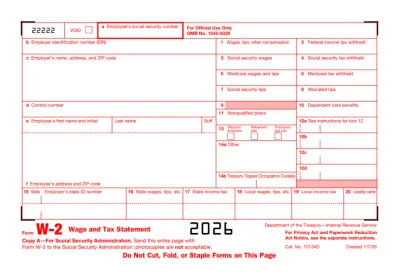
#8. Should W-2 be filed with Form 8027?

No, W-2 shouldn’t be filed with Form 8027; even though some information from 8027 is included on W-2, these two are separate documents submitted to separate entities. Form 8027 is filed with the IRS, while W-2 is submitted to the Social Security Administration.