What Is the Form W-3?
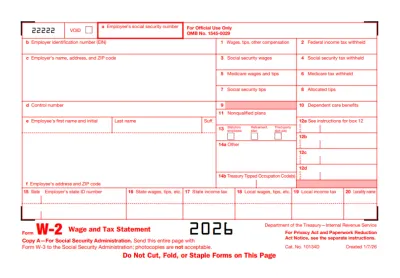
Form W-3 is known as the Transmittal of Wage and Tax Statements, which is precisely what it is used for: filing Copy A of Forms W-2. This document is never submitted on its own, as it has no purpose outside of transmitting Forms W-2.
Who Should Use Form W-3?
Employers filing Form W-2 should use Form W-3 to summarize and transmit their employees’ wage and tax statements, detailing the income received and taxes withheld.
When Is the Form W-3 Due?
Form W-3 is due on the same day as Copy A of Form W-2, that is, the 31st of January of the following year. However, if this date falls on a weekend or a national holiday, the deadline is pushed to the next business day.
What Are the Penalties For Not Filing the Form W-3?
Penalties for not filing Form W-3 are charged per associated Form W-2, since paper Forms W-2 aren’t processed without it, and depend on how late you file:
- $60 per Form W-2 if you file it within 30 days after the due date
- $130 per Form W-2 if you submit it more than 30 days after the due date, but by 1st August
- $340 per Form W-2 if you file after 1st August or don’t file at all
Where Do I File the Form W-3?
You should file Form W-3 with the Social Security Administration (SSA), either electronically or by sending it by mail. Use the official SSA platform for e-filing, or mail the official red-ink form to one of the designated addresses, as copies printed from the web can’t be scanned.
Frequently asked questions
#1. How do I get a blank Form W-3?
You can get a blank Form W-3 from pdf.net; then, open the document in our editor and fill out the required information.
#2. Can I submit a Form W-3 electronically?
Yes, you can submit Form W-3 electronically, and it’s even required if you file 10 or more information returns. When you e-file your Forms W-2, Form W-3 is created for you automatically.
#3. What if my Form W-3 is missing information?
If your Form W-3 is missing information after you’ve filed it, you’ll need to correct it, as explained below. Avoid this by cross-checking your document with a Form W-3 example to make sure everything’s in place.
#4. Can I fill out my Form W-3 online?
You can fill out your Form W-3 online, either by using pdf.net or the official SSA filing portal, Business Services Online.
#5. Is this form free?
This form is free to view and edit, but not to download; you’ll need to purchase a subscription plan if you want to save it to your device. Check out our pricing page for details.
#6. Can I correct mistakes on Form W-3?
You can correct mistakes on Form W-3 by submitting Form W-3c, the Transmittal of Corrected Wage and Tax Statements, along with the appropriate Forms W-2c.
#7. What is the difference between W-2 and W-3 forms?
The difference between Forms W-2 and W-3 is that the former is used to report payments and taxes withheld for each employee, while the latter is used simply to transmit Copy A of these forms to the SSA.