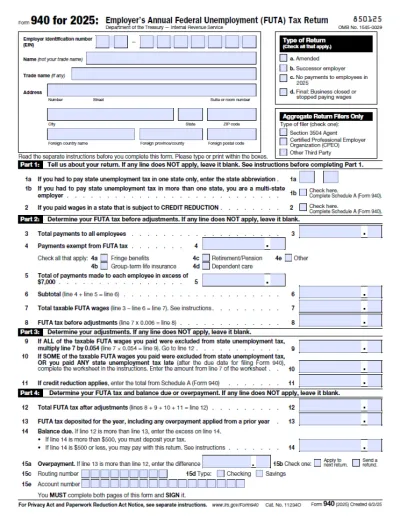
Form W-4
Fill Form

Form W-4

2026
AI filler
supported
AI filler
supported
Official IRS form
Official IRS form
Trusted by accountants

Form W-4 informs the employer of the correct federal income tax to withhold from the employee’s paycheck.

Select a fillable tax form, open it in our PDF editor, and enter the information directly in the fields; once you complete it, you can download your W-4 and submit it to your employer.

Form Year

Form W-4

2026
Form W-4
Fill Form
Form Year
AI filler
supported
AI filler
supported
Official IRS form
Official IRS form
Trusted by accountants

Form W-4 informs the employer of the correct federal income tax to withhold from the employee’s paycheck.

Select a fillable tax form, open it in our PDF editor, and enter the information directly in the fields; once you complete it, you can download your W-4 and submit it to your employer.

How to Fill Out a W-4 Form?

Step 1: Open our W-4 fillable form and enter your personal details.

Step 2: Fill out the required information about your spouse if you’re filing jointly, or additional jobs if you have any.

Step 3: Claim dependents and include adjustments for other income or deductions.

Step 4: Enter any additional tax you want withheld each pay period.

Step 5: Review your entries and sign the document.

Step 6: Save the IRS Form W-4 in PDF and submit it.

What Is Form W-4?

Form W-4 is a PDF tax form that informs the employer of the correct amount to withhold from the employee’s paycheck for federal income tax. It contains details on the number of jobs the employee holds, dependents, additional income, and deductions.

Who Is Required to Fill Out Form W-4?

All new employees are required to fill out Form W-4, as well as anyone whose financial or personal situation changes in a way that affects their income tax. Otherwise, existing employees don’t need to submit a new form each year, as the employer can simply use the information on the previous one.

When Is Form W-4 Due for Submission?

There is no official due date for Form W-4, but it should be submitted to the employer as part of the onboarding process or within the first month of employment, at the latest. However, employees claiming exemption from withholding taxes must file a new form by February 15th each year.

What Are the Penalties for Not Submitting the Form?

There are no specific penalties for not submitting Form W-4, but the employer would then withhold taxes as if the employer who failed to file the form were single with no other entries. If this results in less tax being withheld than required, the employee faces a penalty of $500.

Where Do I File the W-4 Form?

You file the W-4 Form with your employer, not the IRS. You can do so electronically or submit the signed form in person.

How to Get Your W-4 Form?

  1. Open the editable W-4 Form
    Open the editable W-4 Form
    1

    Open the editable W-4 Form

  2. Follow the Form W-4 instructions to fill out the slots
    Follow the Form W-4 instructions to fill out the slots
    2

    Follow the Form W-4 instructions to fill out the slots

  3. Finalize and download the W-4 Form
    Finalize and download the W-4 Form
    3

    Finalize and download the W-4 Form

#1. How do I get a blank Form W-4?

You can get a blank Form W-4 from our PDF Tax Forms page. Select it from the list and download the document or open it in our PDF editor to complete it right away. Once you’re done, you can save and submit it immediately.

#2. How often is Form W-4 filed?

Form W-4 isn’t filed regularly; in fact, you should submit it once, when you first start your new job, and again when you need to update information. As long as nothing changes, your employer will simply use the details you provided to withhold your taxes each year.

#3. Where to file a W-4 Form?

You should file a W-4 Form with your employer, either by printing it and handing it in directly or by submitting it electronically. Either way, this form is not for the IRS, as only your employer needs it to correctly withhold taxes from your salary.

#4. What if my W-4 Form is missing information?

If your W-4 Form is missing information, open it in our PDF editor and update it directly. Cross-check it once again with a W-4 Form example to ensure that you have all the necessary details.

#5. Can I fill out my W-4 form online?

You can fill out your W-4 Form online by opening it in our PDF editor and entering the information into the empty fields. Afterward, simply download it to your device for further use.

#6. Is this form free?

This form is free to view and edit, but you will need to purchase a subscription plan if you want to download it. There are several available options: $0.95 for a limited 14-day access, $1.95 for an unlimited 14-day access, and $24.95 monthly for an annual access.

#7. Can I correct mistakes on Form W-4?

You can easily correct mistakes on Form W-4 by submitting a new form at any time. If your mistake caused incorrect withholding for the previous year, you can choose to have additional tax withheld to balance it out.