#1. How do I get a blank Schedule D (Form 1040)?
You can get a blank Schedule D (Form 1040) from our PDF Forms page, under the Tax Forms category. When you click on it, it will open in a new tab with a full suite of tools that you can use to complete your Schedule D.
#2. Can I submit the Schedule D (Form 1040) electronically?
Yes, you can submit electronically after downloading your Schedule F (Form 1050); it should be e-filed as part of your tax returns.
#3. What if my Schedule D (Form 1040) is missing information?
If your Schedule D (Form 1040) is missing information, you can add those details using our online editor. Simply reopen the fillable form and type in it directly. You should reference a Schedule D example to make sure you have completed everything fully.
#4. Can I fill out my Schedule D (Form 1040) online?
Yes, you can fill out your Schedule D (Form 1040) online with pdf.net. Our handy tool is browser-based, meaning you won’t have to install software to complete your form; all you have to do is open it and enter information in the fields.
#5. Is this form free?
This form is free to access via pdf.net. When you open it, you can edit it using our tools. To download it, you should purchase one of the plans and register for an account.
#6. Can I correct mistakes on a Schedule D (Form 1040)?
Yes, you can correct mistakes on a Schedule D before submitting it as part of your Form 1040. Our online editor lets you open it, make changes directly, and then download a copy for submission. Don’t forget to also cross-check it with a Schedule D example before finalizing the process.
#7. How long does it take to process a Schedule D (Form 1040)?
It takes about 21 days for the IRS to process a Form 1040, which will include this document, too. To avoid delays, review the Schedule D instructions carefully to avoid making mistakes or leaving out necessary details.
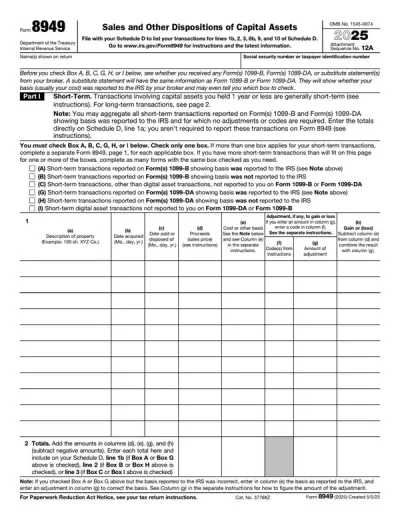
#8. Do I use a Form 8949 or a Schedule D?
You use both a Form 8949 and a Schedule, as they are filed together. A Form 8949 is for reporting individual transactions, and a Schedule D is for summarizing totals and calculating your overall capital gain or loss.
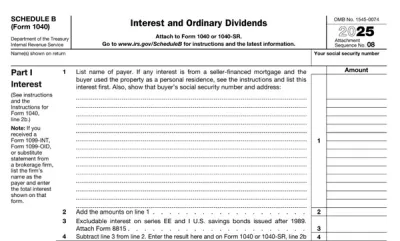
#9. What is the difference between a Schedule B and a Schedule D?
The difference between a Schedule B and a Schedule D is that Schedule B reports interest and dividend income, while Schedule D reports capital gains and losses from selling assets.