#1. How do I get a blank Schedule SE (Form 1040)?
You can get a blank Schedule SE (Form 1040) from the Tax Forms category in our PDF Forms hub page. When you click on it, it will open in a new tab with our editor’s full suite of tools, and then you can complete and download your Schedule SE once it’s ready for filing.
#2. Can I submit the Schedule SE (Form 1040) electronically?
Yes, you can submit your Schedule SE (Form 1040) electronically. If you don’t want to e-file it to the IRS, you can print it out and mail it.
#3. What if my Schedule SE (Form 1040) is missing information?
If your Form 1040’s schedule is missing information, it might delay the processing of your overall tax return. Review the Schedule SE instructions, then update your form in pdf.net; our tool lets you make changes directly.
#4. Can I fill out my Schedule SE (Form 1040) online?
Yes, you can fill out your Schedule SE (Form 1040) online. When you click on our editable Schedule SE form, it will open in a new tab with a full suite of tools. Use those to complete your form and then click Download in the top-right corner to save it to your device.
#5. Is this form free?
This form is free to view and edit using our online editor, pdf.net. However, to download it once you are done filling in your details, you will need to purchase a plan and register for an account.
#6. Can I correct mistakes on a Schedule SE (Form 1040)?
Yes, you can correct mistakes on a Schedule SE (Form 1040) before submitting it to the IRS. Just reopen the form on our online editor and revise details directly. You should cross-check it with a Schedule SE example to ensure you have filled out everything correctly.
#7. How long does it take to process a Schedule SE (Form 1040)?
It takes the IRS about 21 days to process a Form 1040, which includes your Schedule SE. If you printed your tax return and submitted it by mail, it might take longer to process.
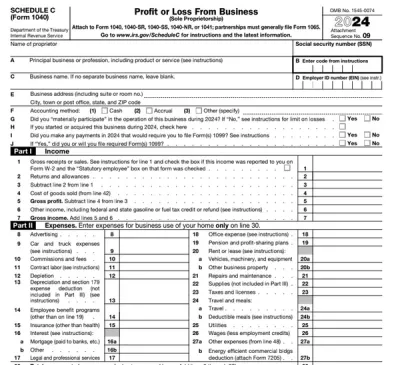
#8. What is the difference between a Schedule C and a Schedule SE?
The difference between a Schedule C and a Schedule SE is that Schedule C reports your business income and expenses, while Schedule SE calculates the self-employment tax owed on that income.
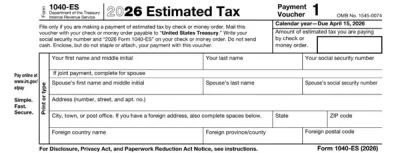
#9. Is Schedule SE the same as a Form 1040 ES?
No, Schedule SE is not the same as a Form 1040 ES; the former calculates self-employment tax, while the latter is used to estimate and pay quarterly taxes.