pdf.net

Form I-983

2025
Form I-983
Official IRS form
Official IRS form
Trusted by accountants

Form I-983 outlines the training plan for F-1 STEM OPT students and demonstrates how their work aligns with their learning objectives, which their DSO needs before recommending a 24-month extension of their OPT work authorization.

Choose the fillable Form I-983 from our PDF Forms hub and enter the required information in the empty slots. You can then download the document to your device with a single click and use it accordingly.

How to Fill Out an I-983 form

  1. Open Form I-983 in our PDF editor.
  2. If you are a student, complete Sections 1 and 2.
  3. If you are an employer, complete Sections 3, 4, and 6.
  4. Both parties should fill out Section 5, according to the Form I-983 instructions.
  5. Review the document.
  6. Send the form to the DSO.

What Is the Form I-983?

Form I-983, otherwise known as the Training Plan for STEM OPT Students, is a document used by students on an F-1 visa to support a 24-month STEM OPT extension of their work authorization. It outlines their plan during practical training and demonstrates how it aligns with their learning objectives. It is not the application itself, which is Form I-765 filed with USCIS.

Who Is Required to Fill Out Form I-983?

Form I-983 is filled out by the STEM OPT (Optional Practical Training) student applying for the extension and their employer. They complete some sections separately, while others must be completed by both parties.

When Is the Form I-983 Due?

Initially, Form I-983 is due to your DSO before they recommend your STEM OPT extension and before you apply to USCIS. However, two evaluations must be submitted: the first within 10 days after your first 12 months of STEM OPT, and the final within 10 days after the training ends. If you change employers, a new Form I-983 must be reported to your DSO within 10 days.

Where Do I File the Form I-983?

Form I-983 must be filed with your designated school official (DSO) at your school. The DSO reviews the document and keeps it in the student’s record, along with 12-month and final evaluations when they are submitted.

How to Get Your Form I-983

  1. 1

    Access the editable Form I-983

  2. 2

    Enter the required information

  3. 3

    Download Form I-983 to your device

Related Forms

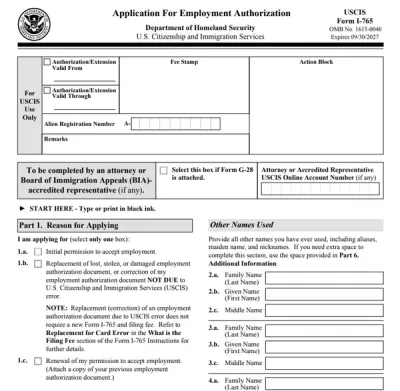
Form I-765
Form I-765 is filed by noncitizens to apply for permission to work in the U.S. or request proof of employment authorization.Complete it by selecting it from our forms hub, opening it in our PDF editor, and typing the information directly. Once you finalize it, download it to your device, print and sign it by hand, and submit it to the U.S. Citizenship and Immigration Services (USCIS).
Preview
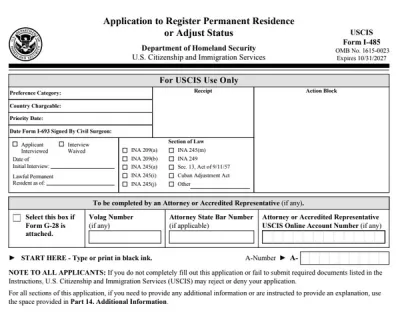
Form I-485
Form I-485 is used by foreign individuals inside the U.S. to apply for permanent resident status, also known as a "green card."Open the fillable Form I-485 in our PDF editor and enter the required information directly. Afterward, you can download the completed document and file it with the U.S. Citizenship and Immigration Services (USCIS) by mail or, for certain eligible categories, online.
Preview
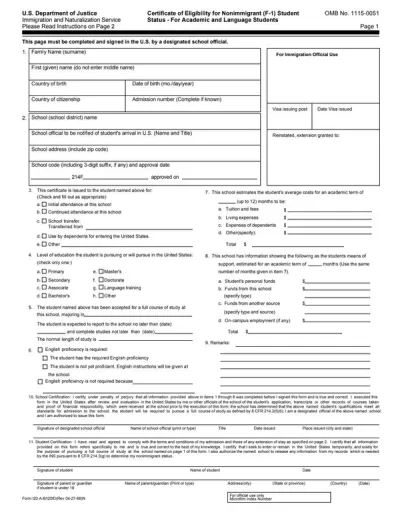
Form I-20
Form I-20 is an official document issued by U.S. schools that international students need to fill out to apply for an F-1 or M-1 visa.The form can only be obtained from your designated school officer (DSO) once you’re accepted into a Student and Exchange Visitor Program (SEVP)-certified school. However, our printable Form I-20 sample can show you what to expect.
Preview
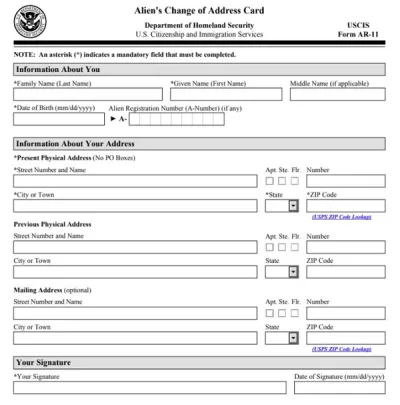
Form AR-11
Form AR-11 is used to report a change of address to the U.S. Citizenship and Immigration Services (USCIS), which is mandatory for most noncitizens living in the U.S.Our editable Form AR-11 streamlines preparing your change of address. Just complete the form online and download it to print and mail to USCIS.
Preview
Form G-28
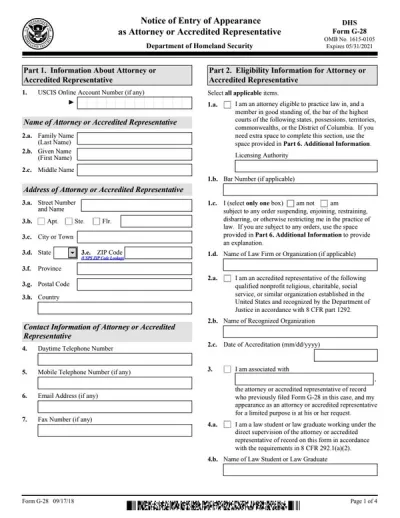
Form G-28 establishes an attorney’s or accredited representative’s eligibility to represent a client in an immigration matter before the U.S. Department of Homeland Security (DHS).With our fillable Form G-28, you can easily add the required details. Once you fill it out, just download it to your device, sign it, and submit it.
Preview

Frequently asked questions

#1. How do I get a blank Form I-983?

You can get a blank Form I-983 from pdf.net. Alternatively, it’s possible to get it from ICE’s official website, open it in our editor, and fill in the required information.

#2. Can my employer fill out Form I-983?

Yes, your employer must fill out parts of Form I-983, but they can’t complete the entire document by themselves. You must fill out some sections, while others require that both of you contribute.

#3. Do I need supporting documents for Form I-983?

You don’t need any supporting documents for Form I-983. Instead, you should make sure your plan in Section 5 clearly shows how your training aligns with your learning goals.

#4. What if my Form I-983 is missing information?

If your Form I-983 is missing information, your DSO will return it and ask that you complete it properly. This can delay your DSO’s recommendation and your STEM OPT application, so make sure to cross-check your document with a Form I-983 example before submitting it.

#5. Can I fill out my Form I-983 online?

Yes, you can fill out Form I-983 online by opening it in our PDF editor and typing directly into the empty fields.

#6. Is this form free?

Yes, this form is free to edit with us, but if you want to download it to your device, you must purchase a subscription plan.

#7. Can I correct mistakes on Form I-983?

Yes, you can correct mistakes on Form I-983 before submitting it by editing and re-signing it. Afterward, you can request a change by contacting your DSO; for material changes, you and your employer must sign and file a modified Form I-983.