pdf.net

Form DD 2656

2020
Form DD 2656
Trusted by accountants
Filed annually
Filed annually

DD Form 2656 is a document used by the Defense Finance and Accounting Service (DFAS) to establish a retired pay account for military retirees.

Thanks to our PDF editor, you’ll no longer have to spend hours wondering how to fill out a PDF document. Simply select our fillable Form DD 2656 from our hub, enter the required information, and save it to your device to sign and submit it through your Service.

How to Fill Out a Form DD 2656?

  1. Open Form DD 2656 in our PDF editor.
  2. Add your personal information and select your branch of service.
  3. Include your beneficiaries’ details and federal tax withholding information.
  4. Choose your Survivor Benefit Plan.
  5. Fill out the rest of the document according to the Form DD 2656 instructions.
  6. Sign the document with a witness, add your spouse’s notarized concurrence if you’re married and elect less than full SBP coverage, and submit it through your Service.

What Is the Form DD 2656?

Form DD 2656, known as Data for Payment of Retired Personnel, is a document used to submit the required information to set up a retired pay account for military retirees. Individuals filing it must include their personal details, banking information, and decisions on the Survivor Benefit Plan (SBP).

Who Is the Form DD 2656 For?

Form DD 2656 is for U.S. military members applying for retirement pay after they fulfill service requirements. For most, that means 20 years of service, or, for reservists, 20 qualifying years of service and age 60 (or a reduced retirement age). Disability retirees use the form too.

When Is the Form DD 2656 Due?

Form DD 2656 has no single DFAS deadline, but you must sign it before your retirement date, and your Service sets how early to submit it, typically 60 days to six months ahead (at least 90 days for a Blended Retirement System lump sum). Submitting it by your Service’s deadline means the DFAS can process it on time, and you don’t have to worry about any delays.

What Happens If You Don’t Submit Form DD 2656?

If you don’t submit Form DD 2656, your retirement pay may be delayed, and you will be automatically enrolled in the full SBP coverage if you are eligible for it. That coverage is generally irrevocable, so it is hard to undo later.

Where Do I File the Form DD 2656?

You should submit Form DD 2656 through your Service’s retirement or personnel office, which forwards it to the Defense Finance and Accounting Service (DFAS), either by mail or electronically.

How to Get Your Form DD 2656

  1. 1

    Open the editable Form DD 2656

  2. 2

    Enter the required information

  3. 3

    Download Form DD 2656 to your device

Related Forms

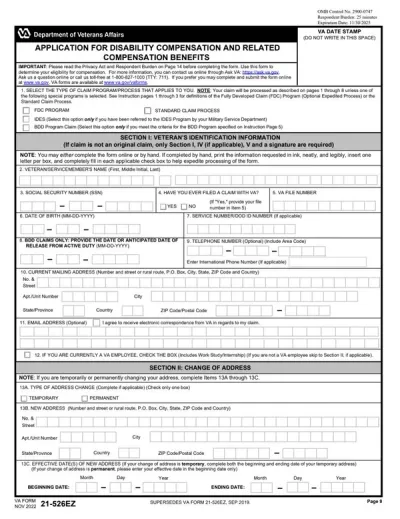
VA Form 21-526EZ
VA Form 21-526EZ is used by veterans to apply for VA disability compensation and related benefits. You can submit your claim quickly with our fillable form and an easy-to-use browser-based editor; everything works online, so you don’t have to install any programs.
Preview
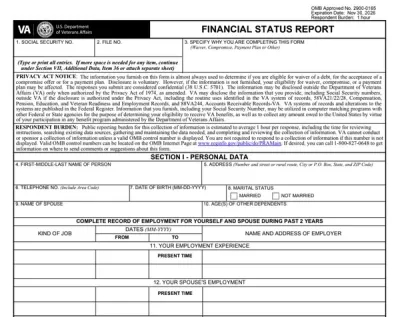
VA Form 5655
VA Form 5655 is used to provide a detailed report of your financial situation as part of your request for help with certain VA repayments or applying for debt relief options.Our fillable VA Form 5655 facilitates the submission process for this VA document, significantly reducing the time necessary to complete it. That’s thanks to our user-friendly editor and its highly intuitive and easy-to-navigate tools.“I filled out my VA Form 5655 in record time, and it’s all because I used pdf.net’s template and editor. Highly recommend this service!”
Preview
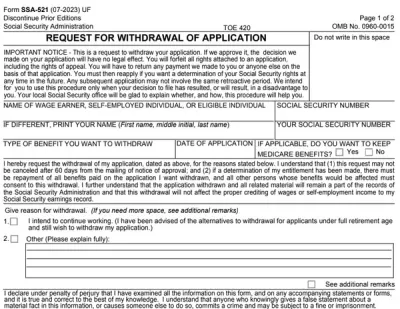
SSA-521 Form
SSA-521 is the official Social Security form used to request the withdrawal of a previously filed benefits application. You can use our editable SSA-521 form and online PDF editor to complete it directly in your browser. Enter your details and download a copy ready for signing and submission in minutes.
Preview
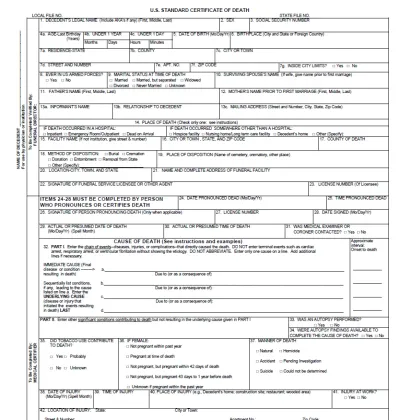
Death Certificate
A death certificate is an official document that records the time, location, and cause of death, serving as confirmation that a person has passed away.Open the fillable death certificate form in our PDF editor and enter the required information into the empty fields. Once you do so, you can save the document on your device for further use.
Preview
VA Form 3288
VA Form 3288 is a document used by veterans when authorizing the release of private information, such as medical records and claims files, to third parties like doctors or legal representatives.You can complete our fillable VA Form 3288 in our PDF editor simply by selecting it from our hub and clicking on it. Use the available tools to add your information in the designated slots and download the submission-ready document.
Preview

Frequently asked questions

#1. How do I get a blank Form DD 2656?

You can get a blank Form DD 2656 from pdf.net and open it directly in our PDF editor, where you can type the required information into the empty slots.

#2. Can I submit a Form DD 2656 electronically instead of on paper?

Yes, you can submit Form DD 2656 electronically instead of on paper, either through your Service’s retirement office or by using the askDFAS online upload tool.

#3. What if my Form DD 2656 is missing information?

If your Form DD 2656 is missing information, the processing will likely be delayed, and the document may be returned to you for proper completion. If your Survivor Benefit Plan election is still missing or invalid on your retirement date, you will be covered automatically at the maximum level. So, cross-check your document with a Form DD 2656 example to make sure everything’s in place.

#4. Can I fill out my Form DD 2656 online?

You can fill out Form DD 2656 online by using our PDF editor to enter the required details in the designated fields.

#5. Is this form free?

This form is free to view and edit, but you need to purchase a subscription plan if you want to download it for further use.

#6. Can I correct mistakes on Form DD 2656?

You can correct mistakes on Form DD 2656, but if you’ve already handed it in, you need to contact your Service’s retirement office or the DFAS for further instructions. Make sure to do that as soon as you notice the errors to avoid complications and delays.