pdf.net
Form MCS-150
Fill Form

Form MCS-150

2025
Trusted by lawyers
Trusted by lawyers

Form MCS-150 is used by motor carriers to apply for or update their U.S. Department of Transportation (USDOT) number and meet the requirements of the Federal Motor Carrier Safety Administration (FMCSA).

Open the fillable Form MCS-150 in our PDF editor and enter the required details directly into the empty fields. Afterward, you can download the completed document to your device and submit it to the FMCSA.

Form MCS-150

2025
Form MCS-150
Fill Form
Trusted by lawyers
Trusted by lawyers

Form MCS-150 is used by motor carriers to apply for or update their U.S. Department of Transportation (USDOT) number and meet the requirements of the Federal Motor Carrier Safety Administration (FMCSA).

Open the fillable Form MCS-150 in our PDF editor and enter the required details directly into the empty fields. Afterward, you can download the completed document to your device and submit it to the FMCSA.

How to Fill Out a Form MCS-150

Step 1: Gather the required information, like the USDOT number, EIN or SSN, and details on vehicles, drivers, and cargo.

Step 2: Open Form MCS-150 in our PDF editor.

Step 3: Select your reason for filing.

Step 4: Fill out the information according to the Form MCS-150 instructions.

Step 5: Review and sign the document.

Step 6: Submit the form to the FMCSA.

What Is Form MCS-150?

Form MCS-150 is a document used to comply with the Federal Motor Carrier Safety Administration (FMCSA) requirements that stipulate motor carriers must update their USDOT number biennially.

Who Is Required to Fill Out Form MCS-150?

Anyone with a registered USDOT number is required to fill out and submit Form MCS-150. That includes motor carriers, individuals who operate commercial vehicles, and brokers or freight forwarders.

When Is the Form MCS-150 Due?

The Form MCS-150 is due every other year in the month determined by your USDOT number. Namely, if the number ends in 1, the deadline is January; if it ends in 2, the deadline is February, and so on until October, which is labelled by 0. Filings are never scheduled in November and December.

Where Do I File the Form MCS-150?

You should file the Form MCS-150 with FMCSA, either by uploading your application through the official website or sending a physical copy to the designated address.

How to Get Your Form MCS-150?

  1. Open the editable Form MCS-1501

    Open the editable Form MCS-150

  2. Fill out the required details2

    Fill out the required details

  3. Download Form MCS-150 to your device3

    Download Form MCS-150 to your device

Related Forms

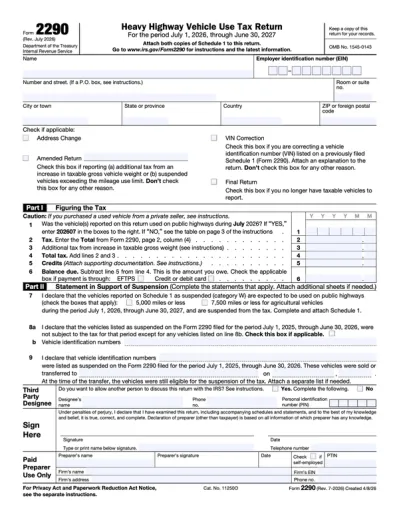
Form 2290
Form 2290 is a heavy highway vehicle tax return, used to figure and pay taxes on buses, trucks, and other motor vehicles with a weight of 55,000 pounds or more. To complete a fillable Form 2290, select it from our PDF Tax Forms hub, open it in the pdf.net editor, enter the necessary details, and save it to your device for further use.
Preview
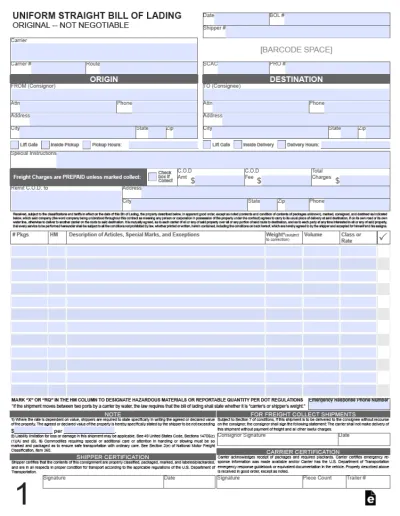
Bill of Lading
A bill of lading is a crucial document in domestic and international trade, issued by a carrier to a shipper and acting as a receipt for goods and a contract for their carriage. Open the fillable bill of lading form in our PDF editor and enter the required information into the empty boxes. Then, you can download the document to your device for further use.
Preview
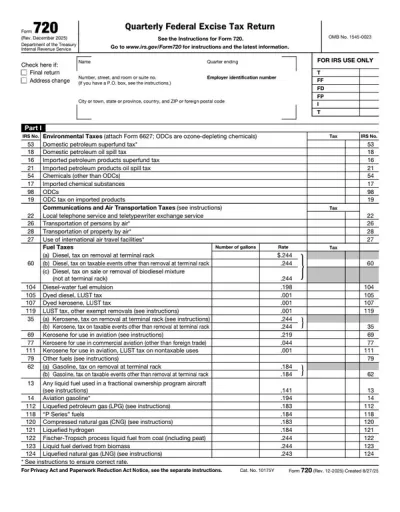
Form 720
Form 720 is used for reporting and paying excise taxes on various goods and services, like fuel, air transportation and communications, ozone-depleting chemicals, and more. pdf.net offers an editable Form 720, which you can instantly open in our editor and fill out with the required information. Once you finish, all you should do is save the document to your device and prepare it for submission in a hassle-free way!
Preview
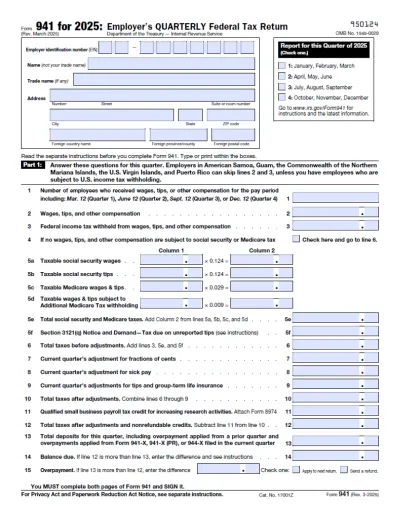
Form 941
Form 941 is a quarterly IRS form employers use to report payroll taxes. Download a blank Form 941 or complete it online in minutes. This fillable tax form comes with clear instructions, making tax filing quite simple.
Preview
Certified Payroll Forms
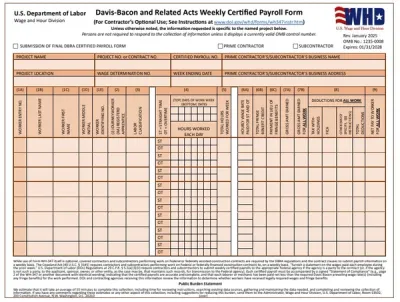
Certified payroll forms are detailed weekly reports filled out by contractors or subcontractors working on federally funded construction projects that prove the workers are paid wages and benefits they are owed under the Davis-Bacon Act. You’ll find fillable certified payroll forms in our PDF Forms hub, where you can easily open and customize them in our editor. This process is quick and easy, and once you complete it, download the form to your device and prepare it for submission. “I’ve started using pdf.net whenever I need to submit a certified payroll form, and it’s been a lifesaver; I no longer waste hours trying to figure out how to fill out a PDF document.”
Preview

#1. How do I get a blank Form MCS-150?

You can get a blank Form MCS-150 from pdf.net or directly from the official FMCSA website. In either case, open it in our editor, fill in the information, and download it to your device.

#2. What should I do if my Form MCS-150 has missing or incorrect information?

If your Form MCS-150 has missing or incorrect information, you should update it through the FMCSA portal or send a corrected document by mail. Make sure to cross-check it with a good Form MCS-150 example to make sure everything is in place.

#3. Can I fill out my Form MCS-150 online?

You can fill out your Form MCS-150 online using our PDF editor, where you can type information directly into the empty boxes. Once you do so, you can upload the document through the official FMCSA website or print it to submit a physical copy.

#4. Is this form free?

This form is free to view and edit, but not to download; if you want to save it to your device, you need to purchase a subscription plan.

#5. Can I correct mistakes on Form MCS-150?

Yes, you can correct mistakes on Form MCS-150 by submitting a new one electronically or by mail. In fact, it is crucial to do so in a timely manner if you notice an error because incorrect information may result in significant penalties.

#6. How often do you have to file MCS-150?

You have to file MCS-150 biennially, or, in other words, every 24 months.

#7. How long does it take for MCS-150 updates to be processed?

FMCSA will take approximately 5-7 days to process your MCS-150 updates; however, this may take longer if the application is sent by mail or if the form isn’t correctly completed. If you follow the Form MCS-150 filing requirements closely, the process shouldn’t be too long.

#8. What happens if I miss my update deadline?

If you miss your update deadline, you risk being subject to penalties of $1,000 per day, with a maximum penalty of $10,000. Additionally, FMCSA may deactivate your USDOT number.

#9. Can I submit MCS-150 for multiple carriers at once?

No, you can’t submit MCS-150 for multiple carriers at once, as each one must apply for its own USDOT number. So, if you are updating for several carriers, you have to send separate forms for each one.