#1. How do I get a blank Form MV-1?
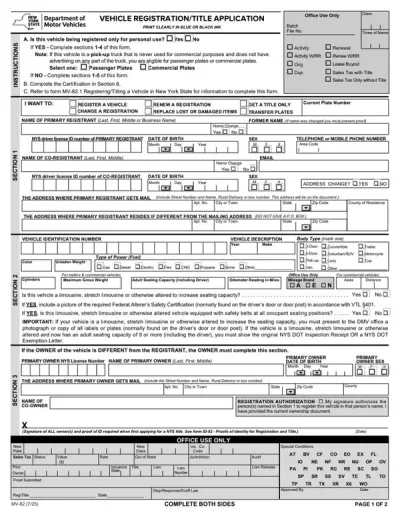
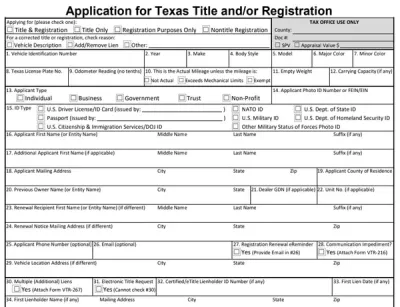
You can get a blank Form MV-1 from pdf.net or from the official government websites of the states where this form is used. Once you obtain the correct document, open it in our PDF editor to complete it with minimal effort.
#2. Can I submit Form MV-1 electronically?
You can submit Form MV-1 electronically in Wisconsin, but the other three states don’t allow you to file it this way. In Pennsylvania, Montana, and Georgia, you need to send it by mail or deliver it in person to an authorized agent or officer, and they may be able to file it online.
#3. What if my Form MV-1 is missing information?
If your Form MV-1 is missing information, you may experience delays in processing that could affect your ability to use the vehicle. That’s why it’s important to use a good Form MV-1 example as guidance when completing your application to avoid potential mistakes. However, if you do accidentally leave out some details, it’s best to contact the agency where you filed the document to inquire about further steps.
#4. Can I fill out my Form MV-1 online?
You can fill out your Form MV-1 online if you open it in our PDF editor and type the information directly into the empty slots. In Wisconsin, you can also complete it using the available online filing tool.
#5. Is this form free?
This form is free to view and edit, but you need to purchase our subscription plan to download it. Take a look at the available options on our pricing page.
#6. Can I correct mistakes on Form MV-1?
You can correct mistakes on Form MV-1, but the exact procedure depends on the state of filing. That’s why you should contact the institution or agency where you’ve submitted it and learn more.
#7. What version of Form MV-1 should I use?
You should use the latest available version of Form MV-1, which can be found either on the official government websites or right here on our site. We update our Forms hub constantly to provide the newest updates.