pdf.net

Form 1099

2025
Form 1099
Trusted by accountants
Official IRS form
Official IRS form
Monthly top‑searched
Due each quarter
Due each quarter

Form 1099 is a family of IRS information returns that payers use to report income other than regular wages, such as freelance pay, interest, dividends, or proceeds from certain sales.

Access our editable Form 1099 online, enter your details, make quick changes, and download your form instantly. Simple, secure, and perfect for freelancers, contractors, and small business owners.

How to Fill Out a 1099 Form?

  1. Choose the correct 1099 form for the income you are reporting.
  2. Enter the payer's name, address, and taxpayer identification number exactly as registered with the IRS.
  3. Provide the recipient's full name, address, and taxpayer identification number.
  4. Fill in the correct payment amounts and any withheld taxes in the appropriate boxes.
  5. Review every section of your editable 1099 form to confirm that names, identification numbers, and amounts are accurate.

What is Form 1099?

Form 1099 is used to report earnings as a freelancer or independent contractor, prizes, awards, dividends, or proceeds from real estate sales. It helps the IRS track non-salary payments made to individuals throughout the tax year.

What Are the Types of Form 1099?

There are several types of 1099 forms, the most common ones being 1099-NEC for non-employee compensation, 1099-INT for interest income, and 1099-DIV for dividends and distributions. Each form reports a different kind of income to the IRS, so you need to make sure you have the right one.

Who Is Required to Fill Out Form 1099?

Any business or self-employed individual who paid $2,000 or more to a non-employee for services during the year must complete a 1099 form (the threshold was $600 through 2025). This includes payments to freelancers, contractors, or anyone providing services outside traditional employment.

When Is Form 1099 Due for Submission?

Form 1099-NEC must be sent to recipients and filed with the IRS by January 31. Most other 1099 forms are also sent to recipients by January 31, but are filed with the IRS by the end of February if mailed, or by March 31 if submitted electronically.

What Are the Penalties for Not Issuing Form 1099?

The penalties for not issuing Form 1099 are from $60 to $340 per form, or $680 if the failure is intentional. Businesses and individuals who make payments to independent contractors are affected, so if you fail to file, file late, or provide incorrect information, you may face financial penalties.

Where to File the 1099 Form?

You can file your 1099 form online through the IRS IRIS portal or by mailing a paper copy. Regardless of how you file it, remember to keep a copy for your records and send another to the income recipient.

How to Get Your Form 1099?

  1. 1

    Open the 1099 fillable form

  2. 2

    Fill in your details

  3. 3

    Download the completed tax form

Related Forms

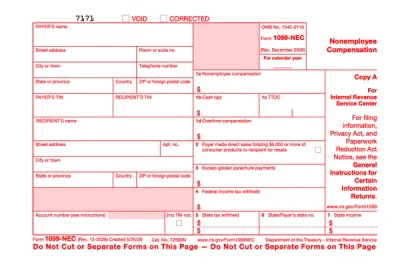
Form 1099-NEC
Form 1099-NEC is used to report payments of $600 or more to nonemployees who have performed services for you.Complete our editable Form 1099-NEC online and download it to your device. All you have to do is open it in our editor, and enter the required information as instructed.
Preview
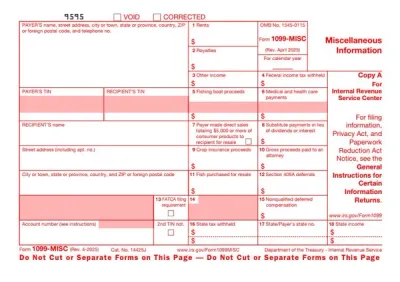
1099-MISC Form
Form 1099-MISC is a document generally reporting certain miscellaneous payments totaling at least $2,000 per recipient during the year (or $10 for royalties).Select our fillable Form 1099-MISC on our PDF Forms page, open it in our editor, and fill out the required information. Afterward, you can save the document to your device for further use.
Preview
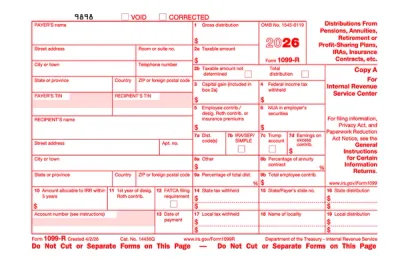
Form 1099-R
Form 1099-R is used to report designated distributions of $10 or more by retirement plan administrators, IRA custodians, insurance companies, and government pension systems.Select the fillable 1099-R Form from our PDF Tax Forms hub, open it in our editor, and enter the required information. Afterward, you can download it to your device to send it electronically or print it and submit it by mail.
Preview
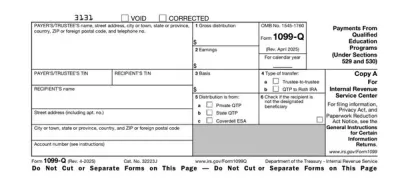
Form 1099-Q
Form 1099-Q is a document used by QTP administrators and Coverdell education savings account (ESA) trustees to report the distributions they’ve made.Select the fillable 1099-Q Form from our PDF Forms hub, open it in our editor, and enter the required details in the empty fields. Afterward, you can easily download the document to your device and prepare it for submission.
Preview
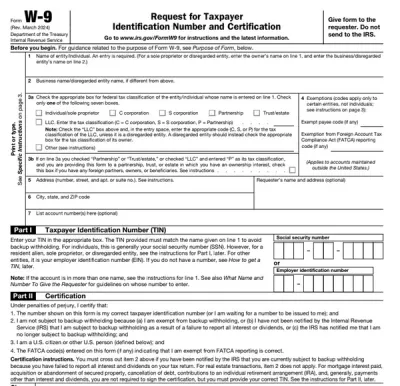
Form W-9
Form W-9 is a document used to give your correct taxpayer identification number (TIN) to a person who must report payments to the IRS.Get yours ready in minutes; add your details to our fillable Form W-9 and prepare it for submission more simply.
Preview

Frequently asked questions

#1. How to get a blank 1099 form?

You can get a blank 1099 form directly from pdf.net. Simply click the "Get the form" button, open the fillable tax form, and start entering your information online.

#2. What if my 1099 form is missing information?

If you are the income recipient and the 1099 form you have received is missing information, contact the payer immediately to request a corrected form. If you are the payer filling it out, review a 1099 form example and your records carefully, then issue a corrected form as soon as possible to avoid errors or penalties.

#3. Can I fill out my 1099 form online?

Yes, you can fill out the 1099 form online; simply open it in pdf.net, enter the required information, and download a completed copy.

#4. Is this form free?

Yes, this form is free; you can open and edit it online with pdf.net. However, to download it, you need to choose a subscription plan.