IRS Form 3922 is an information return used to report stock transfers made through a qualifying Employee Stock Purchase Plan (ESPP).
Our editable Form 3922 streamlines the entire process. Fill out online, download, and file your tax form in minutes.



IRS Form 3922 is an information return used to report stock transfers made through a qualifying Employee Stock Purchase Plan (ESPP).
Our editable Form 3922 streamlines the entire process. Fill out online, download, and file your tax form in minutes.
You can get a blank Form 3922 from the IRS website or pdf.net. Regardless of where you get it, you can use our online editor to fill in your details.
Yes, you can submit your Form 3922 electronically to the IRS if the corporation meets current IRS e-filing requirements. Many businesses choose electronic filing because it is faster, more secure, and easier to manage than paper submissions.
If your Form 3922 is missing information, contact the corporation or issuer that prepared the form as soon as possible. Incorrect or incomplete details may affect IRS reporting and create issues when calculating taxes related to employee stock purchase plan shares. If filing a corrected form, make sure you review the Form 3922 instructions carefully.
Yes, you can fill out your Form 3922 online by using pdf.net. Our online editor lets you open the form and enter text directly.
This form is free to view and edit through pdf.net. To download it, you will need to register for an account.
Yes, you can correct mistakes on your Form 3922. Submit a corrected form with the updated information. Don't forget to cross-check with a Form 3922 example to avoid making further mistakes. Correcting errors quickly helps prevent IRS reporting problems and inaccurate employee tax records.
How long it takes to process a Form 3922 depends on the filing method, IRS workload, and whether corrections are needed. Electronic filings are generally processed faster than paper submissions during peak tax filing periods.
 1
1 2
2 3
3
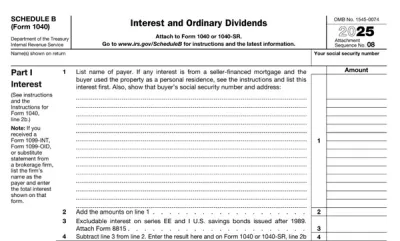
You can get a blank Form 3922 from the IRS website or pdf.net. Regardless of where you get it, you can use our online editor to fill in your details.
Yes, you can submit your Form 3922 electronically to the IRS if the corporation meets current IRS e-filing requirements. Many businesses choose electronic filing because it is faster, more secure, and easier to manage than paper submissions.
If your Form 3922 is missing information, contact the corporation or issuer that prepared the form as soon as possible. Incorrect or incomplete details may affect IRS reporting and create issues when calculating taxes related to employee stock purchase plan shares. If filing a corrected form, make sure you review the Form 3922 instructions carefully.
Yes, you can fill out your Form 3922 online by using pdf.net. Our online editor lets you open the form and enter text directly.
This form is free to view and edit through pdf.net. To download it, you will need to register for an account.
Yes, you can correct mistakes on your Form 3922. Submit a corrected form with the updated information. Don't forget to cross-check with a Form 3922 example to avoid making further mistakes. Correcting errors quickly helps prevent IRS reporting problems and inaccurate employee tax records.
How long it takes to process a Form 3922 depends on the filing method, IRS workload, and whether corrections are needed. Electronic filings are generally processed faster than paper submissions during peak tax filing periods.