#1. How do I get a blank CMS-40B Form?
You can get a blank Form CMS-40B from pdf.net or several other official sources, such as the Centers for Medicare & Medicaid Services and Social Security Administration. Once you obtain the document, open it in our editor to quickly fill it out.
#2. Can I submit a CMS-40B Form electronically?
You can submit Form CMS-40B electronically if you use the official Social Security Administration website and navigate to the “Sign up for Medicare” page. There, you’ll find the “Sign up for Part B only,” which will take you to the application form.
#3. What if my CMS-40B Form is missing information?
If your Form CMS-40B is missing information, your application for Medicare Part B may be delayed or rejected. This may incur penalties if you miss your enrollment deadline, so it’s important to refer to a Form CMS-40B example to ensure everything’s in place.
If you wish to update an already submitted form, contact your local Social Security office for assistance. In most cases, you’ll be asked to send a correctly filled-out form to replace the original one.
#4. Can I fill out my CMS-40B Form online?
You can fill out your Form CMS-40B online if you use our PDF editor or the SSA platform for online filing.
#5. Is this form free?
This form is free to view and edit, but you need to purchase one of the available subscription plans if you want to download it. Take a look at the options on our pricing page.
#6. Can I correct mistakes on the CMS-40B Form?
You can correct mistakes on Form CMS-40B, but you must contact the SSA to inform yourself about the necessary steps. You’ll most likely be asked to submit a new form.
#7. Do I need to submit CMS-40B with any other forms?
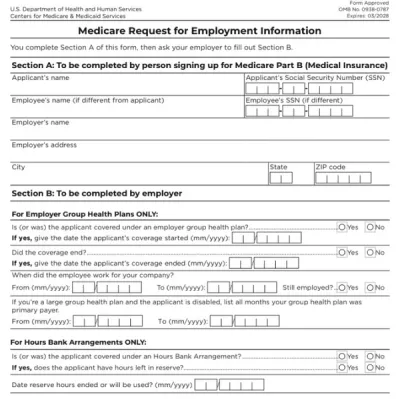
You need to submit Form CMS-40B with Form CMS-L564 (Request for Employment Information) only if you’re applying for the Special Enrollment Period. This is because the SSA requires proof of eligibility to allow you to enroll at this time. You don’t need any additional forms if you’re applying during other periods.