The CMS-L564 Form is also referred to as a Medicare Request for Employment Information. It proves you have group health insurance through your current employment when signing up for Medicare. You can access a fillable form for free and complete it with your employer in minutes using our PDF editor.

CMS L564 Form
2025

Trusted by accountants
How to Fill Out a CMS-L564 Form
Step 1: Access our CMS-L564 fillable form.
Step 2: Complete Section A with your details.
Step 3: Send the form to your employer.
Step 4: Your employer completes Section B to confirm coverage.
Step 5: Check your form by reviewing the CMS-L564 Form instructions to make sure everything is correct.
Step 6: Submit it to your local Social Security office by mail or in person.
What Is the CMS-L564 Form?
The CMS-L564 Form verifies that you have or had group health insurance through current employment. It is required when applying for Medicare Part B during a Special Enrollment Period and must be completed by both you and your employer.
Who Is Required to Fill Out the CMS-L564 Form?
Anyone applying for Medicare Part B during a Special Enrollment Period must fill out the CMS-L564 Form. The applicant completes Section A, and the employer providing the group health plan coverage completes Section B.
When Is the CMS-L564 Form Due?
The CMS-L564 Form is due when you apply for Medicare Part B during a Special Enrollment Period. You need to submit it together with your CMS-40B application, and it must be filed within eight months of losing employer group health coverage.
What Are the Penalties for Not Submitting the CMS-L564 Form?
There is no penalty for not submitting the CMS-L564 Form itself; however, without it, your employer coverage cannot be confirmed. Medicare may treat you as having delayed Part B and charge a late enrollment penalty that adds 10% to your premium for every 12-month period you delayed enrollment.
Where Do I File the CMS-L564 Form?
You file the CMS-L564 Form with Social Security; it’s possible to submit it by mail or deliver it in person to your local Social Security office, along with your CMS 40B application.
How to Get Your CMS-L564 Form
 1
1Open the editable CMS-L564 Form
 2
2Complete the required sections
 3
3Start the CMS-L564 Form download
Related Forms
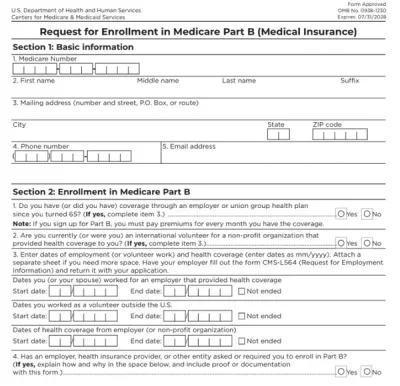
Form CMS-40B
Form CMS-40B helps you sign up for medical insurance for outpatient services, called Medicare Part B, if you’re already enrolled in Medicare Part A.Our fillable Form CMS-40B can be completed in just a few clicks; open it in our PDF editor and type directly into the document. Then, you can easily download and print it to submit it to your local Social Security office.“I used pdf.net to complete my CMS-40B, and I’m really happy with my experience. Everything went smoothly, and the service saved me hours!”
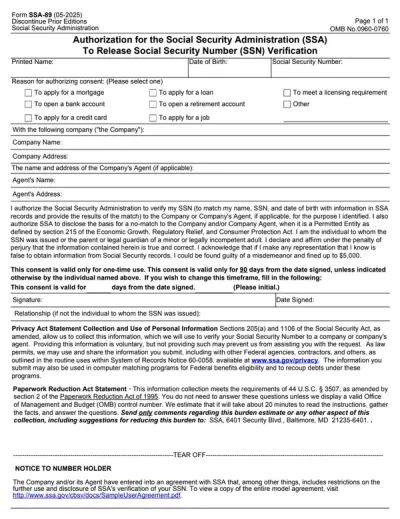
Form SSA-89
Form SSA-89 is a consent form that authorizes the Social Security Administration (SSA) to verify your name and Social Security Number (SSN) for a third party.Our PDF Forms hub offers a fillable Form SSA-89 that you can easily open in our editor, complete with the required details, download to your device, and submit it to the SSA.
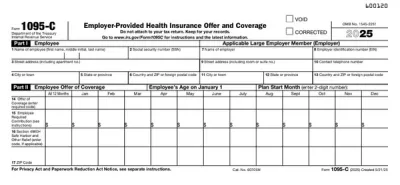
1095-C Form
1095-C Form is a tax form issued by Applicable Large Employers (ALEs) to inform their employees and the IRS about the employer-provided health insurance offer and coverage.Open our fillable 1095-C Form in our PDF editor and enter the required information without a hassle. Afterward, you can download the document to your device or print it out to send it by mail.
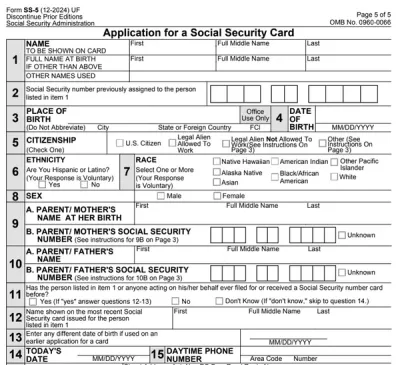
Form SS-5
SS-5 is the official application you use to get a new Social Security card, replace a lost card, or correct your Social Security number record. With our SS-5 fillable form, you can complete your application fast.

Form 1040
A Form 1040 is the IRS tax return used to report your annual income, calculate taxable income, claim credits and deductions, and determine whether you owe taxes or will receive a refund.Access our 1040 fillable form online and handle your tax return without a hassle. You can enter your income, deductions, and credits easily, review the details, and download a completed copy ready to print and mail.
Frequently asked questions
#1. How do I get a blank CMS-L564 Form?
You can get a blank CMS-L564 Form from our online editor’s PDF Forms page, under the Healthcare Forms category. When you open it, use our suite of tools to fill out Section A, then save and share it with your employer. They can also use pdf.net to complete Section B and return it to you to sign and submit.
#2. How many boxes are in the CMS-L564 Form?
There are 20 boxes in the CMS-L564 Form that you must complete with your employer. Section A contains fields that require your personal details, while Section B includes boxes your employer fills out to verify your group health coverage.
#3. Can I submit a CMS-L564 Form electronically instead of on paper?
Yes, you can submit the CMS-L564 Form electronically if you are applying for Medicare Part B online. If you apply by mail or in person, you must submit a paper copy.
#4. What if my CMS-L564 Form is missing information?
If your CMS-L564 Form is missing information, Medicare may reject it, leading to delays or Part B late enrollment penalties. You should ensure both Section A and Section B are complete, and cross-check your entries with a good CMS-L564 Form example before submitting the form.
#5. Can I fill out my CMS-L564 Form online?
Yes, you can fill out your CMS-L564 form online using our browser-based PDF editor. Complete Section A, share it with your employer to fill Section B, and then download the finished form for submission to Social Security.
#6. Is this form free?
This form is free to view and access using pdf.net. However, to download it, you will need to register for an account and pay for a plan. We have three options for you to choose from: $1.45 for seven days of limited access, $1.95 for seven days of full access, and $19.95 for annual access.
#7. Can I correct mistakes on the CMS-L564 Form?
Yes, you can correct mistakes on the CMS-L564 Form by reopening and editing your existing form in our PDF editor. You should make sure both Section A and Section B are accurate before signing and submitting the form to avoid delays or penalties.