

Chat with Your PDFs Instantly – Upload & Start Now!
Our tool helps you research documents, ask questions, and get instant summaries. Skip lengthy reading and highlighting. Access conversations anytime, anywhere, with no downloads required.
Supports PDF, DOC, DOCX, JPG, PNG
Files stay private
The AI is very good, concise and accurate. refers exactly to the points in document for further reading.

sumoreAppSumo review

Talk to Your Documents Like They're Human
Ask Instead of Scroll
Skip the endless PDF scrolling marathon. Just ask, "What's the main point?" or "Find the pricing info," and get instant, precise answers. Chat PDF is way faster than Ctrl+F and actually useful.
Works With All PDFs
Upload any type of PDF—work docs, scanned receipts, contracts, presentations, research papers—and Chat PDF will make it talk back to you. No matter how lengthy the file is, AI responds instantly.
Complex Stuff Made Simple
Turn dense jargon and technical mumbo-jumbo into plain English. Generate summaries that highlight key points you can actually understand and use.
Your Files Stay Private
Bank-level encryption keeps your files locked down. Chat PDF never stores data long-term, so what happens in your PDF stays in your PDF.
Real-Life Ways People Use Our AI Tools
"Summarize this paper into key points"

Summarize
"Break down the trends in this report"

Analyze
"Create a Q4 marketing performance report"

Generate PDF
"Translate this contract into English"

Translate
"Find the troubleshooting steps in manual"

Extract
"Note tasks and deadlines from this project proposal"

Organize
"Identify important concepts from this lecture"

Study
"Highlight the critical clauses in this contract"

Interpret
"Find the data I need from this PDF for my project"

Reference
Start editing your PDF


How to Chat with PDF
 1
1
Upload your document
 2
2
Ask questions, summarize PDFs, extract information, and more
 3
3
Examine the content of your files and start learning
Why people prefer pdf.net
Simple and easy for daily use
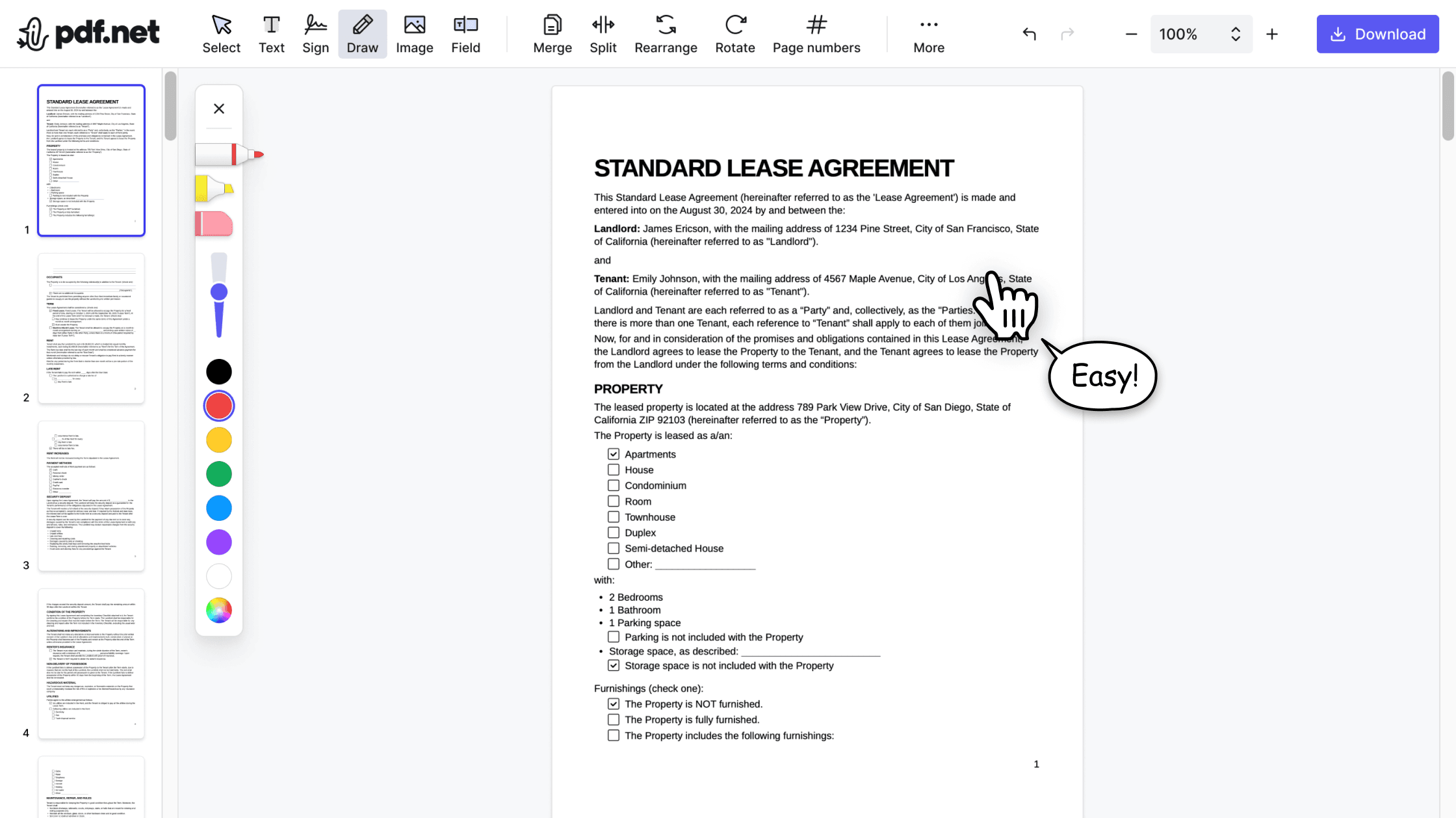
Our online PDF editor features a clean, intuitive, and user-friendly interface designed for amateurs and professionals alike. You can navigate it with ease and edit your PDF file, even if you’ve never done it before.

All‑in‑one PDF editor
Our editor offers a robust and comprehensive set of features that allow you to customize your documents, merge them, sign them, and much more. No need to transfer your files between several applications anymore.

Keeping formatting without issues
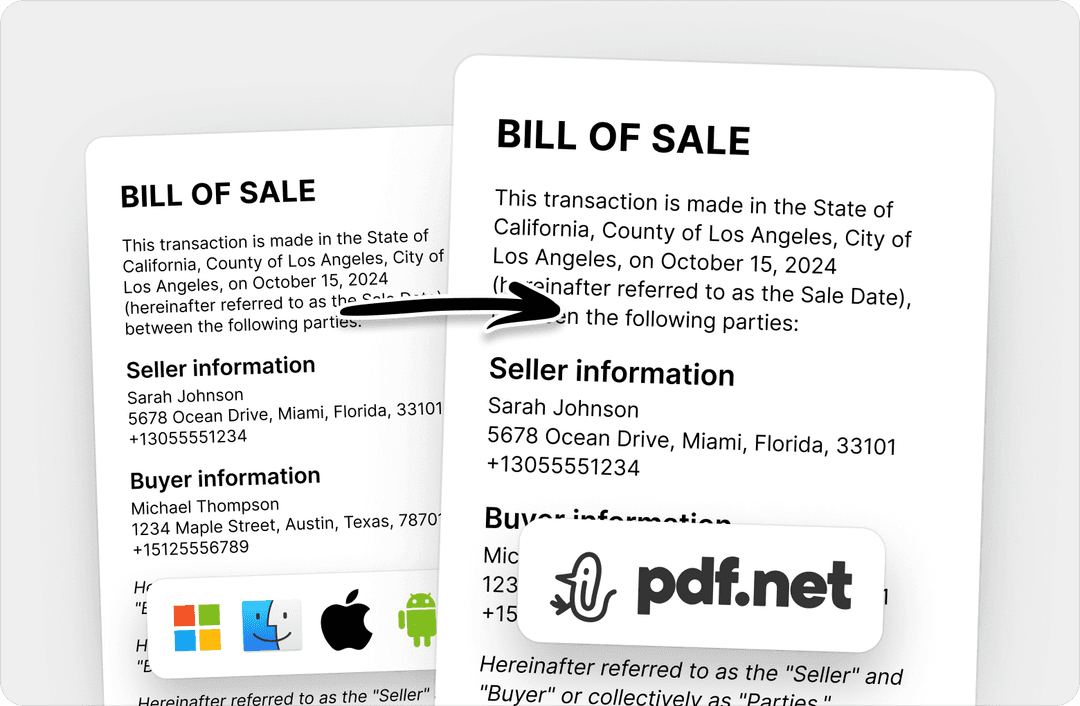
No more messy documents and inconsistent formatting across multiple systems or devices. Our online PDF editor is cross-platform compatible and maintains uniformity whether you’re using a PC, MacOS, smartphone, or tablet.
People all over the world trust pdf.net to chat with their docs
One of the best pdf editor. Tried many paid editor but did not get what I needed. This one works!


Arunas A.Trustpilot review
One of the best pdf editor. Tried many paid editor but did not get what I needed. This one works!
Arunas A.Trustpilot review
It's great that I can access it from all my devices, since it runs in the browser.

KlemensTrustpilot review
Great user interface, easy to use, and pay as you go. Awesome experience!

LoganTrustpilot review
The app works well and is convenient to access and use. Quick & easy!

Donyell MurphyTrustpilot review
Frequently asked questions
- What is Chat PDF in PDF.net?
- Chat PDF is a tool that lets you interact with PDF documents through a chatbot. You can ask content-related questions, get summaries, translations, and key points from your documents.
- How do I use Chat PDF to collaborate on documents?
- You can use Chat PDF to collaborate on documents by engaging your team, peers, or colleagues to summarize, translate, and analyze. The automated PDF collaboration tool will provide these services for multiple documents simultaneously, enhancing your collaboration.
- Can I use Chat PDF on mobile devices?
- Yes, you can use Chat PDF on mobile devices. Whether you're using an iOS or Android device, you can visit our website to access all available Chat PDF features.
- Is Chat PDF free?
- No, chat PDF is a paid feature on pdf.net.
- What file formats are supported?
- PDF, DOC, DOCX, JPG, and PNG are supported file formats. Still, you can use the pdf.net converter tool and convert documents of various formats into one of the available formats to make them usable.
- Is my data secure?
- Yes, your data is secure with pdf.net. Our website uses encryption to protect your documents and their information. To ensure maximum safety, we delete all files from the cloud storage once you have finished using our software.
- How accurate is the AI?
- The AI is designed to accurately analyze documents and answer questions about their content. Results may vary depending on the complexity and formatting of the document.
- Do I need to create an account?
- Yes, you need to create an account to use the Chat PDF feature. You can sign up automatically with Google, social media, or email accounts.
- Is there a limit to the size of the documents?
- Yes, there is a general limit of 500MB on document size across all tools on pdf.net. However, this does not mean you cannot use multiple files simultaneously to translate, analyze, and summarize your content, up to this limit.
- Is Chat PDF available on any device?
- Yes, Chat PDF is available on any device, including iOS and Android mobile devices. You can also access our website using a desktop web browser on Mac, Linux, and Windows.