

Summarize PDFs with AI Instantly
Our AI PDF summarizer quickly scans your document to extract key points and generate an automatic PDF summary, helping you review research papers and reports in seconds instead of hours.
Supports PDF, DOC, DOCX, PPT, PPTX, PPSX, JPG, PNG
Files stay private
My experience was very pleasant. It is very easy to use. Being that I am not text savvy, the instructions and help that was provided made me feel like a pro.

Shinee Lontique CruseTrustpilot review
Interact with Your PDFs Like They're Human
Ask Instead of Scroll
No more scrolling through endless pages, simply chat with your PDF. Upload your document, ask “Summarize this PDF” or “What’s the main idea?” — and get clear, concise summaries in seconds.
Works With All PDFs
Upload work docs, scanned receipts, contracts, presentations, research papers — if it’s a PDF, the AI will make it talk back to you.
Complex Stuff Made Simple
Extract the most important ideas, highlight key points, and turn dense jargon and technical mumbo-jumbo into plain English summaries.
Your Docs Stay Private
Bank-level encryption keeps your files locked down. What happens in your PDF stays in your PDF.
Real-Life Ways People Use Our AI Tools
"Summarize this paper into key points"

Summarize
"Break down the trends in this report"

Analyze
"Create a Q4 marketing performance report"

Generate PDF
"Translate this contract into English"

Translate
"Find the troubleshooting steps in manual"

Extract
"Note tasks and deadlines from this project proposal"

Organize
"Identify important concepts from this lecture"

Study
"Highlight the critical clauses in this contract"

Interpret
"Find the data I need from this PDF for my project"

Reference
All PDF tools in one place
No installs, no app-switching — works on any device


More tools

Convert Word to PDF
Transform DOC/DOCX to PDF. Preserve formatting.

Convert PNG to PDF
Combine multiple PNG images into one PDF. Resolution maintained.

PDF to Excel
Turn PDF tables into editable spreadsheets ready to use in Excel or Google Sheets.

Convert PDF to PNG
Split PDF pages into separate PNGs. Full resolution preserved.

Convert Markdown to PDF
Paste or upload your .md file and get a formatted PDF in seconds. Tables and code blocks included.

Convert Excel to PDF
Turn XLS & XLSX into a clean, shareable PDF. Formatting intact.

PDF to CSV
Extract table data from PDFs into clean CSV files ready for spreadsheets and data analysis.

PDF to PowerPoint
Get editable PPT & PPTX slides. Keep fonts & layout.

Convert HEIC to PDF
Turn iPhone HEIC photos into a shareable PDF. Opens on any device.

Convert PowerPoint to PDF
Turn PPT & PPTX into a share-ready PDF. Opens on any device.

Bank Statement to Excel
Convert PDF bank statements to editable Excel or CSV files for accounting and analysis.

Convert EPUB to PDF
Turn an EPUB eBook into a print-ready PDF. Opens on any device.

Convert PDF to Markdown
Turn a PDF into clean MD text, ready for your notes, docs, or repo.

Convert PDF to Text
Get the text from your PDF as a .txt file. Copy it into emails, documents, or notes.

Add Text
Customize font, size & color. Move & resize easily.

Change Text
Edit PDF text directly. Change font, size, color.

Compress
Reduce PDF file size with 3 compression levels.

Split File
Split PDF into multiple files. Choose any page to divide.

Rearrange Pages
Drag & drop to reorganize. Delete, duplicate, rotate pages.

Add Page Numbers
Number pages automatically. Choose position, format, margins.

Annotate
Mark up PDFs: draw, highlight, erase. Multiple colors & line widths.

Rotate Pages
Adjust PDF orientation easily. Choose single, multiple, or all pages.

Bates Numbering
Add Bates numbers automatically. Choose prefix, suffix, and numbering style.

Extract Pages
Select the pages you need and save them as a new PDF.

Make PDF Fillable
Add text fields, checkboxes & signatures. Works on flat and scanned forms.

Unlock PDF
Remove passwords and restrictions with just a few clicks.

Protect PDF
Secure PDF from unauthorized use with a password.

Redact PDF
Black out sensitive text or whole pages before you share a PDF.

Request Signature
Send PDFs to anyone for signing. Mark where to sign, invite by email. Get signed document back.

Remove Signature Background
Make your signature transparent to sign PDFs without a white box.

Signature Generator
Type, draw, or upload your signature. Save and reuse it across documents.

Chat with PDF
Ask AI any questions about your PDF.

Generate PDF
Describe a doc you need and get a formatted PDF.

AI Form Filler
Upload a form & a doc you have. AI fills in the fields.

Share PDF
Upload and share PDF via secure link or email in seconds. Control who can view or edit.
How to Use The PDF Summary Generator
 1
1Upload your PDF
 2
2Wait for the AI PDF summarizer to extract key points
 3
3Review and download your PDF summary
Why people prefer pdf.net
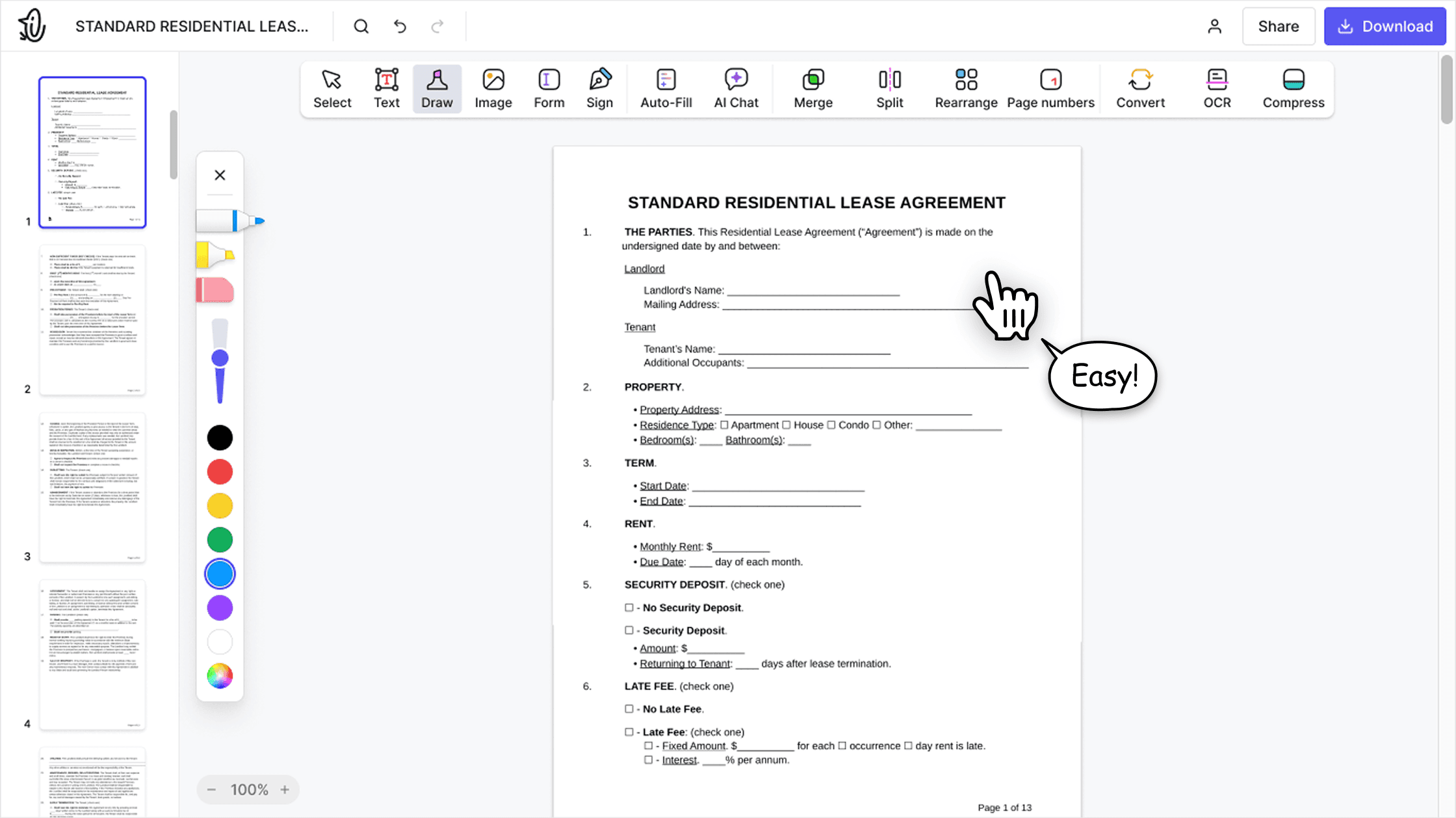
Simple and easy for daily use
Our online PDF editor features a clean, intuitive, and user-friendly interface designed for amateurs and professionals alike. You can navigate it with ease and edit your PDF file, even if you’ve never done it before.

All‑in‑one PDF editor
Our editor offers a robust and comprehensive set of features that allow you to customize your documents, merge them, sign them, and much more. No need to transfer your files between several applications anymore.

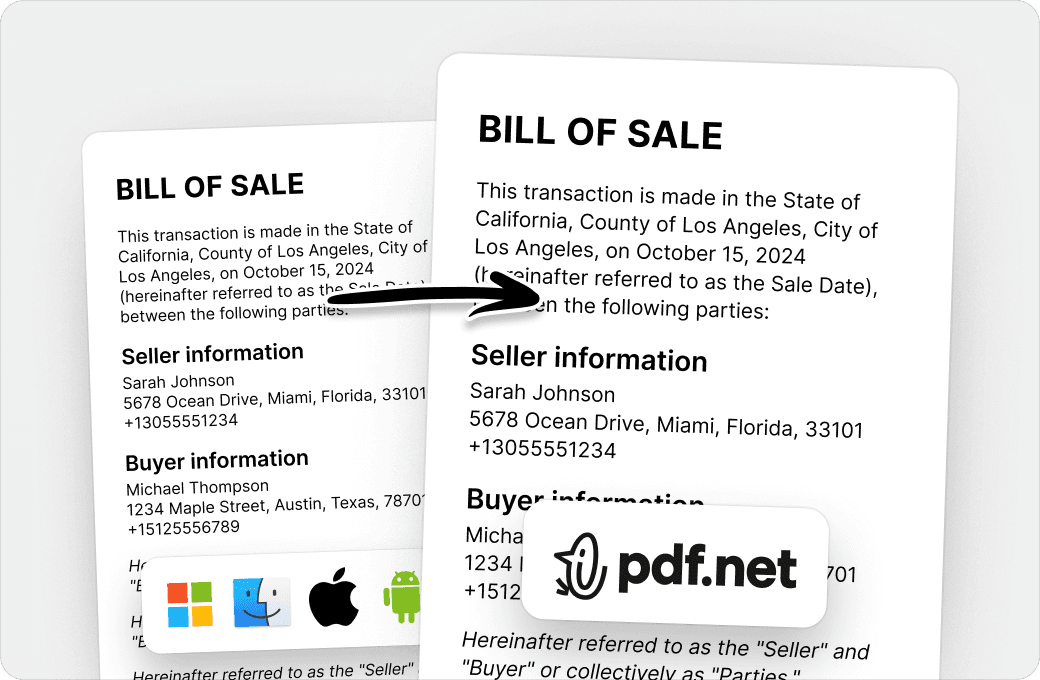
Keeping formatting without issues
No more messy documents and inconsistent formatting across multiple systems or devices. Our online PDF editor is cross-platform compatible and maintains uniformity whether you’re using a PC, MacOS, smartphone, or tablet.
People all over the world trust pdf.net to edit their docs
It's great that I can access it from all my devices, since it runs in the browser.


KlemensTrustpilot review
It's great that I can access it from all my devices, since it runs in the browser.
KlemensTrustpilot review
Great user interface, easy to use, and pay as you go. Awesome experience!

LoganTrustpilot review
The app works well and is convenient to access and use. Quick & easy!

Donyell MurphyTrustpilot review
I can attest that this by far is budget-friendly and well worth it! does everything it says it does plus more.

KinahTrustpilot review
Frequently asked questions
- How does the PDF Summarizer work?
- Our AI-powered PDF Summarizer scans your file, extracts key points, and creates a concise summary. It identifies headings, paragraphs, and important phrases to generate an accurate PDF summary, so it is easier to review papers or other lengthy documents without reading every page.
- Can I summarize any type of document?
- Yes, you can summarize any type of document. This PDF summarizer works with PDFs, reports, manuals, eBooks, and research papers. It is a versatile document summarization tool for students, professionals, and businesses alike.
- Is the PDF Summarizer free?
- The online PDF Summarizer is free to use for basic summaries. However, there are premium plans available for more comprehensive document analysis and advanced summarization features.
- Can I use the PDF Summarizer on my mobile device?
- Yes, you can use the PDF Summarizer on your mobile device. The document summarization tool works seamlessly on smartphones, tablets, and desktops, so you can summarize PDFs online anywhere.
- What types of formats are supported?
- PDF is the main format, however, you can upload and convert DOC, DOCX, PPT, PPTX, PPSX, JPG, and PNG files. This means that our PDF editor and summarizer handles virtually any document type.
- Does the PDF Summarizer support multiple languages?
- Yes, our tool can summarize PDF files in multiple languages. It is perfect for global research, multilingual reports, and international business use.
- Can I summarize individual sections of a PDF document?
- Yes, you can summarize individual sections of a PDF document. It is possible to select specific pages or sections to summarize and focus only on the parts you need. This makes it ideal for academic articles or long reports; you can get quick insights without hassle.
- How long does it take to summarize a document?
- It takes just a few seconds for our PDF editor to summarize a document. Longer PDFs, like essays and papers, may take slightly more time, but in general, the AI PDF summarizer quickly extracts key points and delivers an accurate automatic PDF summary without delays.
- What makes PDF Summarizer different from Chat PDF?
- PDF Summarizer creates comprehensive summaries of entire documents or selected sections, delivering quick automatic overviews. On the other hand, Chat PDF only responds to specific questions about document content, requiring you to know what to ask beforehand.
- Is my data safe when using the PDF Summarizer?
- Yes, your data is safe when using PDF Summarizer; all files are processed securely, and documents aren't stored long-term. You can rest assured that your PDFs, studies, manuscripts, and sensitive documents remain private while generating summaries.
- Does the PDF Summarizer keep the original formatting?
- Yes, the PDF Summarizer does keep the original formatting. When you summarize the PDF online with our tool, the AI focuses only on the text content and leaves your original file intact. This means you get an accurate PDF summary without worrying about formatting issues.
- Can I use the PDF Summarizer for studying?
- Yes, you can use the PDF Summarizer for studying. It can help you quickly summarize academic paper PDF files, textbooks, or lecture notes. As a result, you can focus on the most important information for exams or assignments and not waste time re-reading everything.