

Add Bates Numbering to PDFs Online
Thank you guys for creating such a easy self-explanatory app. It was really easy to use and the pricing was perfect for only having a couple documents I needed signed for my taxes.

All PDF tools in one place


More tools

Convert Word to PDF

Convert JPG to PDF

Convert PNG to PDF

PDF to Excel

Convert PDF to PNG

Convert Markdown to PDF

Convert Excel to PDF

PDF to CSV

PDF to PowerPoint

Convert HEIC to PDF

Convert PowerPoint to PDF

Bank Statement to Excel

Convert EPUB to PDF

Convert PDF to Markdown

Convert PDF to Text

Change Text

Compare PDF

Add Image

Split File

Annotate

Rotate Pages

Extract Pages

Make PDF Fillable

Unlock PDF

Protect PDF

Redact PDF

Sign Document

Request Signature

Remove Signature Background

Signature Generator

Chat with PDF

PDF Summarizer

Generate PDF

AI Form Filler

Share PDF
How to Add Bates Numbering to a PDF
 1
1Upload your file to the Bates numbering tool
 2
2Add the Bates numbers and set them up
 3
3Download the completed document
Why people prefer pdf.net
Simple and easy for daily use
Our online PDF editor features a clean, intuitive, and user-friendly interface designed for amateurs and professionals alike. You can navigate it with ease and edit your PDF file, even if you’ve never done it before.
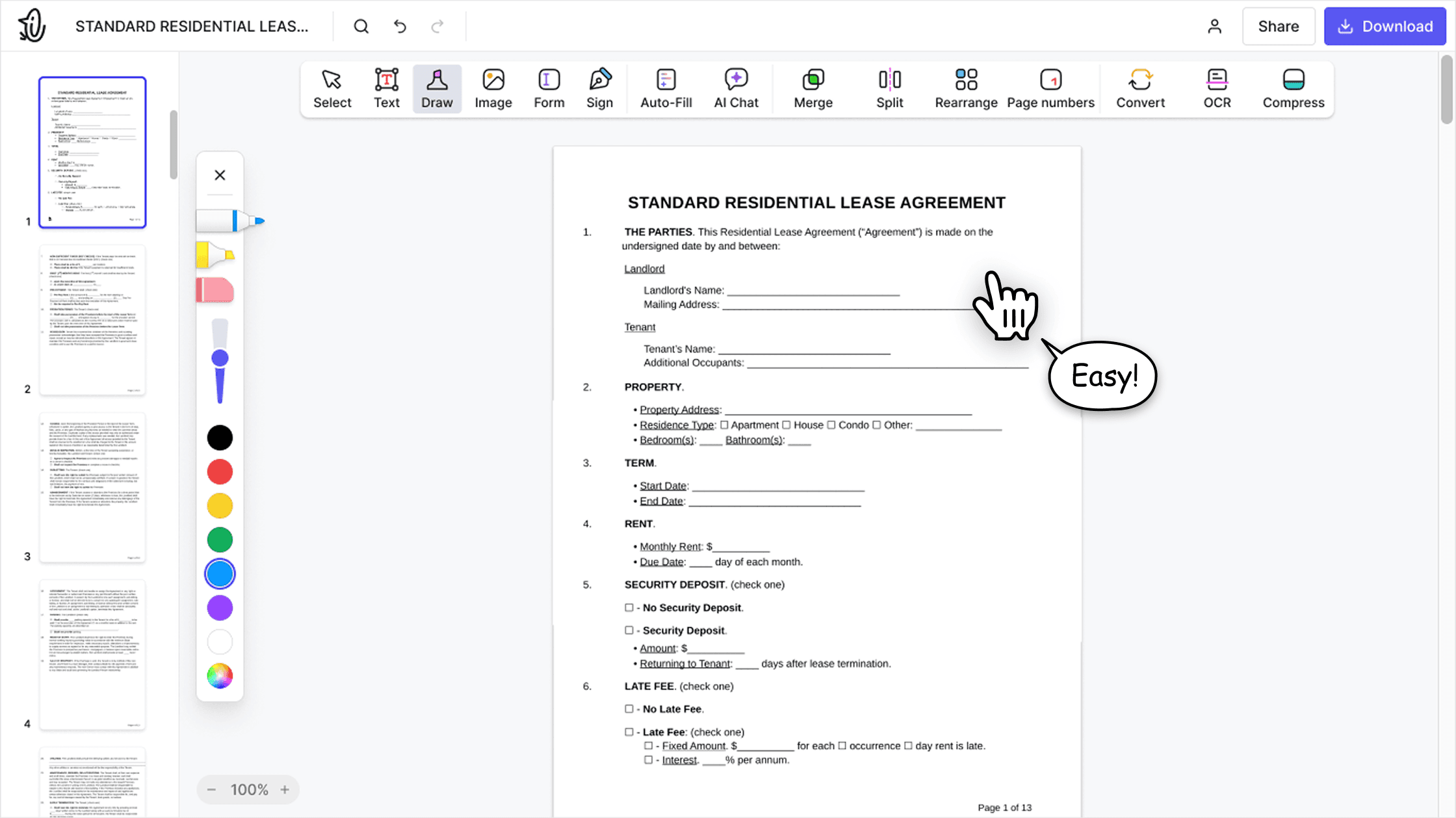

All‑in‑one PDF editor
Our editor offers a robust and comprehensive set of features that allow you to customize your documents, merge them, sign them, and much more. No need to transfer your files between several applications anymore.

Keeping formatting without issues
No more messy documents and inconsistent formatting across multiple systems or devices. Our online PDF editor is cross-platform compatible and maintains uniformity whether you’re using a PC, MacOS, smartphone, or tablet.
People all over the world trust pdf.net to edit their docs
An excellent product. It’s every bit as good as the more well-known (and more expensive) desktop programmes. What’s more, as it’s an app, it works on any device (provided you have an internet connection, of course).


An excellent product. It’s every bit as good as the more well-known (and more expensive) desktop programmes. What’s more, as it’s an app, it works on any device (provided you have an internet connection, of course).
The AI is very good, concise and accurate. refers exactly to the points in document for further reading.

My experience was very pleasant. It is very easy to use. Being that I am not text savvy, the instructions and help that was provided made me feel like a pro.

One of the best pdf editor. Tried many paid editor but did not get what I needed. This one works!

Frequently asked questions
- What is Bates numbering?
- Bates numbering is one of the best ways to number legal, healthcare, and business documents in PDF or any other format. It's a method used to assign unique, sequential numbers to pages in a document. This way, they can be organized, referenced, and tracked efficiently.
- Can I customize the Bates stamp?
- Yes, you can customize your Bates stamp with prefixes, suffixes, number ranges, and placement. This helps ensure your documents meet filing requirements, comply with legal or organizational standards, and maintain consistent identification across all pages.
- Is Bates numbering secure on pdf.net?
- Yes, Bates numbering is secure on pdf.net. Your files are processed with encryption and are not stored longer than necessary. This ensures sensitive legal documents remain private and protected.
- Can I apply Bates numbering to specific pages only?
- Yes, you can apply Bates numbering to specific pages only. Selecting specific page ranges instead of Bates stamping the entire file is useful when you only need to label certain sections of a document.
- Do I need to install software to add Bates numbers to a PDF?
- No, you don't need to install software to add Bates numbers to your PDF with pdf.net. With our tool, you can add Bates numbers without Adobe Acrobat; it is fast and accessible on any device.
- When is Bates numbering used?
- Bates numbering is commonly used in legal documents, court filings, contracts, discovery files, and other official records where accurate referencing is crucial. It allows teams to quickly locate and cite specific pages, even across large sets of documents.
- Is Bates numbering the same as page numbering?
- No, Bates numbering is not the same as standard page numbering. While regular page numbers simply indicate the order of pages within a single document, Bates numbering provides a unique identifier for each page across one or multiple documents.
- Can you Bates number a PDF portfolio?
- Yes, if you want, you can Bates number a PDF portfolio to organize and reference its pages more easily. If your portfolio isn't already in PDF format, start by converting it using our tool. Once it is a PDF, you can add Bates numbers to each page, ensuring every section is uniquely identified.
- What file formats can I add Bates numbers to?
- Add Bates numbering to a PDF with a custom prefix, suffix, and style. You can also upload Word documents (DOC, DOCX) and JPG and PNG images, and your file opens in the editor.