

PDF para educação:
ferramentas de que todo aluno, professor e pesquisador precisa
Edite folhas de exercícios em PDF, junte digitalizações em um só arquivo e crie questionários com IA.
Ganhe até 80% de desconto com um e-mail escolar ou universitário e sem contrato anual.
Seus arquivos são criptografados e nunca vendidos
- 132 mil+usuários de educação em 12 meses
- 4.000+escolas e universidades
- 12,5 mi+documentos processados
Usado por pessoas em





Um editor de PDF para cada função acadêmica
Alunos
Destaque leituras e converta um PDF em Word para continuar escrevendo. Comprima um PDF para portais de estágio e auxílio financeiro.Professores e docentes
Faça marcações no trabalho dos alunos com desenhos e notas de texto. Compartilhe apostilas com sua turma por link ou e-mail e escolha quem pode editar.Pesquisadores
Extraia tabelas de PDF para Excel ou CSV, divida um relatório longo em capítulos, adicione números de página e pesquise qualquer termo no arquivo inteiro.Administradores e equipe
Envie autorizações e alterações de notas para assinaturas na ordem correta. Preencha formulários de matrícula com IA. Central de formulários para educação


De apostilas a lições de casa, tudo no pdf.net
Tudo funciona no navegador. Nada para instalar, nada para trocar.
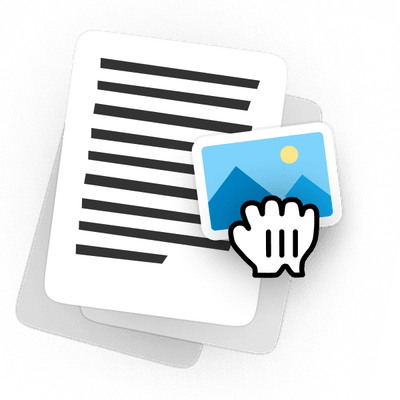
Edite folhas de exercícios em PDF sem recriá-las
Abra a apostila do ano passado, altere as perguntas, adicione uma imagem ao PDF e imprima uma cópia limpa. A página mantém seu layout, então nada precisa ser recriado no Word.
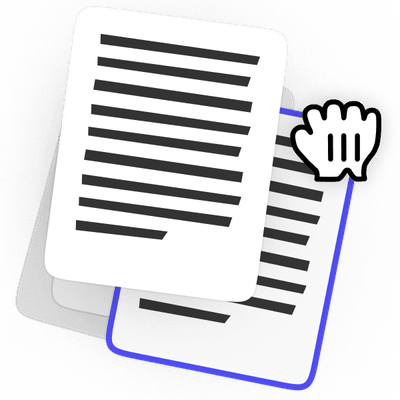
Reorganize as páginas do PDF antes de enviar
Junte suas digitalizações em um só arquivo, arraste as páginas para colocá-las na ordem e exclua as que não pertencem a ele. Gire qualquer item digitalizado de lado e adicione uma página em branco onde uma pergunta precisar de uma.
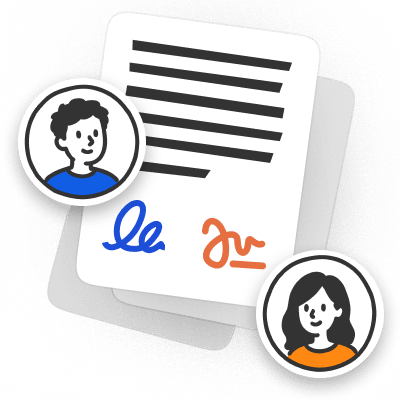
Assine tarefas em PDF sem imprimir
Digite suas respostas na tarefa, assine onde for solicitado e envie de volta no mesmo arquivo em que ela chegou. Nada precisa ser impresso, digitalizado ou fotografado sobre uma mesa.
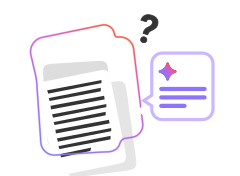
Crie folhas de exercícios e questionários com IA
Descreva o que você precisa, e a IA cria uma folha de exercícios ou questionário formatado. Edite qualquer pergunta antes da aula e depois baixe como PDF.
Atualize planos de aula e programas sem recomeçar
Altere as datas, troque uma leitura e compartilhe a versão de que você precisa. O arquivo que você criou no semestre passado é o mesmo que você edita.
Anote apresentações compartilhadas como PDFs
Faça marcações em um slide, adicione uma imagem e envie a apresentação de volta. Você não precisa pedir o arquivo original a ninguém.
Os arquivos permanecem privados
O editor completo, com preço para educação
Até 80% de desconto com seu e-mail escolar ou universitário. O desconto se aplica a todas as cobranças mensais, não apenas à primeira.
Estudante
Para uma pessoa em uma escola ou universidade
$49.88 / mês
Economize 80%
US$9,99
/ mês
1 licença, todos os recursos
Experimente 14 dias por $0.95
- Todos os recursos incluídosEdição, assinatura, IA e conversão em um único plano
- IA para suas leiturasConverse com um PDF e resuma-o
- Assine e preencha formuláriosDeixe a IA preencher os campos e depois assine no mesmo arquivo
- Funciona no seu navegadorNada para instalar no seu laptop ou celular


Turma
Para uma turma, laboratório ou departamento
$49.88 / mês
Economize 50%
US$24,95
/ mês
$2.50 por licença com todas as 10 em uso
Experimente 14 dias por $1.95
- 10 licenças incluídasAcesso total a todos os recursos
- Kit completo de ferramentas de PDFAssine, junte, converta, compacte e proteja
- Baixe em vários formatosPDF, Word, JPG e mais
- IA para papeladaPreencha formulários automaticamente, organize e converse com documentos


Campus
Para escolas e universidades
Preço personalizado
Vamos conversar
Conte-nos do que sua instituição precisa
- Tudo no ClassTodos os recursos, mesmos limites
- Tamanho de equipe flexívelAdicione quantas licenças sua instituição precisar
- Preço personalizado por licençaTarifas melhores à medida que você adiciona licenças
- Suporte prioritárioRespostas mais rápidas e chamadas agendadas


Os planos para educação são apenas para usuários da área de educação. Você precisará de um e-mail escolar ou universitário para comprar um.
Mais espaço no seu orçamento
Compare o pdf.net Student com o Adobe Acrobat Pro para estudantes
Estudante | Adobe Acrobat Pro para estudantes | |
|---|---|---|
Preço mensal | US$49,88 / mês$9.99 / mês Economize 80% | $19.99 / mês |
Chat com IA e resumos | Incluído | +$1.99 / mês para o AI Assistant |
Total com IA | US$9,99 / mês | US$21,98 / mês |
Compromisso | Nenhum, mês a mês | 12 meses |
Teste | 14 dias por $0.95 | 7 dias grátis |
Cancelamento antecipado | Sem taxa | A taxa se aplica a até metade do seu compromisso anual restante se você cancelar após 14 dias |
 Incluído
Mudando do Acrobat?
Seus PDFs existentes abrem no pdf.net sem necessidade de conversão
Pessoas do mundo todo confiam no pdf.net para editar seus documentos
Útil para criar diferentes tipos de arquivos usando os que você já tem, basta convertê-los!


Útil para criar diferentes tipos de arquivos usando os que você já tem, basta convertê-los!
Grande variedade de conjuntos de ferramentas, especialmente para preenchimento de formulários.

Simples de seguir e funciona conforme o serviço diz que funcionará. Muito útil para o meu negócio.

tapetha spencerAvaliação no Trustpilot (traduzido do inglês)
Economiza meu tempo, que eu prefiro gastar realmente administrando meu negócio em vez de brigando com documentos.

Deixe seu PDF pronto para a aulaExperimente no seu próximo documento
Envie uma folha de exercícios, trabalho ou formulário e edite-o diretamente no seu navegador. Quando estiver pronto para baixar, ganhe até 80% de desconto com um e-mail escolar ou universitário.Envie um documento, edite texto, organize páginas ou preencha um formulário com IA e depois baixe seu PDF finalizado
Os arquivos permanecem privados
Perguntas frequentes
Nossos planos de PDF para educação são para qualquer pessoa com um e-mail escolar ou universitário, incluindo alunos, professores, pesquisadores e equipe. Você precisará desse e-mail para comprar um plano.
Não, mas os estudantes ganham 80% de desconto. O plano Student custa $9.99 por mês em vez de $49.88.
Todo plano começa com um teste de 14 dias a partir de $0.95. Após 14 dias, ele é renovado pelo preço mensal do seu plano: $9.99 para Student ou $24.95 para Class.
Não. O desconto se aplica a todas as cobranças mensais, não apenas à primeira.
Sim. Os planos são cobrados mensalmente, sem contrato anual, e você pode cancelar por conta própria sem taxa de cancelamento.
Apenas o número de licenças. Student tem 1 licença, Class tem 10, e todos os recursos estão incluídos em ambos.
Todas as nossas ferramentas de IA para educação vêm com todos os planos: Chat com PDF, Resumidor de PDF, preenchimento de formulários com IA e o gerador de folhas de exercícios e questionários. Não há nada para adicionar.
Sim. Abra o envio, adicione seu feedback diretamente na página e baixe a cópia marcada. Para ver o que mudou entre rascunhos, compare dois PDFs e obtenha as alterações em uma única lista.
Abra uma apostila existente e edite-a, ou comece com uma página em branco e adicione texto, imagens e campos preenchíveis. Seus materiais didáticos em PDF editável ficam prontos para atualizar no próximo ano.
Sim. Adicione uma senha antes de compartilhar o arquivo, e somente as pessoas que a tiverem poderão abri-lo.
Não. pdf.net funciona no seu navegador em um laptop, tablet ou celular, então você pode abrir um arquivo e começar a editar imediatamente.
Formulários de matrícula, consentimento e outros formulários escolares estão na nossa Central de formulários para educação, prontos para abrir no editor.
Sim. Seus arquivos são criptografados com HTTPS/TLS durante o envio e com AES-256 enquanto estão armazenados, e o acesso a eles do nosso lado é estritamente limitado. Não vendemos seus documentos nem os compartilhamos para publicidade.
Todas as ferramentas de PDF em um só lugar
Sem instalações, sem trocar de aplicativo — funciona em qualquer dispositivo


Mais ferramentas

Converter Word em PDF
Transforme DOC/DOCX em PDF. Preserve a formatação.

Converter JPG em PDF
Mescle fotos JPEG em um único arquivo PDF sem perder qualidade.

Converter PNG em PDF
Combine várias imagens PNG em um PDF. Resolução mantida.

Converter PDF para JPG
Transforme páginas de PDF em imagens JPEG separadas. Prontas para compartilhar ou enviar.

PDF para Excel
Transforme tabelas de PDF em planilhas editáveis, prontas para usar no Excel ou no Google Sheets.

Converter PDF para PNG
Divida páginas do PDF em PNGs separados. Resolução total preservada.

Converter Markdown em PDF
Cole ou envie seu arquivo .md e obtenha um PDF formatado em segundos. Tabelas e blocos de código incluídos.

Converter Excel em PDF
Transforme XLS e XLSX em um PDF limpo e fácil de compartilhar. Formatação intacta.

PDF para CSV
Extraia dados de tabelas de PDFs em arquivos CSV limpos, prontos para planilhas e análise de dados.

PDF para PowerPoint
Obtenha slides PPT e PPTX editáveis. Mantenha fontes e layout.

Converter HEIC em PDF
Transforme fotos HEIC do iPhone em um PDF compartilhável. Abre em qualquer dispositivo.

Converter PowerPoint para PDF
Transforme PPT e PPTX em um PDF pronto para compartilhar. Abre em qualquer dispositivo.

Extrato bancário para Excel
Converta extratos bancários em PDF em arquivos editáveis do Excel ou CSV para contabilidade e análise.

Converter EPUB em PDF
Transforme um eBook EPUB em um PDF pronto para impressão. Abre em qualquer dispositivo.

Converter PDF para Markdown
Transforme um PDF em texto MD limpo, pronto para suas notas, documentos ou repositório.

Converter PDF para Texto
Obtenha o texto do seu PDF como um arquivo .txt. Copie-o em e-mails, documentos ou notas.

Compare PDF
Spot every change between two PDFs. View side by side or overlay.

Dividir arquivo
Divida o PDF em vários arquivos. Escolha qualquer página para separar.

Reorganizar páginas
Arraste e solte para reorganizar. Exclua, duplique, gire páginas.

Adicionar números de página
Numere as páginas automaticamente. Escolha posição, formato e margens.

Anotar
Marque PDFs: desenhe, realce, apague. Várias cores e larguras de linha.

Girar páginas
Ajuste a orientação do PDF com facilidade. Escolha páginas únicas, múltiplas ou todas.

Numeração Bates
Adicione números de Bates automaticamente. Escolha o prefixo, sufixo e o estilo de numeração.

Extrair páginas
Selecione as páginas de que você precisa e salve-as como um novo PDF.

Tornar PDF preenchível
Adicione campos de texto, caixas de seleção e assinaturas. Funciona em formulários simples e digitalizados.

Adicionar marca d'água ao PDF
Marque páginas do PDF com seu texto ou uma imagem

Proteger PDF
Proteja o PDF contra uso não autorizado com uma senha.

Aplicar tarjas em PDF
Oculte texto sensível ou páginas inteiras antes de compartilhar um PDF.

Solicitar assinatura
Envie PDFs para qualquer pessoa assinar. Marque onde assinar, convide por e-mail. Receba o documento assinado de volta.

Remover fundo da assinatura
Deixe sua assinatura transparente para assinar PDFs sem uma caixa branca.

Gerador de Assinaturas
Digite, desenhe ou envie sua assinatura. Salve e reutilize-a em todos os documentos.

Chat com PDF
Pergunte à IA qualquer coisa sobre o seu PDF.

Resumidor de PDF
Resuma PDFs em pontos-chave com IA.

Gerar PDF
Descreva um documento de que você precisa e receba um PDF formatado.

Preenchimento de formulários com IA
Envie um formulário e um documento que você tenha. A IA preenche os campos.

Compartilhar PDF
Envie e compartilhe PDFs por link seguro ou e-mail em segundos. Controle quem pode visualizar ou editar.