

Redact PDF and permanently black out sensitive information
Cover names, account numbers, signatures, photos, or whole pages. What’s under the box is removed from the file, so no one can copy it back out.
ou
Aceita PDF, DOC, DOCX, PPT, PPTX, PPSX, XLS, XLSX, JPG, PNG, HEIC, HEIF
Os arquivos permanecem privados
Adobe was giving me a hard time and I found this website and I was able to get my tasks acomplished.

Jesus TorresAvaliação no Trustpilot (traduzido do inglês)
Redact documents before you send them
All of it runs in the browser. Nothing to install, nothing to switch to.
Apply for an apartment or a loan
Landlords and lenders ask for bank statements, pay stubs, and tax returns. Keep the income they need to see and redact account numbers and unrelated transactions.Prepare court filings and discovery
Black out client names, case numbers, and account details before a filing goes out. The court and the other side see only what they need.Review resumes without names
Remove names, photos, and home addresses from resumes, so the hiring team reads the experience first.Answer public records requests
Release a report or a letter and redact the personal details of people who aren’t part of the request.Send invoices to a client or an auditor
Show the work and the totals, and redact bank details, rates, or signatures the other side doesn’t need.Remove photos and ID numbers from scans
Draw a box over a face, an ID, or a signature on a scan, and the image under it is removed.


A black box isn’t a redaction
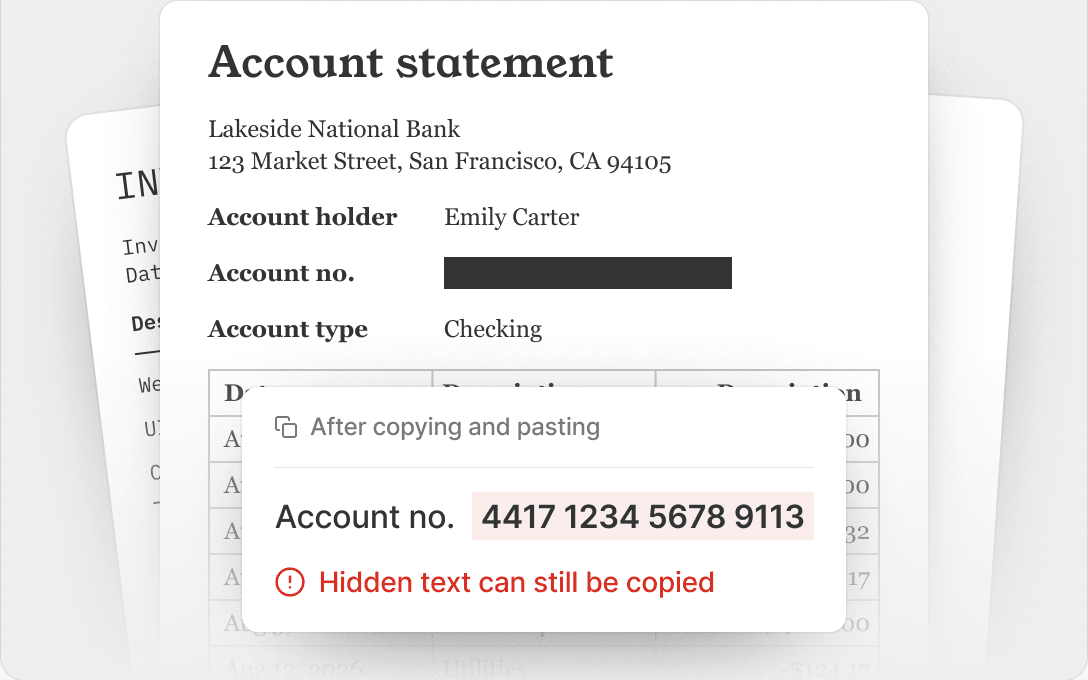
Covering text with a shape hides it on screen. The text is still in the file, and anyone can copy it.
Covered with a shape
Select the box, copy, and paste it anywhere. The account number is still there.
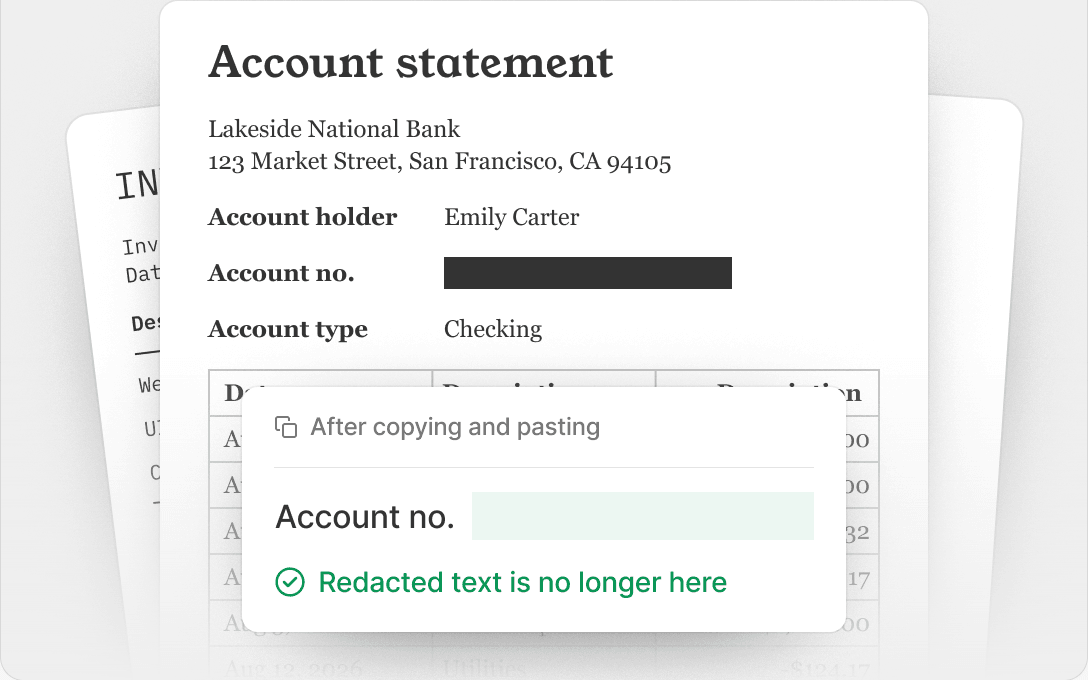
Redacted in pdf.net
The text and images under the box are removed from the file. They can’t be selected, searched, or recovered.
Os arquivos permanecem privados
Todas as ferramentas de PDF em um só lugar
Sem instalações, sem trocar de aplicativo — funciona em qualquer dispositivo


Mais ferramentas

Converter Word em PDF
Transforme DOC/DOCX em PDF. Preserve a formatação.

Converter JPG em PDF
Mescle fotos JPEG em um único arquivo PDF sem perder qualidade.

Converter PNG em PDF
Combine várias imagens PNG em um PDF. Resolução mantida.

Converter PDF para JPG
Transforme páginas de PDF em imagens JPEG separadas. Prontas para compartilhar ou enviar.

PDF para Excel
Transforme tabelas de PDF em planilhas editáveis, prontas para usar no Excel ou no Google Sheets.

Converter PDF para PNG
Divida páginas do PDF em PNGs separados. Resolução total preservada.

Converter Markdown em PDF
Cole ou envie seu arquivo .md e obtenha um PDF formatado em segundos. Tabelas e blocos de código incluídos.

Converter Excel em PDF
Transforme XLS e XLSX em um PDF limpo e fácil de compartilhar. Formatação intacta.

PDF para CSV
Extraia dados de tabelas de PDFs em arquivos CSV limpos, prontos para planilhas e análise de dados.

PDF para PowerPoint
Obtenha slides PPT e PPTX editáveis. Mantenha fontes e layout.

Converter HEIC em PDF
Transforme fotos HEIC do iPhone em um PDF compartilhável. Abre em qualquer dispositivo.

Converter PowerPoint para PDF
Transforme PPT e PPTX em um PDF pronto para compartilhar. Abre em qualquer dispositivo.

Extrato bancário para Excel
Converta extratos bancários em PDF em arquivos editáveis do Excel ou CSV para contabilidade e análise.

Converter EPUB em PDF
Transforme um eBook EPUB em um PDF pronto para impressão. Abre em qualquer dispositivo.

Converter PDF para Markdown
Transforme um PDF em texto MD limpo, pronto para suas notas, documentos ou repositório.

Convert PDF to Text
Get the text from your PDF as a .txt file. Copy it into emails, documents, or notes.

Comprimir
Reduza o tamanho do arquivo PDF com 3 níveis de compressão.

Compare PDF
Spot every change between two PDFs. View side by side or overlay.

Adicionar imagem
Adicione logotipos, fotos e gráficos a PDFs. Ajuste o tamanho e a posição.

Dividir arquivo
Divida o PDF em vários arquivos. Escolha qualquer página para separar.

Reorganizar páginas
Arraste e solte para reorganizar. Exclua, duplique, gire páginas.

Adicionar números de página
Numere as páginas automaticamente. Escolha posição, formato e margens.

Anotar
Marque PDFs: desenhe, realce, apague. Várias cores e larguras de linha.

Girar páginas
Ajuste a orientação do PDF com facilidade. Escolha páginas únicas, múltiplas ou todas.

Numeração Bates
Adicione números de Bates automaticamente. Escolha o prefixo, sufixo e o estilo de numeração.

Extrair páginas
Selecione as páginas de que você precisa e salve-as como um novo PDF.

Tornar PDF preenchível
Adicione campos de texto, caixas de seleção e assinaturas. Funciona em formulários simples e digitalizados.

Add Watermark to PDF
Mark PDF pages with your text or an image

Solicitar assinatura
Envie PDFs para qualquer pessoa assinar. Marque onde assinar, convide por e-mail. Receba o documento assinado de volta.

Remover fundo da assinatura
Deixe sua assinatura transparente para assinar PDFs sem uma caixa branca.

Signature Generator
Type, draw, or upload your signature. Save and reuse it across documents.

Chat com PDF
Pergunte à IA qualquer coisa sobre o seu PDF.

Resumidor de PDF
Resuma PDFs em pontos-chave com IA.

Gerar PDF
Descreva um documento de que você precisa e receba um PDF formatado.

Preenchimento de formulários com IA
Envie um formulário e um documento que você tenha. A IA preenche os campos.

Compartilhar PDF
Envie e compartilhe PDFs por link seguro ou e-mail em segundos. Controle quem pode visualizar ou editar.
How to redact a PDF
 1
1Upload your document
 2
2Select text, images, or whole pages
 3
3Apply the redaction and download your PDF
Ready when you are.
Por que as pessoas preferem o pdf.net
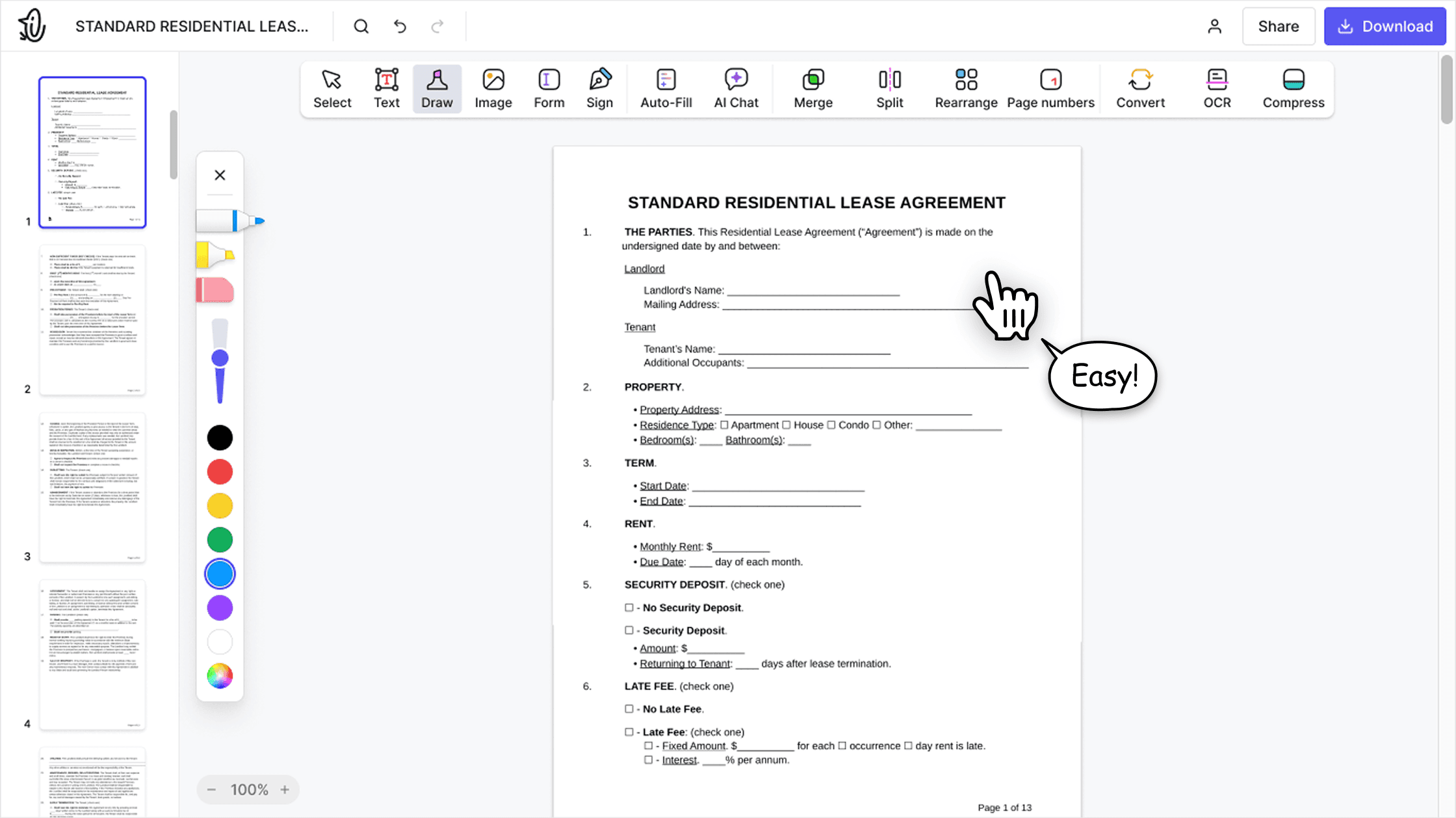
Simples e fácil para o uso diário
Nosso editor de PDF online tem uma interface limpa, intuitiva e fácil de usar, projetada para iniciantes e profissionais. Você pode navegar com facilidade e editar seu arquivo PDF, mesmo que nunca tenha feito isso antes.

Editor de PDF tudo em um
Nosso editor oferece um conjunto robusto e completo de recursos que permite personalizar seus documentos, juntá-los, assiná-los e muito mais. Não há mais necessidade de transferir seus arquivos entre vários aplicativos.

Mantém a formatação sem problemas
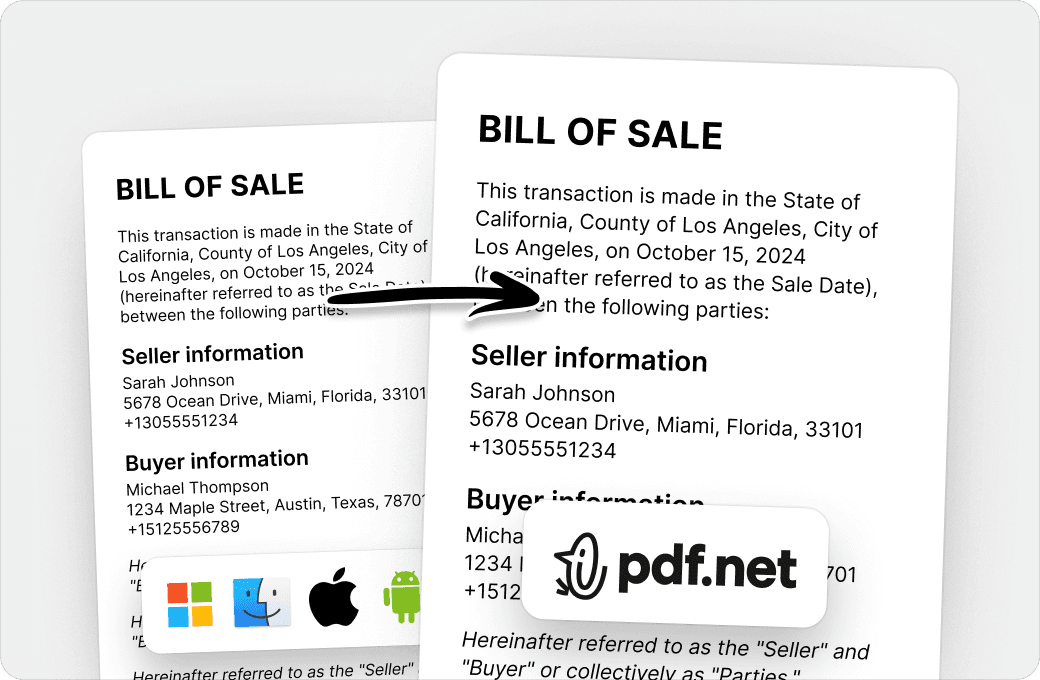
Chega de documentos bagunçados e formatação inconsistente em vários sistemas ou dispositivos. Nosso editor de PDF online é compatível com várias plataformas e mantém a uniformidade, seja no PC, MacOS, smartphone ou tablet.
Pessoas do mundo todo confiam no pdf.net para editar seus documentos
Very easy to use, and the conversion is highly accurate.


Very easy to use, and the conversion is highly accurate.
not complicated - i have no mouse to write signatures so this way helps

Patricia DelgadilloAvaliação no Trustpilot (traduzido do inglês)
Grande variedade de conjuntos de ferramentas, especialmente para preenchimento de formulários.

Útil para criar diferentes tipos de arquivos usando os que você já tem, basta convertê-los!

Try it on a sample first
Not ready to upload a real contract?
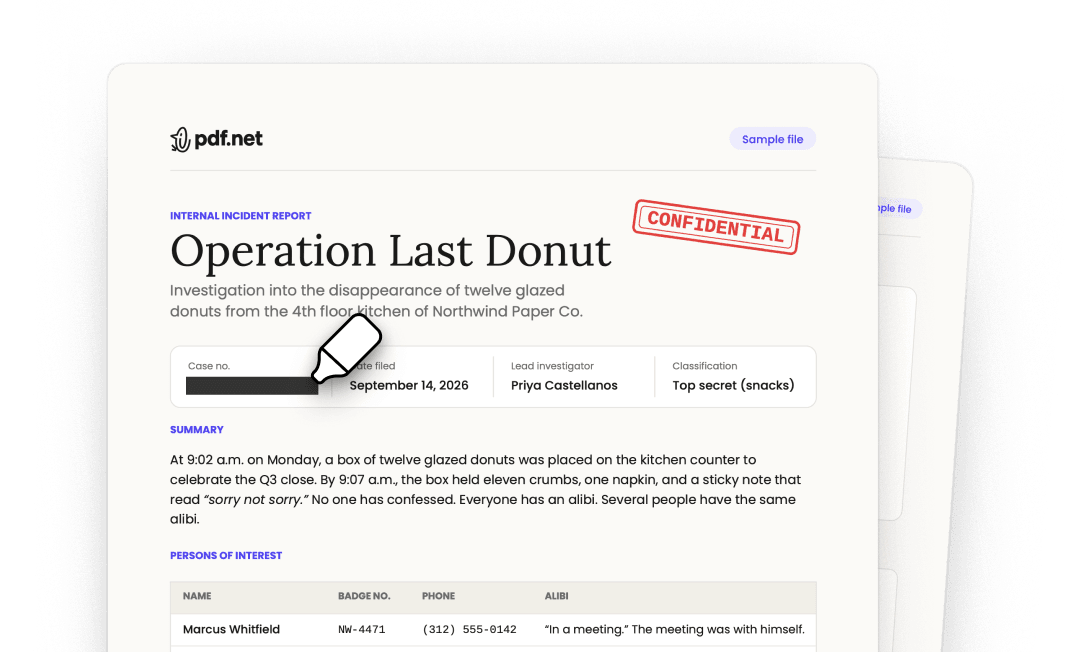
Open our sample document in the editor, redact it yourself, and see the result before you use your own file.
Os arquivos permanecem privados
Perguntas frequentes
- What does it mean to redact a PDF?
- Redacting a PDF means permanently removing sensitive content, such as names, numbers, images, or whole pages, and showing a black box in its place. Unlike a shape drawn over the text, a redaction deletes the content from the file, so no one can read, copy, or search it.
- How do I redact a PDF?
- Choose your file and it opens in the editor. Select the text you want to hide, draw a box over any image or area, then apply the redaction and download your PDF.
- Can a redaction be removed?
- No. Once you apply a redaction in pdf.net, the content under the box is deleted from the file. It can’t be recovered, even with other PDF software.
- How do I black out text in PDF files?
- Select the text and apply a redaction. pdf.net replaces it with a black box and removes the text itself. If you only draw a black rectangle over text, the text stays in the file and anyone can copy it from under the shape.
- Can I redact images and whole pages?
- Yes. Draw a box over a photo, a signature, or part of a scanned page to remove it, or redact an entire page at once.
- Can I redact a PDF without Adobe Acrobat Pro?
- Yes. pdf.net is an online PDF redaction tool that works in your browser on Windows, Mac, and mobile, so you don’t need Acrobat Pro, Preview, or any other installed software.
- Is blurring text the same as redacting it?
- No. A blur, a highlight, or a black shape only changes how the page looks, and the text underneath stays in the file. Our PDF redactor removes the text, so there is nothing left to uncover.
- Is this tool free?
- This tool is free to access and to redact PDF files. However, to download your new document, you need to subscribe to our services.
- Is it safe to upload sensitive documents?
- Yes. Uploading your documents to pdf.net is safe and secure. Our online PDF editor uses secure HTTPS encryption and advanced safety protocols to keep your documents private and protected. We run on Google Cloud infrastructure with strict access controls.
- What file formats are supported?
- You can upload PDF, DOC, DOCX, PPT, PPTX, PPSX, XLS, XLSX, JPG, PNG, HEIC, and HEIF files. Your file opens in the editor, where you can redact it and download it as a PDF.
- Can I redact a PDF on my phone?
- Yes. pdf.net works in your mobile browser, so you can redact a PDF on an iPhone, an Android phone, or a tablet without installing an app.