
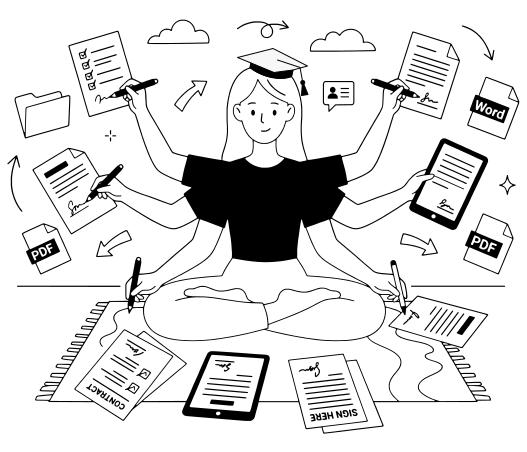
PDF للتعليم:
الأدوات التي يحتاجها كل طالب ومعلم وباحث
حرّر أوراق العمل بصيغة PDF، واجمع الملفات الممسوحة ضوئيًا في ملف واحد، وأنشئ اختبارات قصيرة باستخدام الذكاء الاصطناعي.
احصل على خصم يصل إلى 80% باستخدام بريد إلكتروني تابع لمدرسة أو جامعة ومن دون عقد سنوي.
ملفاتك مشفرة ولا تُباع أبدًا
- 132 ألف+مستخدمو التعليم خلال 12 شهرًا
- 4,000+مدارس وجامعات
- 12.5 مليون+مستندات تمت معالجتها
يستخدمه أشخاص من





محرر PDF واحد لكل دور أكاديمي
الطلاب
قم بتمييز القراءات وحوّل ملف PDF إلى Word لمواصلة الكتابة. اضغط ملف PDF لبوابات التدريب والمساعدات المالية.المعلمون والأساتذة
ضع علامات على أعمال الطلاب باستخدام الرسومات والملاحظات النصية. شارك النشرات مع صفك عبر رابط أو بريد إلكتروني واختر من يمكنه التحرير.الباحثون
استخرج جداول PDF إلى Excel أو CSV، وقسّم تقريرًا طويلًا إلى فصول، وأضف أرقام الصفحات، وابحث في الملف بالكامل عن أي مصطلح.الإداريون والموظفون
أرسل تصاريح الموافقة وتغييرات الدرجات للتوقيع بالترتيب الصحيح. املأ نماذج التسجيل باستخدام الذكاء الاصطناعي. مركز نماذج التعليم


من النشرات إلى الواجبات المنزلية، كل ذلك في pdf.net
كل ذلك يعمل في المتصفح. لا شيء لتثبيته، ولا شيء تحتاج إلى الانتقال إليه.
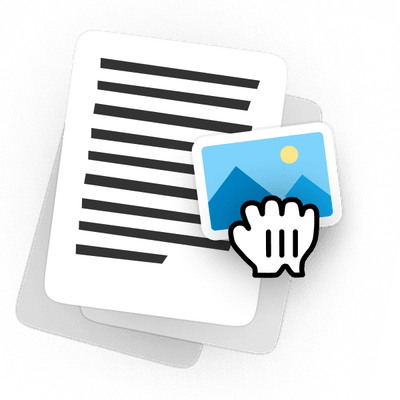
حرّر أوراق العمل بصيغة PDF من دون إعادة إنشائها
افتح نشرة العام الماضي، وغيّر الأسئلة، وأضف صورة إلى ملف PDF، واطبع نسخة نظيفة. تحتفظ الصفحة بتخطيطها، لذلك لا حاجة إلى إعادة إنشائها في Word.
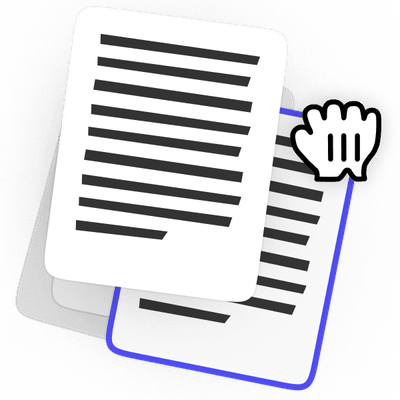
أعِد ترتيب صفحات PDF قبل الإرسال
اجمع ملفاتك الممسوحة ضوئيًا في ملف واحد، واسحب الصفحات لترتيبها، واحذف الصفحات التي لا تنتمي إليه. دوّر أي شيء تم مسحه ضوئيًا بشكل جانبي وأضف صفحة فارغة حيث يحتاج السؤال إلى واحدة.
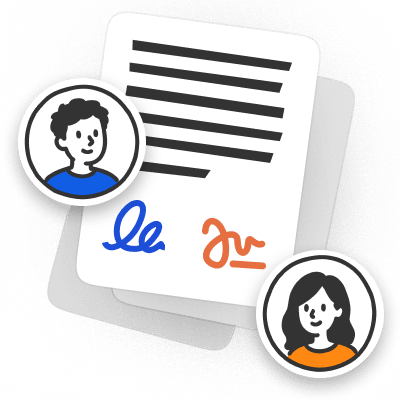
وقّع واجبات PDF من دون طباعة
اكتب إجاباتك في الواجب، ووقّع حيث يُطلب منك، ثم أرسله مرة أخرى في الملف نفسه الذي وصل به. لا حاجة إلى طباعة أي شيء أو مسحه ضوئيًا أو تصويره على مكتب.
أنشئ أوراق عمل واختبارات قصيرة باستخدام الذكاء الاصطناعي
صف ما تحتاجه، وسينشئ الذكاء الاصطناعي ورقة عمل أو اختبارًا قصيرًا منسقًا. حرّر أي سؤال قبل الحصة، ثم نزّله كملف PDF.
حدّث خطط الدروس والمناهج من دون البدء من جديد
غيّر التواريخ، واستبدل قراءة، وشارك النسخة التي تحتاجها. الملف الذي أنشأته في الفصل الدراسي الماضي هو الملف الذي ستحرّره.
أضف تعليقات توضيحية إلى عروض المحاضرات المشتركة كملفات PDF
ضع علامات على شريحة، وأضف صورة، وأعد إرسال العرض. لا تحتاج إلى طلب الملف الأصلي من أي شخص.
تبقى الملفات خاصة
المحرر الكامل، بسعر مناسب للتعليم
خصم يصل إلى 80% باستخدام بريدك الإلكتروني المدرسي أو الجامعي. ينطبق الخصم على كل رسوم شهرية، وليس على الأولى فقط.
طالب
لشخص واحد في مدرسة أو جامعة
$49.88 / شهر
وفّر 80%
$9.99
/ شهر
مقعد واحد، كل المزايا
جرّب 14 يومًا مقابل $0.95
- جميع الميزات مشمولةالتحرير والتوقيع والذكاء الاصطناعي والتحويل في خطة واحدة
- الذكاء الاصطناعي لقراءاتكتحدث مع ملف PDF ولخّصه
- وقّع النماذج واملأهادع الذكاء الاصطناعي يملأ الحقول، ثم وقّع في الملف نفسه
- يعمل مباشرةً في متصفحكلا شيء لتثبيته على الكمبيوتر المحمول أو الهاتف


صف
لصف أو مختبر أو قسم
$49.88 / شهر
وفّر 50%
$24.95
/ شهر
$2.50 لكل مقعد عند استخدام المقاعد الـ10 كلها
جرّب 14 يومًا مقابل $1.95
- 10 مقاعد مشمولةصلاحية وصول كامل إلى جميع الميزات
- مجموعة أدوات PDF الكاملةالتوقيع والدمج والتحويل والضغط والحماية
- نزّل بصيغ متعددةPDF وWord وJPG والمزيد
- الذكاء الاصطناعي للأعمال الورقيةاملأ النماذج تلقائيًا، ونظّم المستندات، وتحدث معها


الحرم الجامعي
للمدارس والجامعات
سعر مخصص
لنتحدث
أخبرنا بما تحتاجه مؤسستك
- كل شيء في خطة الصفجميع الميزات، بنفس الحدود
- حجم فريق مرنأضف عدد المقاعد الذي تحتاجه مؤسستك
- تسعير مخصص للمقاعدأسعار أفضل كلما أضفت مقاعد
- أولوية الدعمردود أسرع ومكالمات مجدولة


خطط التعليم مخصصة لمستخدمي التعليم فقط. ستحتاج إلى بريد إلكتروني تابع لمدرسة أو جامعة لشراء إحداها.
مساحة أكبر في ميزانيتك
قارن بين pdf.net Student وAdobe Acrobat Pro للطلاب
طالب | Adobe Acrobat Pro للطلاب | |
|---|---|---|
السعر الشهري | $49.88 / شهر$9.99 / شهر وفّر 80% | $19.99 / شهر |
دردشة الذكاء الاصطناعي والملخصات | مضمن | +$1.99 / شهر لمساعد الذكاء الاصطناعي |
الإجمالي مع الذكاء الاصطناعي | $9.99 / شهر | $21.98 / شهر |
الالتزام | لا يوجد، من شهر إلى شهر | 12 شهرًا |
التجربة | 14 يومًا مقابل $0.95 | 7 أيام مجانًا |
الإلغاء المبكر | من دون رسوم | تُطبق رسوم تصل إلى نصف التزامك السنوي المتبقي إذا ألغيت بعد 14 يومًا |
 مضمن
مضمن
هل تنتقل من Acrobat؟
تُفتح ملفات PDF الحالية لديك في pdf.net من دون الحاجة إلى تحويل
يثق الناس حول العالم في pdf.net لتعديل مستنداتهم
مفيد لإنشاء أنواع مختلفة من الملفات باستخدام الملفات التي لديك بالفعل، فقط قم بتحويلها!


مفيد لإنشاء أنواع مختلفة من الملفات باستخدام الملفات التي لديك بالفعل، فقط قم بتحويلها!
تشكيلة هائلة من مجموعات الأدوات، خاصةً لملء النماذج.

سهل المتابعة، ويؤدي كما تذكر الخدمة أنه سيفعل. مفيد جدًا لعملي.

tapetha spencerمراجعة Trustpilot (مترجمة من الإنجليزية)
يوفر لي وقتًا أفضل أن أقضيه في إدارة عملي فعليًا بدلًا من الصراع مع المستندات.

جهّز ملف PDF الخاص بك للصفجرّبه على مستندك التالي
ارفع ورقة عمل أو بحثًا أو نموذجًا وحرّره مباشرةً في متصفحك. عندما تصبح جاهزًا للتنزيل، احصل على خصم يصل إلى 80% باستخدام بريد إلكتروني تابع لمدرسة أو جامعة.ارفع مستندًا، وحرّر النص، ونظّم الصفحات، أو املأ نموذجًا باستخدام الذكاء الاصطناعي، ثم نزّل ملف PDF النهائي
تبقى الملفات خاصة
الأسئلة الشائعة
خطط PDF للتعليم لدينا مخصصة لأي شخص لديه بريد إلكتروني تابع لمدرسة أو جامعة، بما في ذلك الطلاب والمعلمون والباحثون والموظفون. ستحتاج إلى هذا البريد الإلكتروني لشراء خطة.
لا، لكن الطلاب يحصلون على خصم 80%. تبلغ تكلفة خطة Student $9.99 شهريًا بدلًا من $49.88.
تبدأ كل خطة بتجربة لمدة 14 يومًا بدءًا من $0.95. بعد 14 يومًا، تُجدَّد بالسعر الشهري لخطتك: $9.99 لخطة Student أو $24.95 لخطة Class.
لا. ينطبق الخصم على كل رسوم شهرية، وليس على الأولى فقط.
نعم. تُفرض رسوم الخطط شهريًا من دون عقد سنوي، ويمكنك الإلغاء بنفسك من دون رسوم إلغاء.
فقط عدد المقاعد. تتضمن Student مقعدًا واحدًا، وتتضمن Class 10 مقاعد، وكل المزايا مشمولة في كليهما.
تأتي جميع أدوات الذكاء الاصطناعي للتعليم لدينا مع كل خطة: الدردشة مع PDF، وPDF Summarizer، وملء النماذج بالذكاء الاصطناعي، ومنشئ أوراق العمل والاختبارات القصيرة. لا يوجد شيء إضافي لإضافته.
نعم. افتح التسليم، وأضف ملاحظاتك مباشرةً على الصفحة، ونزّل النسخة المعلّق عليها. لمعرفة ما تغيّر بين المسودات، قارن بين ملفي PDF واحصل على التغييرات في قائمة واحدة.
افتح نشرة موجودة وحرّرها، أو ابدأ من صفحة فارغة وأضف نصًا وصورًا وحقولًا قابلة للتعبئة. تبقى مواد التدريس القابلة للتحرير بصيغة PDF جاهزة للتحديث في العام المقبل.
نعم. أضف كلمة مرور قبل مشاركة الملف، ولن يتمكن من فتحه إلا الأشخاص الذين لديهم هذه الكلمة.
لا. يعمل pdf.net في متصفحك على الكمبيوتر المحمول أو الجهاز اللوحي أو الهاتف، لذلك يمكنك فتح ملف والبدء في التحرير فورًا.
توجد نماذج التسجيل والموافقة وغيرها من النماذج المدرسية في مركز نماذج التعليم لدينا، وهي جاهزة للفتح في المحرر.
نعم. تُشفَّر ملفاتك باستخدام HTTPS/TLS أثناء النقل وباستخدام AES-256 أثناء التخزين، كما أن الوصول إليها من جانبنا محدود للغاية. نحن لا نبيع مستنداتك ولا نشاركها لأغراض إعلانية.
كل أدوات PDF في مكان واحد
دون تثبيتات، ودون تبديل بين التطبيقات — يعمل على أي جهاز


المزيد من الأدوات

تحويل Word إلى PDF
حوّل DOC/DOCX إلى PDF. حافظ على التنسيق.

تحويل JPG إلى PDF
دمج صور JPEG في ملف PDF واحد دون فقدان الجودة.

تحويل PNG إلى PDF
دمج عدة صور PNG في ملف PDF واحد. مع الحفاظ على الدقة.

تحويل PDF إلى JPG
تحويل صفحات PDF إلى صور JPEG منفصلة. جاهزة للمشاركة أو التحميل.

PDF إلى Excel
حوّل جداول PDF إلى جداول بيانات قابلة للتعديل وجاهزة للاستخدام في Excel أو Google Sheets.

تحويل PDF إلى PNG
تقسيم صفحات PDF إلى ملفات PNG منفصلة. مع الحفاظ على الدقة الكاملة.

تحويل Markdown إلى PDF
الصق أو حمّل ملف .md الخاص بك واحصل على ملف PDF منسق في ثوانٍ. يتم تضمين الجداول وكتل التعليمات البرمجية.

تحويل Excel إلى PDF
حوّل XLS وXLSX إلى ملف PDF منظم وقابل للمشاركة. مع الحفاظ على التنسيق.

تحويل PDF إلى CSV
استخرج بيانات الجداول من ملفات PDF إلى ملفات CSV نظيفة وجاهزة لجداول البيانات وتحليل البيانات.

PDF إلى PowerPoint
احصل على شرائح PPT وPPTX قابلة للتعديل. حافظ على الخطوط والتخطيط.

تحويل HEIC إلى PDF
حوّل صور HEIC من iPhone إلى ملف PDF قابل للمشاركة. يفتح على أي جهاز.

تحويل PowerPoint إلى PDF
حوّل PPT وPPTX إلى ملف PDF جاهز للمشاركة. يفتح على أي جهاز.

كشف حساب بنكي إلى Excel
حوِّل كشوف الحساب البنكي بتنسيق PDF إلى ملفات Excel أو CSV قابلة للتعديل لأغراض المحاسبة والتحليل.

تحويل EPUB إلى PDF
حوّل كتاب EPUB الإلكتروني إلى ملف PDF جاهز للطباعة. يفتح على أي جهاز.

تحويل PDF إلى Markdown
حوّل ملف PDF إلى نص MD نظيف، جاهز لملاحظاتك أو مستنداتك أو المستودع الخاص بك.

تحويل PDF إلى نص
احصل على النص من ملف PDF الخاص بك كملف .txt. انسخه إلى رسائل البريد الإلكتروني أو المستندات أو الملاحظات.

مقارنة PDF
اكتشف كل تغيير بين ملفي PDF. اعرضهما جنبًا إلى جنب أو في وضع التراكب.

تقسيم الملف
قسّم PDF إلى عدة ملفات. اختر أي صفحة للتقسيم.

إعادة ترتيب الصفحات
اسحب وأفلت لإعادة التنظيم. احذف الصفحات أو كرّرها أو دوّرها.

إضافة أرقام الصفحات
رقّم الصفحات تلقائيًا. اختر الموضع والتنسيق والهوامش.

إضافة تعليقات توضيحية
وضع علامات على ملفات PDF: ارسم وميّز وامسح. ألوان متعددة وعروض خطوط مختلفة.

تدوير الصفحات
اضبط اتجاه PDF بسهولة. اختر صفحة واحدة أو عدة صفحات أو كل الصفحات.

ترقيم بيتس
أضف أرقام بيتس تلقائيًا. اختر البادئة واللاحقة ونمط الترقيم.

استخراج الصفحات
حدد الصفحات التي تحتاجها واحفظها كملف PDF جديد.

اجعل PDF قابلاً للملء
أضف حقول نص ومربعات اختيار وتوقيعات. يعمل على النماذج المسطحة والممسوحة ضوئيًا.

إضافة علامة مائية إلى PDF
تمييز صفحات PDF بالنص الخاص بك أو بصورة

حماية PDF
تمكن من تأمين ملف PDF من الاستخدام غير المصرّح به باستخدام كلمة مرور.

إخفاء محتوى PDF
أخفِ النصوص الحساسة أو الصفحات بالكامل قبل مشاركة ملف PDF.

طلب توقيع
أرسل ملفات PDF إلى أي شخص للتوقيع. حدّد مكان التوقيع، وادعُ عبر البريد الإلكتروني. استلم المستند الموقّع مرة أخرى.

إزالة خلفية التوقيع
اجعل خلفية توقيعك شفافة لتوقيع ملفات PDF دون مربع أبيض.

مولد التوقيع
اكتب توقيعك أو ارسمه أو حمّله. احفظه وأعد استخدامه عبر المستندات.

الدردشة مع PDF
اطرح على الذكاء الاصطناعي أي أسئلة حول ملف PDF الخاص بك.

أداة تلخيص PDF
لخّص ملفات PDF إلى نقاط رئيسية باستخدام الذكاء الاصطناعي.

إنشاء PDF
صِف المستند الذي تحتاجه واحصل على ملف PDF منسق.

أداة ملء النماذج بالذكاء الاصطناعي
حمّل نموذجًا ومستندًا لديك. يملأ الذكاء الاصطناعي الحقول.

مشاركة PDF
حمّل ملفات PDF وشاركها عبر رابط آمن أو البريد الإلكتروني في ثوانٍ، وتحكّم في صلاحيات العرض أو التعديل.