
املأ أي نموذج PDF من دون أن تكتبه بالكامل بنفسك
تجعلك معظم أدوات التعبئة تكتب كل حقل. يقرأ pdf.net مستندًا لديك بالفعل ويملأ النموذج نيابةً عنك، حتى في ملفات PDF المسطحة والممسوحة ضوئيًا. أنت تراجع، وأنت تنزّل، وانتهى الأمر.
تبقى الملفات خاصة
ليس لديك ملف لتحميله؟ تصفح جميع النماذج


- لا حاجة لإعادة الكتابةتأتي التفاصيل من ملف لديك بالفعل
- لا حاجة إلى حقول قابلة للملءيعمل على ملفات PDF المسطحة والممسوحة ضوئيًا
- لا ثقة عمياءاطّلع على كل قيمة وغيّرها قبل التنزيل
املأ نماذج PDF تلقائيًا من ملفاتك الخاصة
تقرأ أداة تعبئة النماذج بالذكاء الاصطناعي لدينا مستندًا أو نسخة ممسوحة ضوئيًا أو صورة تحتوي على تفاصيلك، وتحدد القيمة التي يجب وضعها في كل موضع. أو اكتبها بنفسك.
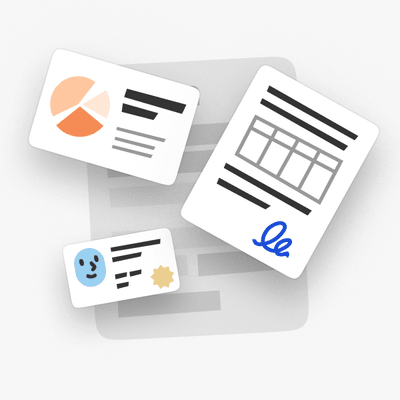
من مستند
حمّل ملف PDF أو عقدًا أو ملف Word يحتوي على تفاصيلك، وسيستخرج الذكاء الاصطناعي كل قيمة إلى النموذج.
من نسخة ممسوحة ضوئيًا أو صورة
حمّل نسخة ممسوحة ضوئيًا أو صورة لهوية أو مستند، وسيقرأ الذكاء الاصطناعي الحقول التي يجب تعبئتها.
أو اكتبها
هل تفضل القيام بذلك يدويًا؟ اكتب في أي مكان على النموذج، وصحح أي قيمة ملأها الذكاء الاصطناعي.

يبقى ملفك محميًا من الرفع إلى التخزين
مشفر باستخدام AES-256 أثناء التخزين وTLS أثناء النقل
تبقى الملفات خاصة
أداة تعبئة PDF هذه واحدة من أفضل الأدوات التي استخدمتها لتحرير مستندات PDF وإكمالها.
الواجهة نظيفة وسهلة الاستخدام، وتجعل إضافة النصوص والتوقيعات ومربعات الاختيار وغيرها من المعلومات سهلة للغاية دون أي عناء.


Mark Pepitoمراجعة Trustpilot (مترجمة من الإنجليزية)
مهما كان ما تحتاج إلى تعبئته
من نموذج W-9 لعميل جديد إلى المستندات الورقية لوظيفة جديدة، اختر حالتك وابدأ التعبئة
العمل الحر
املأ نموذج W-9 لعميل جديد، ونموذج 1099-NEC في موسم الضرائب، وSchedule C الخاص بك، من دون إعادة كتابة تفاصيلك.بدء وظيفة جديدة
أنهِ المستندات الورقية بسرعة: نموذج I-9 ونموذج W-4، معبأين ومنزّلين في غضون دقائق.موسم الضرائب
املأ نموذج 1040 أو W-2 أو 1040-NR عبر الإنترنت ونزّله جاهزًا للتقديم.الهجرة والسفر
املأ نموذج N-400 أو I-130 أو طلب جواز السفر DS-11، ثم نزّله جاهزًا للتقديم.المستندات الطبية
املأ مطالبة CMS-1500 أو UB-04 أو Medicare CMS-40B من دون دوامة المعاملات الورقية.النماذج القانونية والشخصية
املأ نموذج SS-5 لبطاقة الضمان الاجتماعي أو Form 2848 للتوكيل، ثم وقّعه.


تصفح جميع النماذج
النماذج التي تحتاجها. دائمًا محدثة.
كيفية تعبئة نموذج PDF في 3 خطوات
- 1
حمّل نموذجك، سواء كان مسطحًا أو ممسوحًا ضوئيًا
- 2
أضف مستندًا أو اكتب تفاصيلك، وسيملأ الذكاء الاصطناعي الحقول
- 3
مراجعة وتنزيل
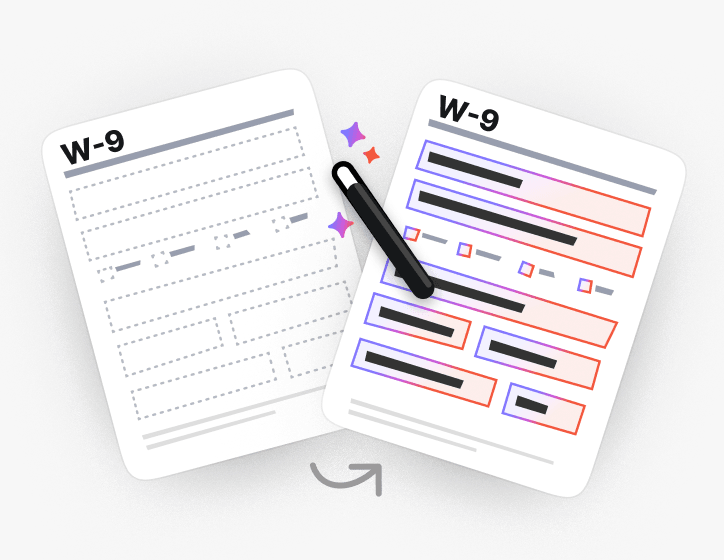
يملأ النماذج المسطحة والممسوحة ضوئيًا أيضًا
لا توجد حقول للنقر عليها؟ يعثر الذكاء الاصطناعي على الموضع الذي ينتمي إليه كل حقل في ملفات PDF المسطحة والممسوحة ضوئيًا ويملؤها على أي حال.
أو اجعل ملف PDF قابلاً للملء واكتبه بنفسك.
تشكيلة هائلة من مجموعات الأدوات، خاصةً لملء النماذج.

مصمم للنماذج التي تقدمها بالفعل
تصفح نماذج PDF القابلة للملء حسب الفئة، أو انتقل مباشرة إلى نماذج الضرائب والهجرة والنماذج القانونية والطبية التي يملؤها الناس أكثر من غيرها
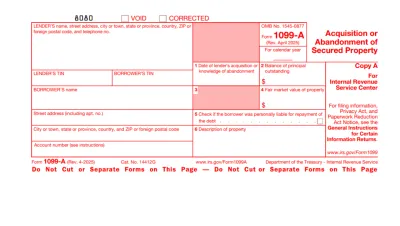
Form 1099
Form 1099 is a family of IRS information returns that payers use to report income other than regular wages, such as freelance pay, interest, dividends, or proceeds from certain sales.Access our editable Form 1099 online, enter your details, make quick changes, and download your form instantly. Simple, secure, and perfect for freelancers, contractors, and small business owners.
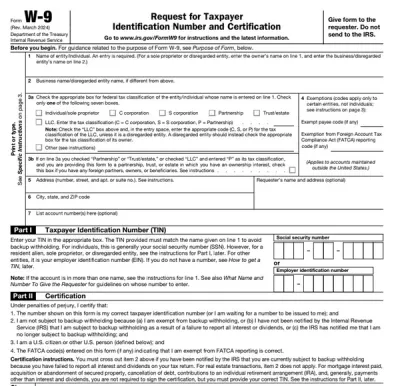
Form W-9
Form W-9 is a document used to give your correct taxpayer identification number (TIN) to a person who must report payments to the IRS.Get yours ready in minutes; add your details to our fillable Form W-9 and prepare it for submission more simply.
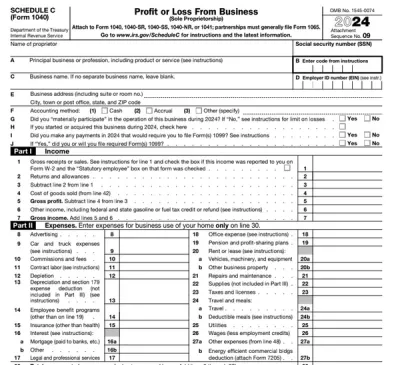
Schedule C (Form 1040)
Schedule C on Form 1040 is used to report income and loss from a business you operated or a profession you practiced as a sole proprietor.Our editable Schedule C (Form 1040) facilitates the tax filing process. All you have to do is type information directly into the empty slots.
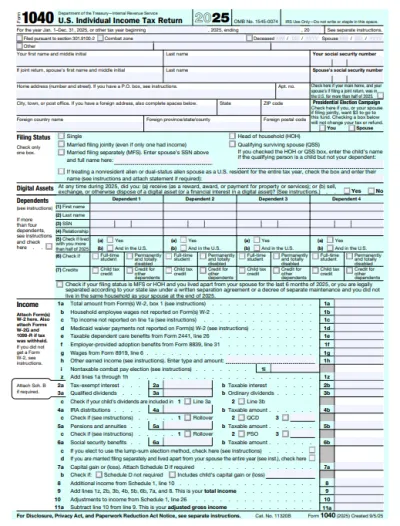
Form 1040
A Form 1040 is the IRS tax return used to report your annual income, calculate taxable income, claim credits and deductions, and determine whether you owe taxes or will receive a refund.Access our 1040 fillable form online and handle your tax return without a hassle. You can enter your income, deductions, and credits easily, review the details, and download a completed copy ready to print and mail.
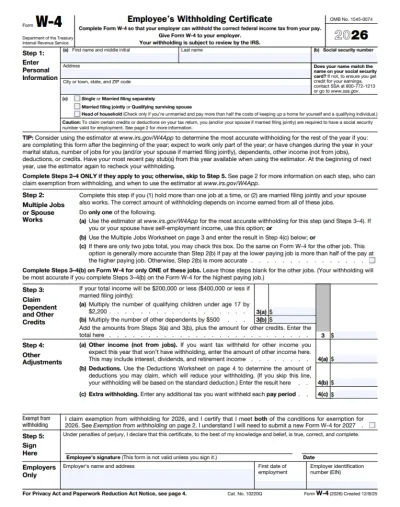
Form W-4
IRS Form W-4 informs the employer of the correct federal income tax to withhold from the employee’s paycheck.On pdf.net, you can now select a fillable tax form, open it in our PDF editor, and enter the information directly in the fields; once you complete it, you can save your W-4 and submit it to your employer.
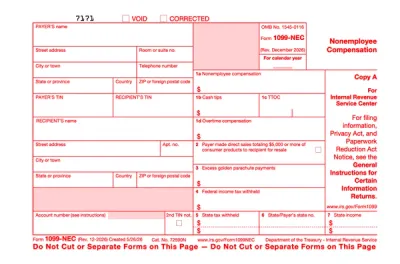
Form 1099-NEC
Form 1099-NEC is used to report payments of $600 or more to nonemployees who have performed services for you.Complete our editable Form 1099-NEC online and download it to your device. All you have to do is open it in our editor, and enter the required information as instructed.
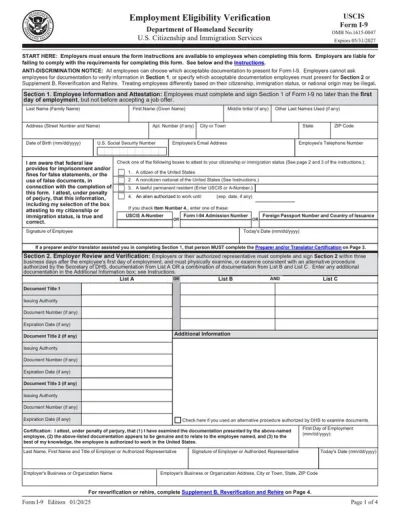
Form I-9
Employers use Form I-9 to verify the identity and employment authorization of their employees, whether they are U.S. citizens or noncitizens.Fill out our editable Form I-9 online by simply typing the required information directly into the empty slots. Once that’s done, download the form to your device.
تصفح جميع نماذج PDF
النماذج التي تحتاجها. محدثة دائمًا.
شاهده يملأ نموذجًا في الوقت الفعلي
شاهد الذكاء الاصطناعي يقرأ مستندًا ويملأ نموذجًا ثابتًا حقلًا بحقل
املأ نموذج PDF الخاص بك الآن
حمّل مستندًا ودع الذكاء الاصطناعي يملأ أي نموذج PDF، سواء كان مسطحًا أو قابلاً للملء، ثم نزّله جاهزًا للتقديم
تبقى الملفات خاصة
الأسئلة الشائعة
نعم. يمكنك تعبئة ملف PDF عبر الإنترنت دون Adobe Acrobat، باستخدام أداة تعبئة نماذج PDF من pdf.net. يعمل في متصفحك، لذلك لا يوجد ما يلزم تثبيته قبل إكمال النموذج.
لا يمكنك الكتابة في نموذج PDF الخاص بك لأنه لا يحتوي على حقول تفاعلية للنقر عليها. على pdf.net يمكنك الكتابة في أي مكان على الصفحة، أو تحويل الملف إلى نموذج قابل للملء والتنقل بين الحقول باستخدام Tab.
يقرأ المستند الذي تقدمه، ويطابق كل قيمة مع الحقل الصحيح في النموذج الخاص بك، ويتيح لك معرفة سبب اختياره لهذه القيمة. يمكنك تغيير أي شيء قبل التنزيل.
يمكنك الكتابة مباشرة على نموذج PDF إذا لم يكن لديك مستند مصدر. تتيح لك أداتنا أيضًا تعبئة ملف PDF يدويًا.
نعم، يمكنك تعبئة ملف PDF غير قابل للتعبئة باستخدام محرر نماذج PDF الخاص بنا، لأنه يتيح لك وضع مربعات نص وعلامات تحديد في أي مكان على الصفحة، حتى على المستندات الممسوحة ضوئيًا أو المسطحة.
يمكنك تحميل PDF وDOC وDOCX وXLS وXLSX وPPT وPPTX وPPSX وJPG وPNG وHEIC. ويشمل ذلك صورة لنموذج ورقي التُقطت بهاتفك، حتى تتمكن من تعبئة مستند لا تملكه إلا على الورق.
نعم، تُحفَظ المستندات التي تقوم بتحميلها في حسابك، وأنت من يقرر ما الذي سيحدث لها. احتفظ بمستند مصدر لاستخدامه مرة أخرى لاحقًا، أو احذفه بمجرد اكتمال تعبئة النموذج.
نعم. ملفاتك مشفرة باستخدام AES-256 أثناء التخزين وTLS أثناء النقل، وأنت من يقرر ما الذي يتم الاحتفاظ به أو حذفه أو مشاركته.
نعم، يمكنك تعبئة ملف PDF على هاتفك. حمّل الملف من مساحة تخزين هاتفك أو من وحدة التخزين السحابية، وأدخل بياناتك، ثم نزّل النموذج المكتمل.
لا، لست بحاجة إلى طباعة ملف PDF قبل تعبئته. تتيح لك أداة تعبئة نماذج PDF الخاصة بنا الكتابة مباشرة على المستند على الشاشة، سواء كان مسطحًا أو ممسوحًا ضوئيًا، حتى تتمكن من تخطي الطباعة والكتابة اليدوية والمسح الضوئي بالكامل.
يمكنك تعبئة أي نوع تقريبًا من نماذج PDF، بما في ذلك المستندات الضريبية مثل W-9 و1040، ونماذج التوظيف مثل I-9 وW-4، وأوراق الهجرة، ومطالبات الرعاية الصحية مثل CMS-1500.
نعم، يمكنك إضافة توقيعك إلى ملف PDF مباشرة بعد تعبئته. ارسم توقيعك أو اكتبه أو قم بتحميله، ثم ضعه في أي مكان على النموذج.
كل أدوات PDF في مكان واحد
دون تثبيتات، ودون تبديل بين التطبيقات — يعمل على أي جهاز


المزيد من الأدوات

تحويل Word إلى PDF
حوّل DOC/DOCX إلى PDF. حافظ على التنسيق.

تحويل JPG إلى PDF
دمج صور JPEG في ملف PDF واحد دون فقدان الجودة.

تحويل PNG إلى PDF
دمج عدة صور PNG في ملف PDF واحد. مع الحفاظ على الدقة.

تحويل PDF إلى JPG
تحويل صفحات PDF إلى صور JPEG منفصلة. جاهزة للمشاركة أو التحميل.

PDF إلى Excel
حوّل جداول PDF إلى جداول بيانات قابلة للتعديل وجاهزة للاستخدام في Excel أو Google Sheets.

تحويل PDF إلى PNG
تقسيم صفحات PDF إلى ملفات PNG منفصلة. مع الحفاظ على الدقة الكاملة.

تحويل Markdown إلى PDF
الصق أو حمّل ملف .md الخاص بك واحصل على ملف PDF منسق في ثوانٍ. يتم تضمين الجداول وكتل التعليمات البرمجية.

تحويل Excel إلى PDF
حوّل XLS وXLSX إلى ملف PDF منظم وقابل للمشاركة. مع الحفاظ على التنسيق.

تحويل PDF إلى CSV
استخرج بيانات الجداول من ملفات PDF إلى ملفات CSV نظيفة وجاهزة لجداول البيانات وتحليل البيانات.

PDF إلى PowerPoint
احصل على شرائح PPT وPPTX قابلة للتعديل. حافظ على الخطوط والتخطيط.

تحويل HEIC إلى PDF
حوّل صور HEIC من iPhone إلى ملف PDF قابل للمشاركة. يفتح على أي جهاز.

تحويل PowerPoint إلى PDF
حوّل PPT وPPTX إلى ملف PDF جاهز للمشاركة. يفتح على أي جهاز.

كشف حساب بنكي إلى Excel
حوِّل كشوف الحساب البنكي بتنسيق PDF إلى ملفات Excel أو CSV قابلة للتعديل لأغراض المحاسبة والتحليل.

تحويل EPUB إلى PDF
حوّل كتاب EPUB الإلكتروني إلى ملف PDF جاهز للطباعة. يفتح على أي جهاز.

تحويل PDF إلى Markdown
حوّل ملف PDF إلى نص MD نظيف، جاهز لملاحظاتك أو مستنداتك أو المستودع الخاص بك.

تحويل PDF إلى نص
احصل على النص من ملف PDF الخاص بك كملف .txt. انسخه إلى رسائل البريد الإلكتروني أو المستندات أو الملاحظات.

الضغط
قلّل حجم ملف PDF عبر 3 مستويات للضغط.

مقارنة PDF
اكتشف كل تغيير بين ملفي PDF. اعرضهما جنبًا إلى جنب أو في وضع التراكب.

إضافة صورة
أضف الشعارات والصور والرسومات إلى ملفات PDF. اضبط الحجم والموضع.

تقسيم الملف
قسّم PDF إلى عدة ملفات. اختر أي صفحة للتقسيم.

إعادة ترتيب الصفحات
اسحب وأفلت لإعادة التنظيم. احذف الصفحات أو كرّرها أو دوّرها.

إضافة أرقام الصفحات
رقّم الصفحات تلقائيًا. اختر الموضع والتنسيق والهوامش.

إضافة تعليقات توضيحية
وضع علامات على ملفات PDF: ارسم وميّز وامسح. ألوان متعددة وعروض خطوط مختلفة.

تدوير الصفحات
اضبط اتجاه PDF بسهولة. اختر صفحة واحدة أو عدة صفحات أو كل الصفحات.

ترقيم بيتس
أضف أرقام بيتس تلقائيًا. اختر البادئة واللاحقة ونمط الترقيم.

استخراج الصفحات
حدد الصفحات التي تحتاجها واحفظها كملف PDF جديد.

اجعل PDF قابلاً للملء
أضف حقول نص ومربعات اختيار وتوقيعات. يعمل على النماذج المسطحة والممسوحة ضوئيًا.

إضافة علامة مائية إلى PDF
تمييز صفحات PDF بالنص الخاص بك أو بصورة

فتح قفل ملف PDF
أزل كلمات المرور والقيود ببضع نقرات فقط.

حماية PDF
تمكن من تأمين ملف PDF من الاستخدام غير المصرّح به باستخدام كلمة مرور.

إخفاء محتوى PDF
أخفِ النصوص الحساسة أو الصفحات بالكامل قبل مشاركة ملف PDF.

مولد التوقيع
اكتب توقيعك أو ارسمه أو حمّله. احفظه وأعد استخدامه عبر المستندات.

الدردشة مع PDF
اطرح على الذكاء الاصطناعي أي أسئلة حول ملف PDF الخاص بك.

أداة تلخيص PDF
لخّص ملفات PDF إلى نقاط رئيسية باستخدام الذكاء الاصطناعي.

إنشاء PDF
صِف المستند الذي تحتاجه واحصل على ملف PDF منسق.

مشاركة PDF
حمّل ملفات PDF وشاركها عبر رابط آمن أو البريد الإلكتروني في ثوانٍ، وتحكّم في صلاحيات العرض أو التعديل.