

Redact PDF and permanently black out sensitive information
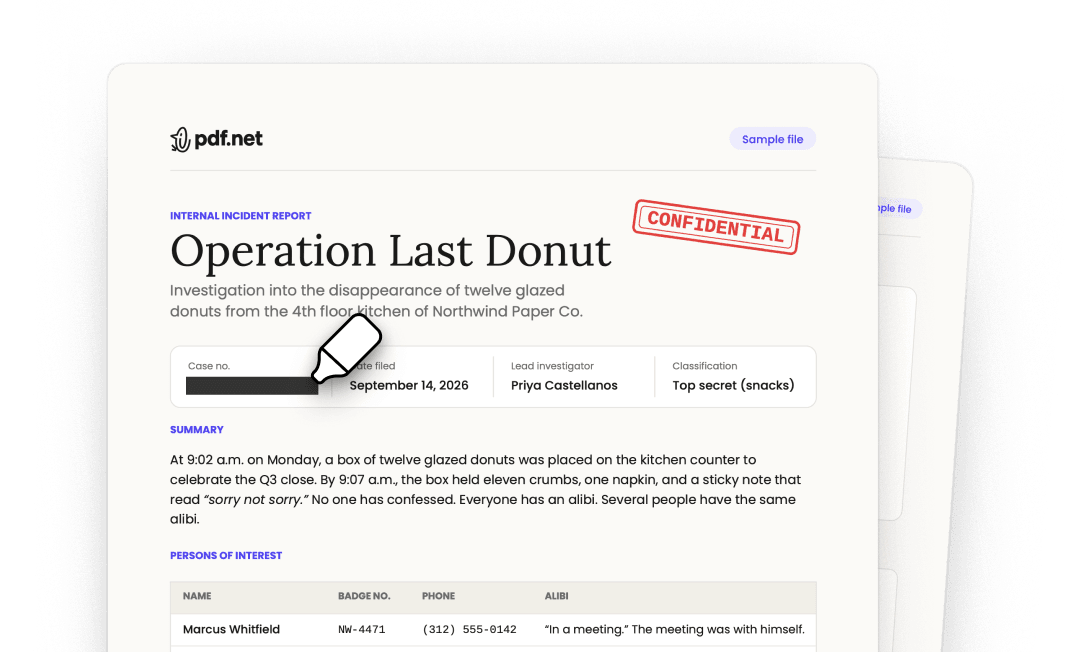
Cover names, account numbers, signatures, photos, or whole pages. What’s under the box is removed from the file, so no one can copy it back out.
أو
يدعم PDF, DOC, DOCX, PPT, PPTX, PPSX, XLS, XLSX, JPG, PNG, HEIC, HEIF
تبقى الملفات خاصة
Adobe was giving me a hard time and I found this website and I was able to get my tasks acomplished.

Jesus Torresمراجعة Trustpilot (مترجمة من الإنجليزية)
Redact documents before you send them
All of it runs in the browser. Nothing to install, nothing to switch to.
Apply for an apartment or a loan
Landlords and lenders ask for bank statements, pay stubs, and tax returns. Keep the income they need to see and redact account numbers and unrelated transactions.Prepare court filings and discovery
Black out client names, case numbers, and account details before a filing goes out. The court and the other side see only what they need.Review resumes without names
Remove names, photos, and home addresses from resumes, so the hiring team reads the experience first.Answer public records requests
Release a report or a letter and redact the personal details of people who aren’t part of the request.Send invoices to a client or an auditor
Show the work and the totals, and redact bank details, rates, or signatures the other side doesn’t need.Remove photos and ID numbers from scans
Draw a box over a face, an ID, or a signature on a scan, and the image under it is removed.


A black box isn’t a redaction
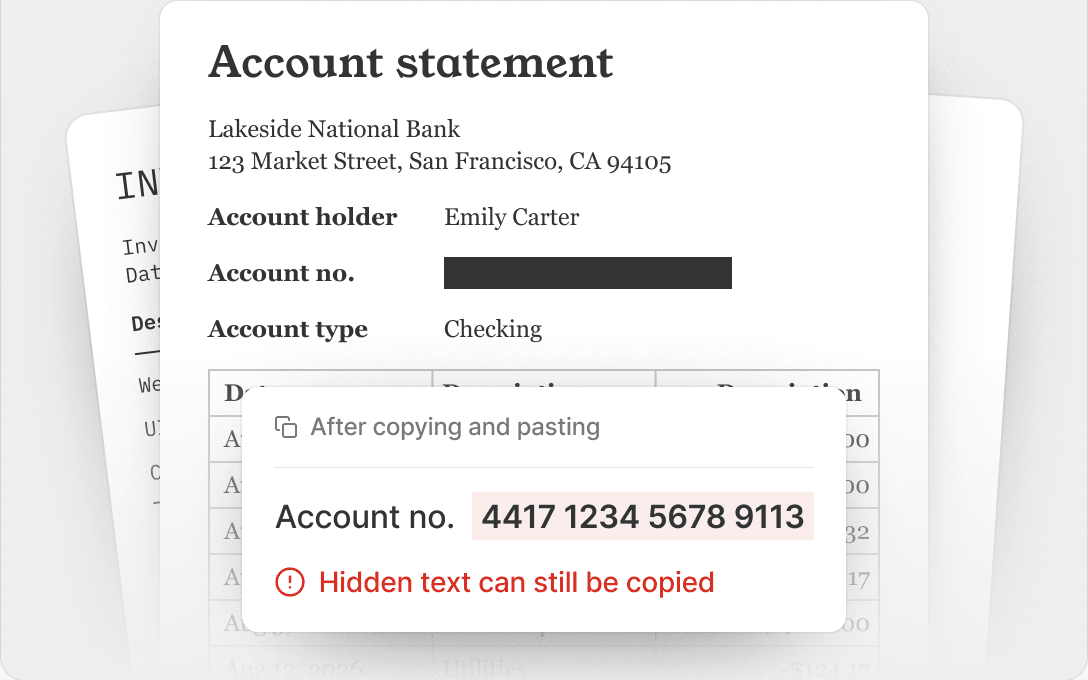
Covering text with a shape hides it on screen. The text is still in the file, and anyone can copy it.
Covered with a shape
Select the box, copy, and paste it anywhere. The account number is still there.
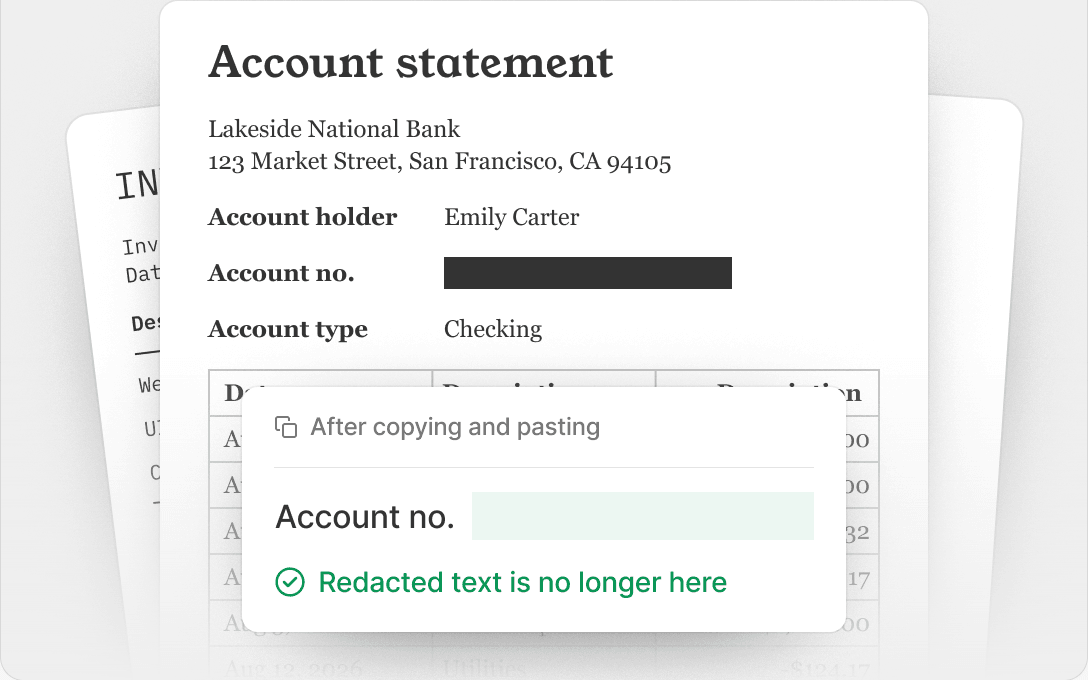
Redacted in pdf.net
The text and images under the box are removed from the file. They can’t be selected, searched, or recovered.
تبقى الملفات خاصة
كل أدوات PDF في مكان واحد
دون تثبيتات، ودون تبديل بين التطبيقات — يعمل على أي جهاز


المزيد من الأدوات

تحويل Word إلى PDF
حوّل DOC/DOCX إلى PDF. حافظ على التنسيق.

تحويل JPG إلى PDF
دمج صور JPEG في ملف PDF واحد دون فقدان الجودة.

تحويل PNG إلى PDF
دمج عدة صور PNG في ملف PDF واحد. مع الحفاظ على الدقة.

تحويل PDF إلى JPG
تحويل صفحات PDF إلى صور JPEG منفصلة. جاهزة للمشاركة أو التحميل.

PDF إلى Excel
حوّل جداول PDF إلى جداول بيانات قابلة للتعديل وجاهزة للاستخدام في Excel أو Google Sheets.

تحويل PDF إلى PNG
تقسيم صفحات PDF إلى ملفات PNG منفصلة. مع الحفاظ على الدقة الكاملة.

تحويل Markdown إلى PDF
الصق أو حمّل ملف .md الخاص بك واحصل على ملف PDF منسق في ثوانٍ. يتم تضمين الجداول وكتل التعليمات البرمجية.

تحويل Excel إلى PDF
حوّل XLS وXLSX إلى ملف PDF منظم وقابل للمشاركة. مع الحفاظ على التنسيق.

تحويل PDF إلى CSV
استخرج بيانات الجداول من ملفات PDF إلى ملفات CSV نظيفة وجاهزة لجداول البيانات وتحليل البيانات.

PDF إلى PowerPoint
احصل على شرائح PPT وPPTX قابلة للتعديل. حافظ على الخطوط والتخطيط.

تحويل HEIC إلى PDF
حوّل صور HEIC من iPhone إلى ملف PDF قابل للمشاركة. يفتح على أي جهاز.

تحويل PowerPoint إلى PDF
حوّل PPT وPPTX إلى ملف PDF جاهز للمشاركة. يفتح على أي جهاز.

كشف حساب بنكي إلى Excel
حوِّل كشوف الحساب البنكي بتنسيق PDF إلى ملفات Excel أو CSV قابلة للتعديل لأغراض المحاسبة والتحليل.

تحويل EPUB إلى PDF
حوّل كتاب EPUB الإلكتروني إلى ملف PDF جاهز للطباعة. يفتح على أي جهاز.

تحويل PDF إلى Markdown
حوّل ملف PDF إلى نص MD نظيف، جاهز لملاحظاتك أو مستنداتك أو المستودع الخاص بك.

Convert PDF to Text
Get the text from your PDF as a .txt file. Copy it into emails, documents, or notes.

الضغط
قلّل حجم ملف PDF عبر 3 مستويات للضغط.

مقارنة PDF
اكتشف كل تغيير بين ملفي PDF. اعرضهما جنبًا إلى جنب أو في وضع التراكب.

إضافة صورة
أضف الشعارات والصور والرسومات إلى ملفات PDF. اضبط الحجم والموضع.

تقسيم الملف
قسّم PDF إلى عدة ملفات. اختر أي صفحة للتقسيم.

إعادة ترتيب الصفحات
اسحب وأفلت لإعادة التنظيم. احذف الصفحات أو كرّرها أو دوّرها.

إضافة أرقام الصفحات
رقّم الصفحات تلقائيًا. اختر الموضع والتنسيق والهوامش.

إضافة تعليقات توضيحية
وضع علامات على ملفات PDF: ارسم وميّز وامسح. ألوان متعددة وعروض خطوط مختلفة.

تدوير الصفحات
اضبط اتجاه PDF بسهولة. اختر صفحة واحدة أو عدة صفحات أو كل الصفحات.

ترقيم بيتس
أضف أرقام بيتس تلقائيًا. اختر البادئة واللاحقة ونمط الترقيم.

استخراج الصفحات
حدد الصفحات التي تحتاجها واحفظها كملف PDF جديد.

اجعل PDF قابلاً للملء
أضف حقول نص ومربعات اختيار وتوقيعات. يعمل على النماذج المسطحة والممسوحة ضوئيًا.

Add Watermark to PDF
Mark PDF pages with your text or an image

طلب توقيع
أرسل ملفات PDF إلى أي شخص للتوقيع. حدّد مكان التوقيع، وادعُ عبر البريد الإلكتروني. استلم المستند الموقّع مرة أخرى.

إزالة خلفية التوقيع
اجعل خلفية توقيعك شفافة لتوقيع ملفات PDF دون مربع أبيض.

Signature Generator
Type, draw, or upload your signature. Save and reuse it across documents.

الدردشة مع PDF
اطرح على الذكاء الاصطناعي أي أسئلة حول ملف PDF الخاص بك.

أداة تلخيص PDF
لخّص ملفات PDF إلى نقاط رئيسية باستخدام الذكاء الاصطناعي.

إنشاء PDF
صِف المستند الذي تحتاجه واحصل على ملف PDF منسق.

أداة ملء النماذج بالذكاء الاصطناعي
حمّل نموذجًا ومستندًا لديك. يملأ الذكاء الاصطناعي الحقول.

مشاركة PDF
حمّل ملفات PDF وشاركها عبر رابط آمن أو البريد الإلكتروني في ثوانٍ، وتحكّم في صلاحيات العرض أو التعديل.
How to redact a PDF
 1
1Upload your document
 2
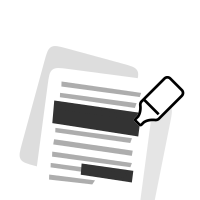
2Select text, images, or whole pages
 3
3Apply the redaction and download your PDF
Ready when you are.
لماذا يفضّل الناس pdf.net
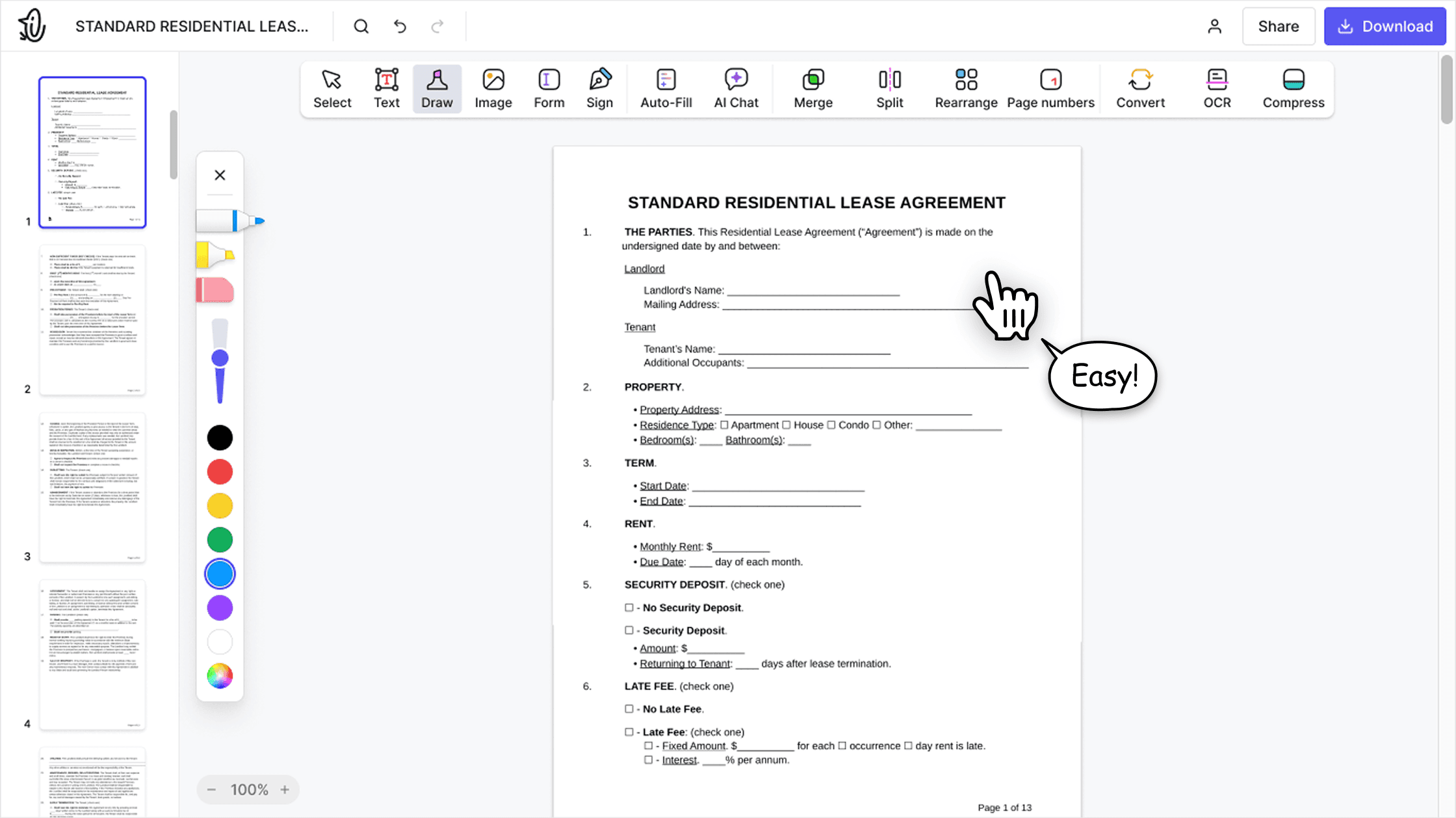
بسيط وسهل للاستخدام اليومي
تتميز أداة تعديل ملفات PDF عبر الإنترنت لدينا بواجهة نظيفة وبديهية وسهلة الاستخدام، مصممة للمبتدئين وللمحترفين على حد سواء. يمكنك التنقل بسهولة وتعديل ملف PDF الخاص بك، حتى إن لم تفعل ذلك من قبل.

أداة تعديل ملفات PDF متكاملة
توفر أداة التعديل مجموعة ميزات قوية وشاملة تتيح لك تخصيص مستنداتك ودمجها وتوقيعها وغير ذلك الكثير. لم تعد بحاجة لنقل ملفاتك بين عدة تطبيقات.

الحفاظ على التنسيق دون مشكلات
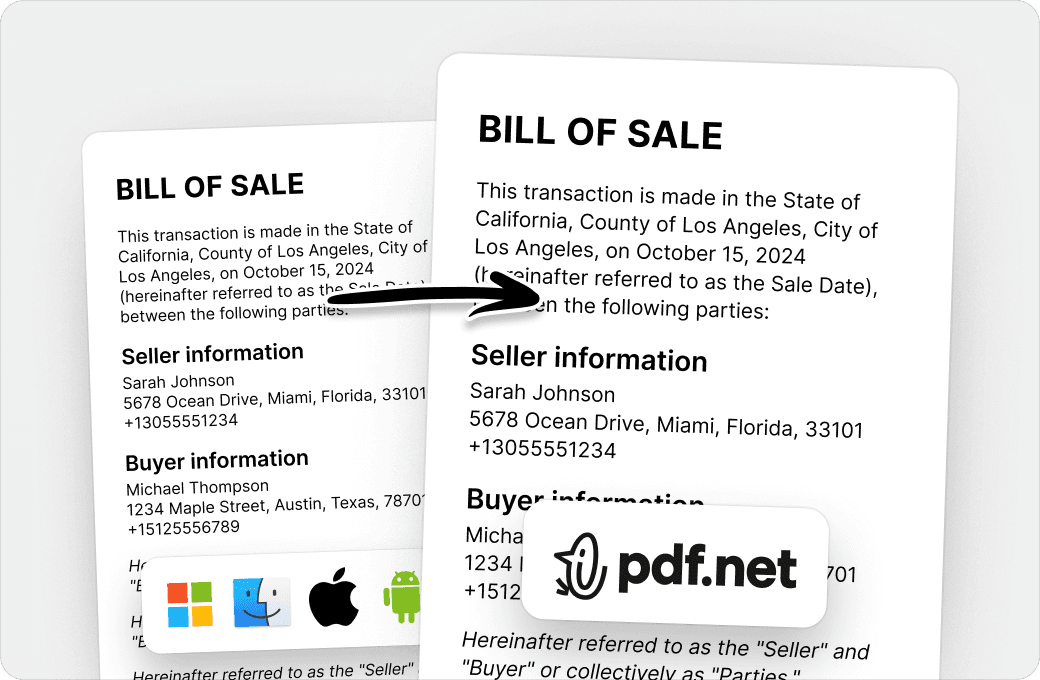
وداعاً للمستندات غير المنظمة والتنسيق غير المتناسق عبر الأنظمة والأجهزة المختلفة. إن أداة تعديل ملفات PDF لدينا متوافقة مع جميع المنصات، وتحافظ على التنسيق الموحد سواء كنت تستخدم جهاز كمبيوتر شخصي أو نظام macOS أو هاتفًا ذكيًا أو جهازًا لوحيًا.
يثق الناس حول العالم في pdf.net لتعديل مستنداتهم
Very easy to use, and the conversion is highly accurate.


Very easy to use, and the conversion is highly accurate.
not complicated - i have no mouse to write signatures so this way helps

Patricia Delgadilloمراجعة Trustpilot (مترجمة من الإنجليزية)
تشكيلة هائلة من مجموعات الأدوات، خاصةً لملء النماذج.

مفيد لإنشاء أنواع مختلفة من الملفات باستخدام الملفات التي لديك بالفعل، فقط قم بتحويلها!

Try it on a sample first
Not ready to upload a real contract?
Open our sample document in the editor, redact it yourself, and see the result before you use your own file.
تبقى الملفات خاصة
الأسئلة الشائعة
- What does it mean to redact a PDF?
- Redacting a PDF means permanently removing sensitive content, such as names, numbers, images, or whole pages, and showing a black box in its place. Unlike a shape drawn over the text, a redaction deletes the content from the file, so no one can read, copy, or search it.
- How do I redact a PDF?
- Choose your file and it opens in the editor. Select the text you want to hide, draw a box over any image or area, then apply the redaction and download your PDF.
- Can a redaction be removed?
- No. Once you apply a redaction in pdf.net, the content under the box is deleted from the file. It can’t be recovered, even with other PDF software.
- How do I black out text in PDF files?
- Select the text and apply a redaction. pdf.net replaces it with a black box and removes the text itself. If you only draw a black rectangle over text, the text stays in the file and anyone can copy it from under the shape.
- Can I redact images and whole pages?
- Yes. Draw a box over a photo, a signature, or part of a scanned page to remove it, or redact an entire page at once.
- Can I redact a PDF without Adobe Acrobat Pro?
- Yes. pdf.net is an online PDF redaction tool that works in your browser on Windows, Mac, and mobile, so you don’t need Acrobat Pro, Preview, or any other installed software.
- Is blurring text the same as redacting it?
- No. A blur, a highlight, or a black shape only changes how the page looks, and the text underneath stays in the file. Our PDF redactor removes the text, so there is nothing left to uncover.
- Is this tool free?
- This tool is free to access and to redact PDF files. However, to download your new document, you need to subscribe to our services.
- Is it safe to upload sensitive documents?
- Yes. Uploading your documents to pdf.net is safe and secure. Our online PDF editor uses secure HTTPS encryption and advanced safety protocols to keep your documents private and protected. We run on Google Cloud infrastructure with strict access controls.
- What file formats are supported?
- You can upload PDF, DOC, DOCX, PPT, PPTX, PPSX, XLS, XLSX, JPG, PNG, HEIC, and HEIF files. Your file opens in the editor, where you can redact it and download it as a PDF.
- Can I redact a PDF on my phone?
- Yes. pdf.net works in your mobile browser, so you can redact a PDF on an iPhone, an Android phone, or a tablet without installing an app.