

PDFフォームを入力可能にする
フラットまたはスキャンされたPDFフォームを、入力可能なPDFフォームに変換します。テキストフィールド、入力したXの代わりにクリックできるチェックボックス、日付、署名欄を、ブラウザー上ですぐに追加できます。
または
対応形式: PDF, DOC, DOCX, JPG, PNG, HEIC, HEIF
ファイルのプライバシーは維持されます
特にフォーム入力において、非常に多様なツールセットがあります。

- 印刷不要画面上で入力するか、入力する相手に送信できます
- 入力可能フィールドは不要フラットPDFとスキャンPDFの両方で使えます
- レイアウト変更なしフィールドはページの上に配置されるため、ずれることはありません
フォームを入力可能にしたいとき
フラットなPDFフォームが時間を奪う4つの場面
フォームに入力できない
フィールドが最初からなく、フラットまたはスキャンされた状態です。自分で追加して、画面上で入力しましょう。フォームが毎月戻ってくる
タイムシート、請求書、請求フォーム。そのPDFを一度だけ入力可能なフォームに変換して、印刷をやめましょう。フォームを他の人に送る
フラットなページではなく適切なフィールドを送れば、誰も印刷して書き込み、スキャンする必要がありません。フォームに署名が必要
必要な場所に署名フィールドを追加すれば、プリンターなしで署名できます。


PDFを入力可能にする方法
- ステップ1 — 0:13
フォームをアップロードする
- ステップ2 — 0:22
入力可能なPDFに変換する
- ステップ3 — 0:35
自分で入力するか、AIに任せる
PDFフォームを入力可能にする方法(Acrobatなし)
手順を読む
- pdf.netを開き、ホームページにフォームをドラッグ&ドロップします。すべてブラウザー内で動作するため、インストールは不要で、ノートPCやスマートフォンからPDFを入力可能にできます。
- ファイルが読み込まれたら、上部ツールバーの「Make it fillable」をクリックします。この切り替えは、フォームにインタラクティブフィールドがない場合に表示されます。これはほとんどのフラットフォームやスキャンフォームに当てはまります。
- フラットまたはスキャンされたPDFフォームを、入力可能なPDFフォームに変換します。テキストフィールド、入力したXの代わりにクリックできるチェックボックス、日付、署名欄を、ブラウザー上ですぐに追加できます。下のページはそのまま維持されるため、レイアウトがずれることはありません。
- 正しくない箇所は調整します。フィールドを移動したり、サイズを変更したり、フォームに足りないものを追加したりできます。
- フォームに自分で入力することも、すでに自分の情報が入った文書をアップロードして、AIフォーム入力機能に各値を正しいフィールドへ入力させることもできます。
- 入力可能なPDFをダウンロードすれば、すぐに記入したり、署名が必要な相手に送信したりできます。

ファイルはストレージへのアップロードから保護されたままです
保存時はAES-256で暗号化され、転送中はTLSで保護されます
実際に提出するフォームのために作られています
カテゴリ別に入力可能なフォームを探すか、よく使われる税務、移民、法律、医療フォームに直接移動できます
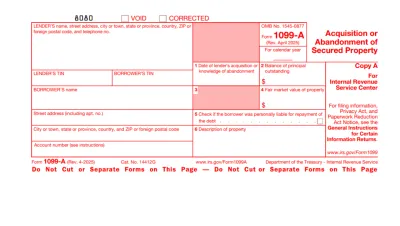
Form 1099
Form 1099 is a family of IRS information returns that payers use to report income other than regular wages, such as freelance pay, interest, dividends, or proceeds from certain sales.Access our editable Form 1099 online, enter your details, make quick changes, and download your form instantly. Simple, secure, and perfect for freelancers, contractors, and small business owners.
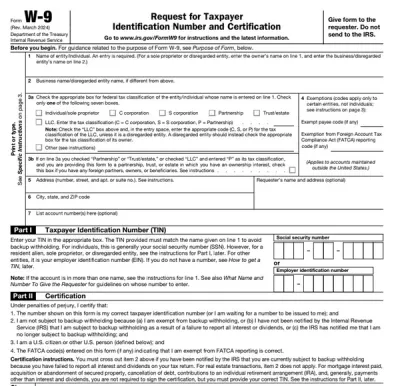
Form W-9
Form W-9 is a document used to give your correct taxpayer identification number (TIN) to a person who must report payments to the IRS.Get yours ready in minutes; add your details to our fillable Form W-9 and prepare it for submission more simply.
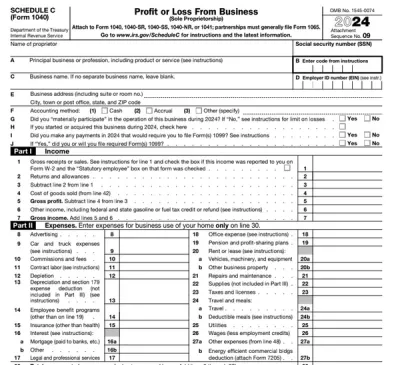
Schedule C (Form 1040)
Schedule C on Form 1040 is used to report income and loss from a business you operated or a profession you practiced as a sole proprietor.Our editable Schedule C (Form 1040) facilitates the tax filing process. All you have to do is type information directly into the empty slots.
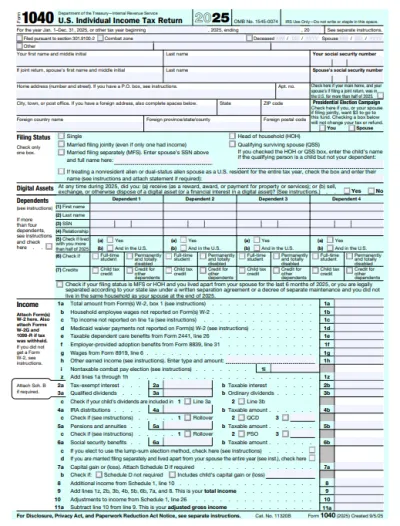
Form 1040
A Form 1040 is the IRS tax return used to report your annual income, calculate taxable income, claim credits and deductions, and determine whether you owe taxes or will receive a refund.Access our 1040 fillable form online and handle your tax return without a hassle. You can enter your income, deductions, and credits easily, review the details, and download a completed copy ready to print and mail.
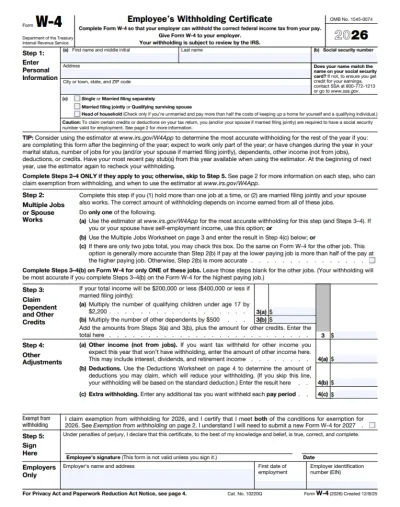
Form W-4
IRS Form W-4 informs the employer of the correct federal income tax to withhold from the employee’s paycheck.On pdf.net, you can now select a fillable tax form, open it in our PDF editor, and enter the information directly in the fields; once you complete it, you can save your W-4 and submit it to your employer.
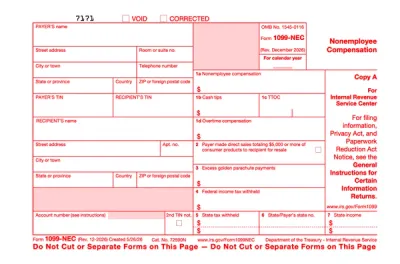
Form 1099-NEC
Form 1099-NEC is used to report payments of $600 or more to nonemployees who have performed services for you.Complete our editable Form 1099-NEC online and download it to your device. All you have to do is open it in our editor, and enter the required information as instructed.
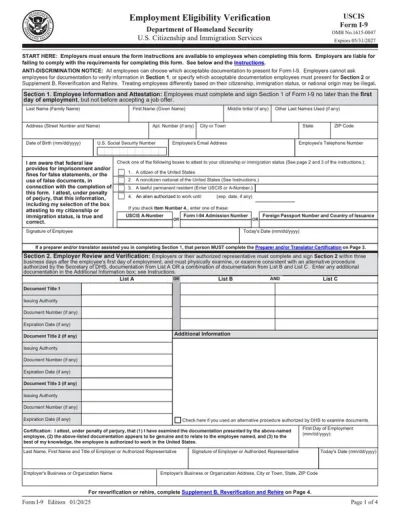
Form I-9
Employers use Form I-9 to verify the identity and employment authorization of their employees, whether they are U.S. citizens or noncitizens.Fill out our editable Form I-9 online by simply typing the required information directly into the empty slots. Once that’s done, download the form to your device.
すべてのPDFフォームを参照
必要なフォームを。いつでも最新。
よくある質問
PDFを入力可能にするには、フォームを当社のPDFフォーム作成ツールにアップロードし、必要なフィールドをページ上にドラッグします: テキストボックス、クリックできるチェックボックス、日付、署名フィールドです。その後、入力可能なPDFをダウンロードするか、記入する必要がある相手と共有します。
PDFを入力可能なフォームに変換するには、pdf.netでファイルを開き、「Make it fillable」をオンにします。入力フィールドは既存のページの上に配置されるため、元のレイアウトはそのままで、フラットPDFやスキャンされたPDFも同じように変換されます。
それらのボックスはインタラクティブフィールドではなくページ上に印刷されているだけなので、クリックするものがないためです。 pdf.net でその上に本物のチェックボックスを配置すると、Xを入力する代わりにチェックを入れられます。
はい、スキャンされたフォームを入力可能にできます。スキャン画像または印刷されたフォームの写真をアップロードし、レイアウトの上にテキストフィールド、チェックボックス、署名ボックスを配置します。スキャン画像は背景として下に残ります。
「Make it fillable」の切り替えは、フォームにインタラクティブフィールドがまったくない場合に表示されます。すでにいくつかある場合でも、不足しているものは自分で追加できます。追加のテキストボックス、チェックボックス、または署名フィールドを、フォームで必要な場所に配置してください。
編集可能なPDFでは、既存のテキストや画像を変更できます。入力可能なPDFでは、レイアウトを固定したまま、他の人が記入するインタラクティブフィールドを追加します。
現在、自動フィールド検出は最大200個のインタラクティブフィールド、最大100ページのフォームで動作します。それを超えてもフィールドを自分で配置することはでき、現在その両方の上限を引き上げています。
pdf.net の入力可能PDFツールは安全です。ファイルは保存時にAES-256、転送時にTLSで暗号化されます。アップロードしたフォームはアカウントに保存され、いつでも好きなときに削除できます。
オフラインでPDFを入力可能にするには、インターネット接続なしで動作するサードパーティ製ツールをダウンロードする必要があります。当社のオンライン入力可能PDF作成ツールなら、インストールするものがないため、はるかに便利です。フォームをアップロードし、フィールドを配置して、ダウンロードするだけです。
はい、Mac、Linux、スマートフォンでも pdf.net を使用できます。基本的に、ブラウザーとインターネット接続があるあらゆるデバイスで、このオンラインPDFエディターを使用できます。
pdf.netは、PDF、Word文書(DOC、DOCX)、JPG、PNG、HEIC、HEIF画像に対応しています。 PDFでないものはまず変換され、その後フィールドを追加します。
はい、同じエディターで記入できます。対応している任意の形式で自分の情報を含む文書をアップロードし、AIフォーム入力機能に代わりに入力させることもできます。
すべてのPDFツールを1か所で提供
インストール不要、アプリの切り替え不要。どのデバイスでも動作します


その他のツール

JPG PDF変換
JPEG写真を品質を落とさずに1つのPDFファイルに結合します。

PNG PDF変換
複数のPNG画像を1つのPDFに結合します。解像度は維持されます。

PDF JPG変換
PDFページを別々のJPEG画像に変換します。共有やアップロードの準備が整います。

PDF Excel変換
PDFの表をExcelやGoogleスプレッドシートでそのまま使える編集可能なスプレッドシートに変換します。

PDF PNG変換
PDFページを別々のPNGに分割します。元の解像度が維持されます。

Mardown PDF 変換
.mdファイルを貼り付けまたはアップロードし、数秒で整形後のPDFを取得できます。表やコードブロックが含まれます。

ExcelをPDFに変換
XLSとXLSXを、書式を保持したまま、見やすく共有しやすいPDFに変換します。

PDF CSV変換
PDFから表データを抽出し、スプレッドシートやデータ分析に使えるクリーンなCSVファイルに変換します。

PDF PowerPoint変換
編集可能なPPT・PPTXスライドを取得。フォントとレイアウトを維持します。

HEIC PDF変換
iPhoneのHEIC写真を共有可能なPDFに変換。どのデバイスでも開けます。

PowerPointをPDFに変換
PPTとPPTXを共有しやすいPDFに変換。どのデバイスでも開けます。

銀行取引明細書をExcelに変換
PDFの銀行取引明細書を会計処理や分析用の編集可能なExcelまたはCSVファイルに変換します。

EPUBをPDFに変換
EPUB電子書籍を印刷対応のPDFに変換。どのデバイスでも開けます。

PDFをMarkdownに変換
PDFをクリーンなMDテキストに変換し、ノート、ドキュメント、またはリポジトリですぐに使えるようにします。

PDFをテキストに変換
PDFのテキストを.txtファイルとして取得します。メール、ドキュメント、またはメモにコピーできます。

PDFを比較
2つのPDF間のすべての変更を見つけます。並べて表示するか、重ねて表示できます。

画像を追加
ロゴ、グラフィック、写真をPDFに追加します。サイズと位置を調整できます。

ファイルを分割
PDFを複数ファイルに分割します。任意のページを選んで分割できます。

ページを並べ替え
ドラッグ&ドロップで並べ替えできます。削除、複製、回転も可能です。

ページ番号を追加
ページ番号を自動で付与します。位置、形式、余白を選択できます。

注釈
PDFのマークアップ: 描画、ハイライト、消去が可能です。複数の色と線幅に対応しています。

ページを回転
PDFの向きを簡単に調整できます。単一、複数、またはすべてのページを選択できます。

ベイツ番号付け
ベイツ番号を自動的に追加します。接頭辞、接尾辞、および番号のスタイルを選択できます。

ページを抽出
必要なページを選択し、新しいPDFとして保存します。

PDFに透かしを追加
テキストまたは画像でPDFページに透かしを入れる

PDFをロック解除
数クリックでパスワードと制限を解除できます。

PDFの保護
パスワードでPDFを不正利用から保護します。

PDFを墨消し
PDFを共有する前に、機密性の高いテキストやページ全体を黒く塗りつぶします。

署名をリクエスト
PDFを人に送信して署名をリクエストできます。署名する場所を指定し、メールで招待できます。署名済みの文書が返ってきます。

署名の背景を削除
署名を透明にして白い枠なしでPDFに署名できるようにします。

署名ジェネレーター
署名を入力、手書き、またはアップロードできます。保存して、ドキュメント間で再利用できます。

PDFとチャット
PDFについてAIに何でも質問できます。

PDF要約ツール
AIでPDFを要点にまとめます。

PDFを生成
必要な文書の内容を説明し、書式設定済みのPDFを取得します。

AI Form Filler
フォームとお持ちの文書をアップロードしてください。AIが項目を入力します。

PDFを共有
PDFをアップロードし、すぐに安全なリンクまたはメールを介して共有できます。閲覧または編集できるユーザーを管理できます。