
Llena cualquier formulario PDF sin escribirlo todo tú mismo
La mayoría de los rellenadores te hacen escribir cada campo. pdf.net lee un documento que ya tienes y llena el formulario por ti, incluso en PDFs planos y escaneados. Tú revisas, descargas y listo.
Los archivos se mantienen privados
¿No tienes ningún archivo para subir? Examinar todos los formularios


- Sin volver a escribirLos datos provienen de un archivo que ya tienes
- No se necesitan campos rellenablesFunciona también en PDFs planos y escaneados
- Sin confianza ciegaVe y cambia cada valor antes de descargar
Llena automáticamente formularios PDF con tus propios archivos
Nuestro rellenador de formularios con IA lee un documento, escaneo o foto con tus datos y determina qué valor va en cada lugar. O escríbelo tú mismo.
Desde un documento
Sube un PDF, contrato o archivo de Word que tenga tus datos, y la IA extrae cada valor al formulario.
Desde un escaneo o foto
Sube un escaneo o una foto de una identificación o documento, y la IA detecta qué campos debe llenar.
O escríbelo
¿Prefieres hacerlo a mano? Escribe en cualquier parte del formulario y corrige cualquier valor que la IA haya llenado.
Tu archivo permanece protegido contra la carga al almacenamiento
Cifrado con AES-256 en reposo y TLS en tránsito
Los archivos se mantienen privados
Este rellenador de PDF es una de las mejores herramientas que he usado para editar y completar documentos PDF.
La interfaz es limpia, fácil de usar y hace que agregar texto, firmas, casillas y otra información sea increíblemente sencillo, sin ninguna complicación.


Mark PepitoReseña de Trustpilot (traducido del inglés)
Lo que sea que necesites llenar
Desde un W-9 para un nuevo cliente hasta la documentación para un nuevo empleo, elige tu situación y empieza a llenar
Trabajo freelance
Llena un W-9 para un nuevo cliente, un 1099-NEC en temporada de impuestos y tu Schedule C, sin volver a escribir tus datos.Empezar un nuevo trabajo
Resuelve la documentación rápido: un I-9 y un W-4, llenados y descargados en minutos.Temporada de impuestos
Llena un 1040, un W-2 o un 1040-NR en línea y descárgalo listo para presentar.Inmigración y viajes
Llena un N-400, un I-130 o una solicitud de pasaporte DS-11, y luego descárgala lista para presentar.Documentación médica
Llena una reclamación CMS-1500, un UB-04 o un Medicare CMS-40B sin tanto papeleo.Formularios legales y personales
Llena un SS-5 para una tarjeta del Seguro Social o un Form 2848 de poder notarial, y luego fírmalo.


Examinar todos los formularios
Los formularios que necesitas. Siempre actualizados.
Cómo llenar un formulario PDF en 3 pasos
- 1
Sube tu formulario, plano o escaneado
- 2
Agrega un documento o escribe tus datos, la IA llena los campos
- 3
Revisar y descargar
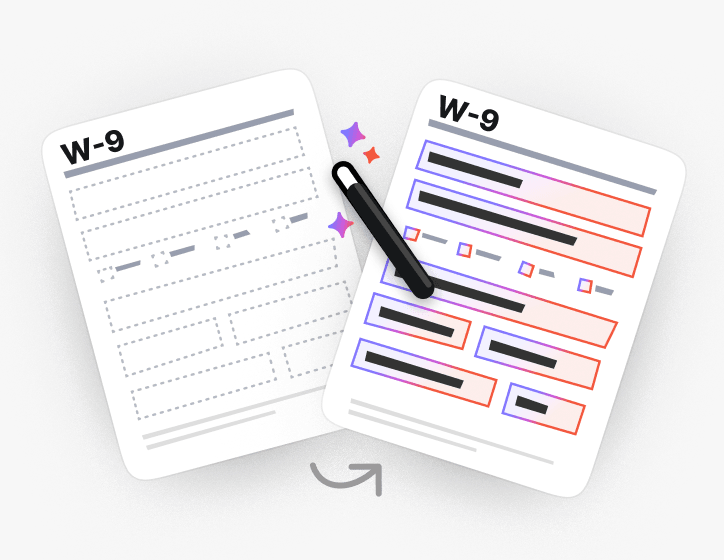
También llena formularios planos y escaneados
¿No hay campos para hacer clic? La IA encuentra dónde va cada campo en PDFs planos y escaneados y los llena de todos modos.
O haz que el PDF sea rellenable y escríbelo tú mismo.
Gran variedad de conjuntos de herramientas, especialmente para rellenar formularios.

Hecho para los formularios que realmente presentas
Explora formularios PDF rellenables por categoría o ve directamente a los formularios de impuestos, inmigración, legales y médicos que la gente llena con más frecuencia
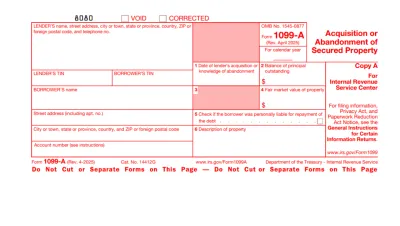
Form 1099
Form 1099 is a family of IRS information returns that payers use to report income other than regular wages, such as freelance pay, interest, dividends, or proceeds from certain sales.Access our editable Form 1099 online, enter your details, make quick changes, and download your form instantly. Simple, secure, and perfect for freelancers, contractors, and small business owners.
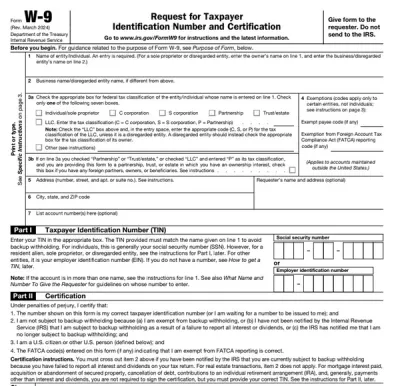
Form W-9
Form W-9 is a document used to give your correct taxpayer identification number (TIN) to a person who must report payments to the IRS.Get yours ready in minutes; add your details to our fillable Form W-9 and prepare it for submission more simply.
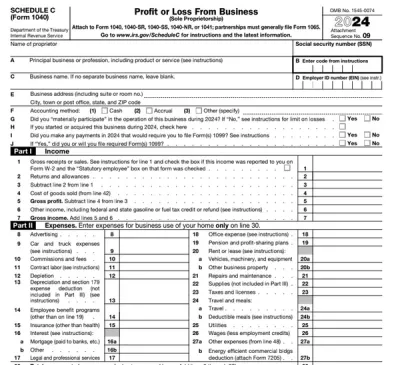
Schedule C (Form 1040)
Schedule C on Form 1040 is used to report income and loss from a business you operated or a profession you practiced as a sole proprietor.Our editable Schedule C (Form 1040) facilitates the tax filing process. All you have to do is type information directly into the empty slots.
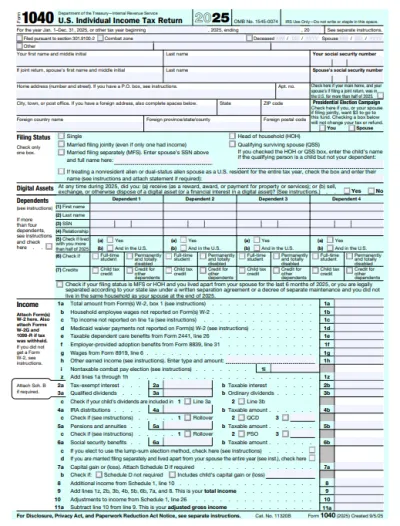
Form 1040
A Form 1040 is the IRS tax return used to report your annual income, calculate taxable income, claim credits and deductions, and determine whether you owe taxes or will receive a refund.Access our 1040 fillable form online and handle your tax return without a hassle. You can enter your income, deductions, and credits easily, review the details, and download a completed copy ready to print and mail.
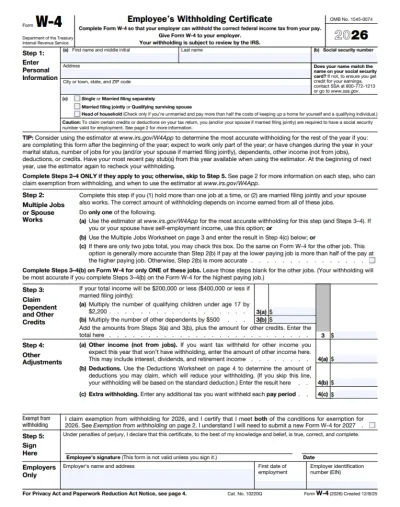
Form W-4
IRS Form W-4 informs the employer of the correct federal income tax to withhold from the employee’s paycheck.On pdf.net, you can now select a fillable tax form, open it in our PDF editor, and enter the information directly in the fields; once you complete it, you can save your W-4 and submit it to your employer.
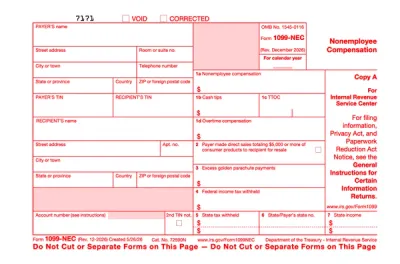
Form 1099-NEC
Form 1099-NEC is used to report payments of $600 or more to nonemployees who have performed services for you.Complete our editable Form 1099-NEC online and download it to your device. All you have to do is open it in our editor, and enter the required information as instructed.
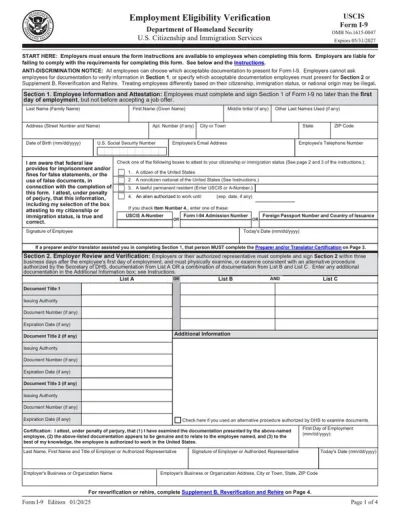
Form I-9
Employers use Form I-9 to verify the identity and employment authorization of their employees, whether they are U.S. citizens or noncitizens.Fill out our editable Form I-9 online by simply typing the required information directly into the empty slots. Once that’s done, download the form to your device.
Explorar todos los formularios PDF
Los formularios que necesitas. Siempre actualizados.
Mira cómo llena un formulario en tiempo real
Observa cómo la IA lee un documento y llena un formulario plano campo por campo

Llena tu formulario PDF ahora
Sube un documento y deja que la IA llene cualquier formulario PDF, plano o rellenable, y luego descárgalo listo para presentar
Los archivos se mantienen privados
Preguntas frecuentes
Sí. Puedes llenar un PDF en línea sin Adobe Acrobat, usando el llenador de formularios PDF de pdf.net. Se ejecuta en tu navegador, así que no hay nada que instalar antes de completar un formulario.
No puedes escribir en tu formulario PDF porque no tiene campos interactivos en los que puedas hacer clic. En pdf.net puedes escribir en cualquier parte de la página o convertir el archivo en un formulario rellenable y moverte por los campos con Tab.
Lee un documento que proporcionas, hace coincidir cada valor con el campo correcto de tu formulario y te permite ver por qué eligió ese valor. Puedes cambiar cualquier cosa antes de descargarlo.
Puedes escribir directamente en el formulario PDF si no tienes un documento de origen. Nuestra herramienta también te permite llenar tu PDF manualmente.
Sí, puedes llenar un PDF que no se puede llenar con nuestro editor de formularios PDF, ya que te permite colocar cuadros de texto y marcas de verificación en cualquier parte de la página, incluso en documentos escaneados o aplanados.
Puedes cargar PDF, DOC, DOCX, XLS, XLSX, PPT, PPTX, PPSX, JPG, PNG y HEIC. Eso incluye una foto de un formulario en papel tomada con tu teléfono, para que puedas llenar un documento que solo tienes en papel.
Sí, los documentos que cargas se guardan en tu cuenta, y tú decides qué sucede con ellos. Guarda un documento de origen para volver a usarlo más tarde, o elimínalo una vez que tu formulario esté lleno.
Sí. Tus archivos se cifran con AES-256 en reposo y TLS en tránsito, y tú decides qué se conserva, elimina o comparte.
Sí, puedes llenar un PDF en tu teléfono. Carga el archivo desde el almacenamiento de tu teléfono o una unidad en la nube, escribe tus datos y descarga el formulario terminado.
No, no necesitas imprimir un PDF antes de llenarlo. Nuestro llenador de formularios PDF te permite escribir directamente en el documento en pantalla, ya sea que esté aplanado o escaneado, para que puedas omitir por completo la impresión, la escritura a mano y el escaneo.
Puedes llenar casi cualquier tipo de formulario PDF, incluidos documentos fiscales como el W-9 y el 1040, formularios de empleo como el I-9 y el W-4, documentación de inmigración y reclamaciones de atención médica como el CMS-1500.
Sí, puedes agregar tu firma a un PDF justo después de llenarlo. Dibuja, escribe o carga tu firma, y luego colócala en cualquier parte del formulario.
Todas las herramientas PDF en un solo lugar
Sin instalaciones, sin cambiar de app, funciona en cualquier dispositivo


Más herramientas

Convertir Word a PDF
Transforma DOC/DOCX a PDF. Conserva el formato.

Convertir JPG a PDF
Combina fotos JPEG en un solo archivo PDF sin perder calidad.

Convertir PNG a PDF
Combina varias imágenes PNG en un solo PDF. La resolución se mantiene.

Convertir PDF a JPG
Convierte las páginas de tu PDF en imágenes JPEG separadas. Listas para compartir o subir.

PDF a Excel
Convierte las tablas de un PDF en hojas de cálculo editables listas para usar en Excel o Google Sheets.

Convertir PDF a PNG
Divide las páginas del PDF en PNG separados. Ideal para dividir PDF sin perder resolución.

Convertir Markdown a PDF
Pega o sube tu archivo .md y obtén un PDF con formato en segundos. Incluye tablas y bloques de código.

Convertir Excel a PDF
Convierte XLS y XLSX en un PDF limpio y fácil de compartir. Formato intacto.

PDF a CSV
Extrae los datos de tablas de archivos PDF y conviértelos en archivos CSV limpios, listos para usar en hojas de cálculo y análisis de datos.

PDF a PowerPoint
Obtén diapositivas PPT y PPTX editables. Conserva las fuentes y el diseño.

Convertir HEIC a PDF
Convierte fotos HEIC de iPhone en un PDF que se puede compartir. Se abre en cualquier dispositivo.

Convertir PowerPoint a PDF
Convierte PPT y PPTX en un PDF listo para compartir. Se abre en cualquier dispositivo.

Estado de cuenta bancario a Excel
Convierte PDF de estados de cuenta bancarios a archivos Excel o CSV editables para contabilidad y análisis.

Convertir EPUB a PDF
Convierte un libro electrónico EPUB en un PDF listo para imprimir. Se abre en cualquier dispositivo.

Convertir PDF a Markdown
Convierte un PDF en texto MD limpio, listo para tus notas, documentos o repositorio.

Convertir PDF a texto
Obtén el texto de tu PDF como un archivo .txt. Cópialo en correos electrónicos, documentos o notas.

Comprimir
Reduce el tamaño de tu archivo PDF con 3 niveles de compresión.

Comparar PDF
Detecta cada cambio entre dos PDF. Visualízalos lado a lado o superpuestos.

Agregar imagen
Agrega logotipos, fotos y gráficos a archivos PDF. Ajusta su tamaño y posición.

Dividir PDF
Divide un PDF en varios archivos. Elige cualquier página para separarla.

Reordenar páginas
Arrastra y suelta para reorganizar. Elimina, duplica y gira páginas.

Agregar números de página
Numera páginas automáticamente. Elige posición, formato y márgenes.

Anotar
Marca PDFs: dibuja, resalta y borra. Varios colores y grosores de línea.

Girar páginas
Ajusta la orientación del PDF fácilmente. Elige una, varias o todas las páginas.

Numeración Bates
Agrega números Bates automáticamente. Elige prefijo, sufijo y estilo de numeración.

Extraer páginas
Selecciona las páginas que necesitas y guárdalas como un PDF nuevo.

Hacer que el PDF sea rellenable
Agrega campos de texto, casillas de verificación y firmas. Funciona en formularios planos y escaneados.

Agregar marca de agua al PDF
Marca las páginas del PDF con tu texto o una imagen

Desbloquear PDF
Elimina contraseñas y restricciones con solo unos clics.

Proteger PDF
Protege un PDF contra el uso no autorizado con una contraseña.

Redactar PDF
Oculta texto confidencial o páginas completas antes de compartir un PDF.

Generador de firmas
Escribe, dibuja o sube tu firma. Guárdala y reutilízala en todos tus documentos.

Chat con PDF
Hazle a la IA cualquier pregunta sobre tu PDF.

Resumir PDF con IA
Resume PDF en puntos clave con IA.

Generar PDF
Describe un documento que necesitas y obtén un PDF con formato.

Compartir PDF
Sube y comparte un PDF por enlace seguro o correo en segundos. Controla quién puede ver o editar.