

Crea documentos con PDF Generator en segundos
La app funciona bien y es muy conveniente de acceder y usar. ¡Rápida y fácil!


Convierte tus ideas en documentos
Pregunta en lugar de escribir
Funciona para cualquier tipo de documento
Temas complejos, explicados de forma sencilla
Tu flujo de trabajo permanece privado
Formas reales en que la gente usa nuestras herramientas con IA


Quién se beneficia de nuestro generador de PDF con IA
Estudiantes y docentes
Investigadores y académicos
Empresas
Personas creativas
Todas las herramientas PDF en un solo lugar


Más herramientas

Convertir Word a PDF

Convertir PNG a PDF

Convertir PDF a JPG

PDF a Excel

Convertir PDF a PNG

Convertir Markdown a PDF

PDF a CSV

PDF a PowerPoint

Convertir HEIC a PDF

Convertir PowerPoint a PDF

Estado de cuenta bancario a Excel

Convertir EPUB a PDF

Convertir PDF a Markdown

Convert PDF to Text

Unir archivos PDF

Cambiar texto

Comprimir

Dividir PDF

Reordenar páginas

Agregar números de página

Anotar

Girar páginas

Numeración Bates

Extraer páginas

Hacer que el PDF sea rellenable

Desbloquear PDF

Proteger PDF

Redact PDF

Envía un archivo PDF para su firma

Quitar el fondo de la firma

Signature Generator

Chat con PDF

Resumir PDF con IA

Llenador de formularios con IA

Compartir PDF
¿Cómo generar PDF con IA?
 1
1Escribe una instrucción para el generador de PDF con IA
 2
2Abre el documento en el editor de PDF
 3
3Edita y descarga el PDF final
Por qué la gente prefiere pdf.net
Simple y fácil para el uso diario
Nuestro editor PDF en línea ofrece una interfaz limpia, intuitiva y fácil de usar, diseñada tanto para principiantes como para profesionales. Podrás navegar sin complicaciones y editar tu archivo PDF, incluso si es la primera vez que lo haces.
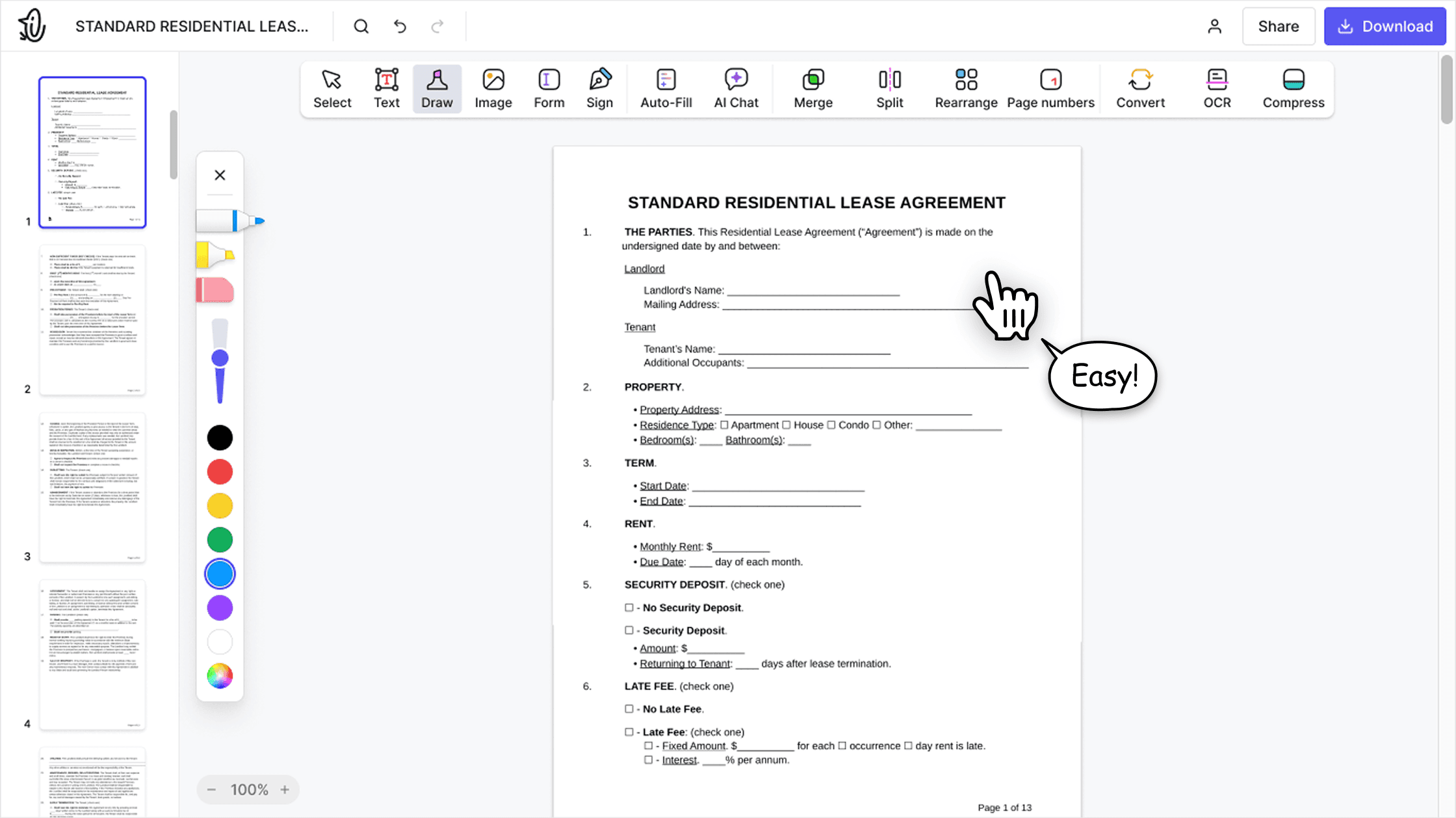

Editor PDF todo‑en‑uno
Nuestro editor ofrece un conjunto de funciones sólido y completo que te permite personalizar tus documentos, combinarlos, firmarlos y mucho más. Ya no necesitas mover tus archivos entre varias aplicaciones.

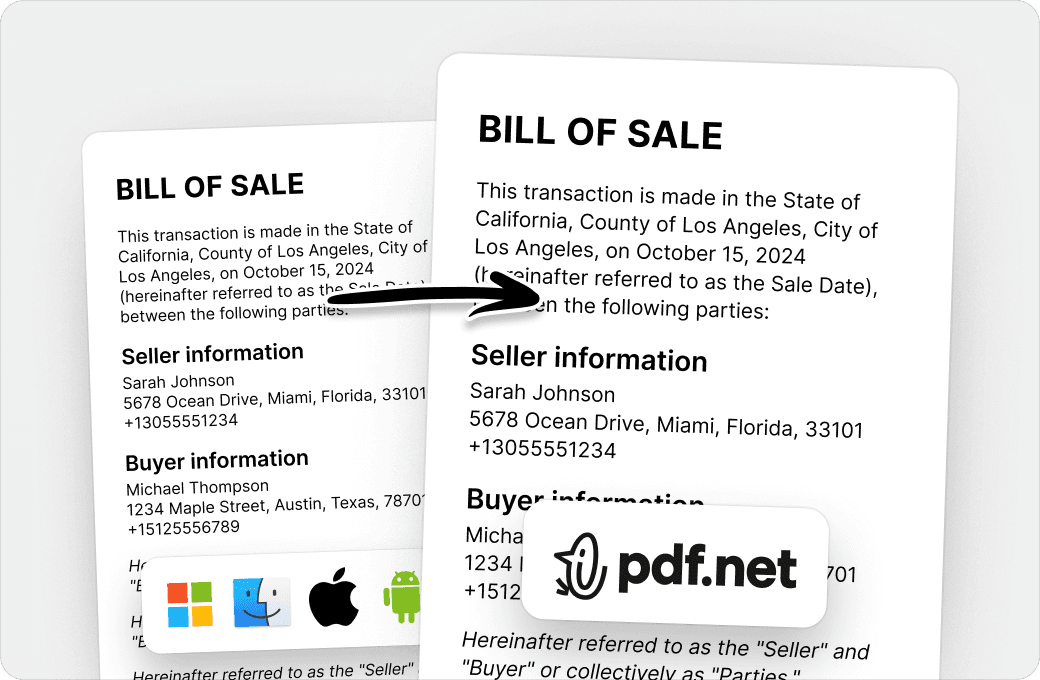
Conserva el formato sin problemas
Olvídate de los documentos desordenados y del formato inconsistente entre distintos sistemas o dispositivos. Nuestro editor PDF en línea es compatible entre plataformas y mantiene la uniformidad sin importar si usas una PC, macOS, un smartphone o una tablet.
Personas de todo el mundo confían en pdf.net para editar sus documentos
Hoy estábamos enviando una RFP y, a último minuto, nos cayó encima un montón de trabajo con PDFs: extraer páginas individuales de un PDF maestro de 50 páginas, editarlas y unirlas en un nuevo documento para la entrega. Sin esta herramienta, probablemente no habríamos llegado a la fecha límite.


Hoy estábamos enviando una RFP y, a último minuto, nos cayó encima un montón de trabajo con PDFs: extraer páginas individuales de un PDF maestro de 50 páginas, editarlas y unirlas en un nuevo documento para la entrega. Sin esta herramienta, probablemente no habríamos llegado a la fecha límite.
Pude conseguir mis documentos firmados y entregarlos a tiempo, y lo hice todo gratis. Muchas gracias.

Muy fácil de navegar y usar.

Lo que más me gusta de esta plataforma es que puedo colaborar y compartir archivos aquí mismo. La seguridad también mejora gracias a la opción de agregar contraseña, que protege todo el contenido de los archivos.

Preguntas frecuentes
- ¿Qué es un generador de PDF con IA?
- Un generador de PDF con IA es una herramienta que utiliza procesamiento avanzado de lenguaje natural para entender tu instrucción y crear desde cero un documento PDF basado en ella. Mientras más detallada sea tu instrucción en contenido y estilo, más preciso será el resultado.
- ¿Puedo generar PDFs directamente?
- Sí, puedes generar PDFs directamente; solo escribe tu prompt y deja que nuestro creador de documentos con IA haga su magia. El resultado es un PDF pulido y profesional listo para seguir editándolo o usarlo.
- ¿Este generador de documentos con IA es gratis?
- Este generador de documentos con IA es gratis de usar, pero necesitas una suscripción para descargar el archivo final.
- ¿Qué tipos de documentos puedo crear?
- Puedes crear todo tipo de documentos: apuntes de estudio, resúmenes de artículos de investigación, reportes financieros y de negocios, planners, currículums, certificados y prácticamente cualquier cosa que se te ocurra. Nuestro generador de PDFs en línea te da control creativo total.
- ¿Puedo editar el documento generado?
- Sí, puedes editar el documento generado en línea en nuestro editor, igual que cualquier otro PDF. Ábrelo y divide o combina páginas, agrega texto, anotaciones o imágenes, e inserta tu firma electrónica cuando la necesites.
- ¿Cuál es la diferencia entre un generador de PDF con IA y ChatGPT?
- La diferencia entre un generador de PDF con IA y ChatGPT es que el primero crea PDF con formato profesional que por lo general no requieren edición antes de estar listos para usar. Por otro lado, ChatGPT es un asistente cuyo propósito principal no es crear PDFs, así que necesita más indicaciones para generar el documento correctamente. Además, probablemente tendrás que ajustar el contenido y darle formato manualmente.
- ¿Puedo personalizar el documento generado?
- Sí, puedes personalizar el documento generado abriéndolo en nuestro editor de PDF y haciendo los cambios que necesites. También puedes ajustar tu prompt para que refleje mejor lo que tienes en mente.
- ¿Esta herramienta es adecuada para uso empresarial?
- Sí, es adecuada para uso empresarial: puedes crear reportes financieros, resúmenes de proyectos, propuestas y otros PDFs relevantes con nuestro generador de documentos con IA. Además, nuestro generador de PDF con IA fomenta la productividad al ahorrarte el tiempo que dedicarías a escribir estos documentos por tu cuenta.
- ¿Qué tan precisos son los documentos generados con IA?
- Los documentos generados con IA son tan precisos como el prompt que escribas; si le das a nuestro generador un prompt detallado y bien redactado, el resultado reflejará eso. Aun así, si notas alguna imprecisión, siempre puedes corregirla en nuestro editor de PDF.
- ¿Puedo regenerar o mejorar el documento?
- Sí, puedes regenerarlo o mejorarlo escribiendo un nuevo prompt en el generador automático de documentos o abriéndolo en nuestro editor de PDF para hacer cambios. De cualquier forma, tú tienes el control total del contenido, el formato y el estilo.