

Add watermark to PDF before you share it
Watermark PDF online with any text or image. Place it once or tile it across the page, set the opacity, size, and angle, then download the file.
또는
PDF, DOC, DOCX, PPT, PPTX, PPSX, XLS, XLSX, JPG, PNG, HEIC, HEIF 지원
파일은 비공개로 유지됩니다
I love this tool...I have been using it for years..It always does just what I want

chaqueiasctTrustpilot 리뷰 (영어 번역)
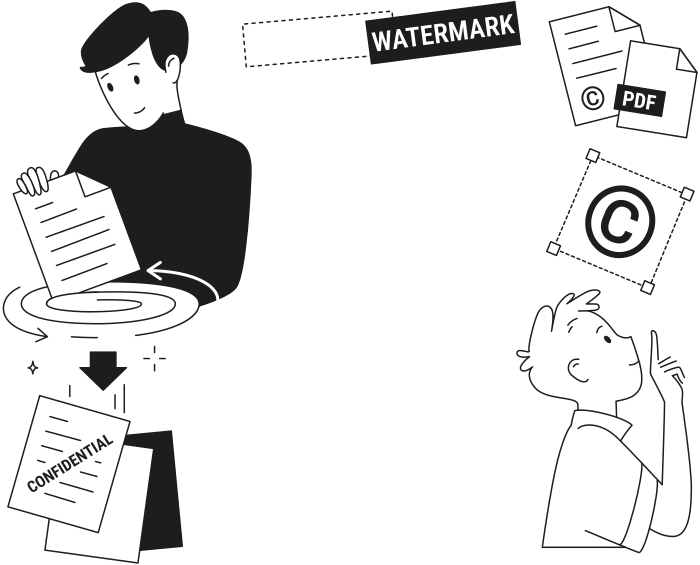
Why people watermark PDF documents
For files that go to clients, partners, or your team
Drafts in review
Mark every page as a draft, so no one signs or forwards an unfinished version.Confidential files
Mark every page as confidential, so contracts, reports, and HR files stay labeled wherever they go.Branded documents
Add your logo to every page, so proposals and price lists carry your brand.Your own work
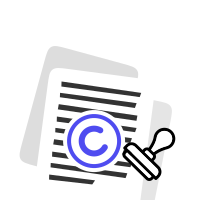
Add your name with a © symbol, so it’s clear who the work belongs to.


Set what your PDF watermark says and where it goes
Everything is set in one panel, next to a preview of your document
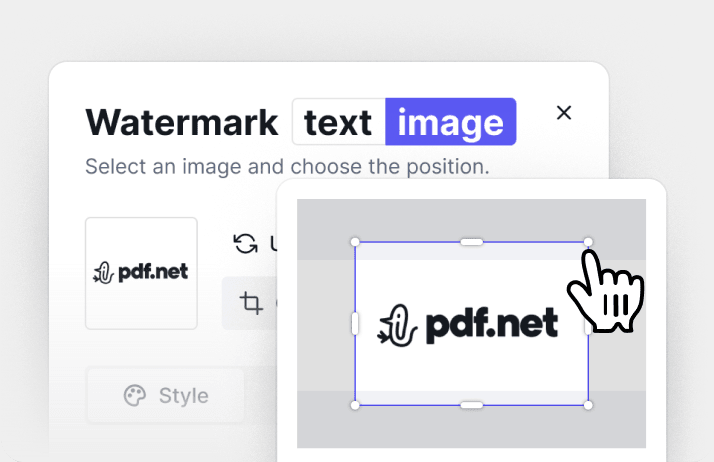
Text or an image
Type any text, like “Confidential” or your company name, or upload an image and crop it.
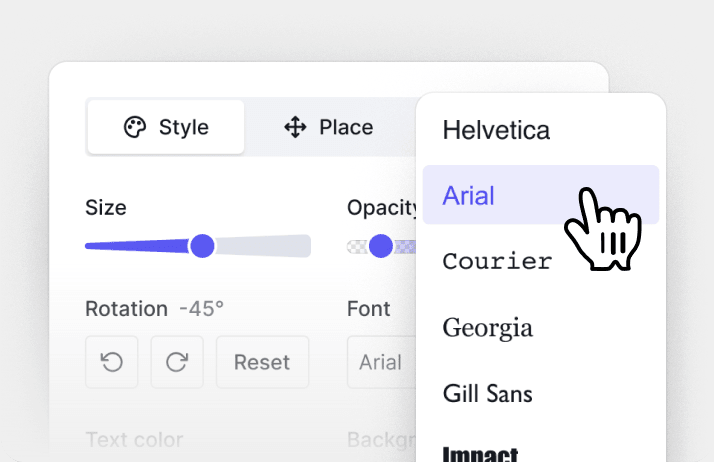
Font, color, and angle
Pick a font and a color, then set the size, opacity, and angle. Add the date if you need it.
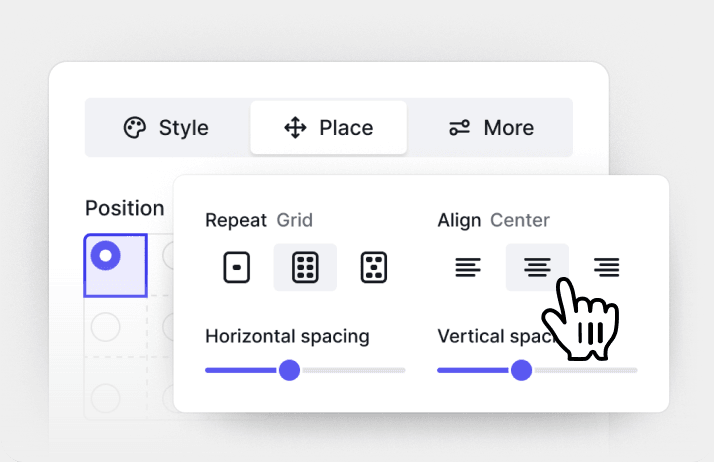
Once or across the page
Put it in the center or a corner, or repeat it in a grid or offset grid with your own spacing.
파일은 비공개로 유지됩니다
한곳에서 제공되는 모든 PDF 도구
설치 없음, 앱 전환 없음 — 모든 기기에서 작동


기타 도구

JPG를 PDF로 변환
JPEG 사진을 품질 손실 없이 하나의 PDF 파일로 병합하세요.

PNG를 PDF로 변환
여러 PNG 이미지를 하나의 PDF로 결합하세요. 해상도가 유지됩니다.

PDF를 JPG로 변환
PDF 페이지를 각각의 JPEG 이미지로 변환하세요. 공유하거나 업로드하도록 준비할 수 있습니다.

PDF Excel 변환
PDF 표를 Excel 또는 Google Sheets에서 바로 사용할 수 있는 편집 가능한 스프레드시트로 변환하세요.

PDF를 PNG로 변환
PDF 페이지를 각각의 PNG로 분할하세요. 전체 해상도가 유지됩니다.

Markdown을 PDF로 변환
.md 파일을 붙여넣거나 업로드하고 몇 초 만에 서식이 적용된 PDF를 받으세요. 표와 코드 블록도 포함됩니다.

Excel을 PDF로 변환
XLS 및 XLSX를 깔끔하고 공유하기 쉬운 PDF로 변환하세요. 서식은 그대로 유지됩니다.

PDF CSV 변환
PDF에서 표 데이터를 추출해 스프레드시트와 데이터 분석에 바로 사용할 수 있는 깔끔한 CSV 파일로 만드세요.

PDF를 PowerPoint로 변환
편집 가능한 PPT 및 PPTX 슬라이드를 가져오세요. 글꼴과 레이아웃을 유지할 수 있습니다.

HEIC를 PDF로 변환
iPhone HEIC 사진을 공유 가능한 PDF로 바꾸세요. 모든 기기에서 열 수 있습니다.

PowerPoint를 PDF로 변환
PPT 및 PPTX를 공유 준비가 된 PDF로 변환하세요. 모든 기기에서 열 수 있습니다.

은행 거래 내역 Excel로 변환
PDF 은행 거래 내역을 회계 및 분석용 편집 가능 Excel 또는 CSV 파일로 변환하세요.

EPUB를 PDF로 변환
EPUB 전자책을 인쇄용 PDF로 변환하세요. 모든 기기에서 열 수 있습니다.

PDF를 Markdown으로 변환
PDF를 깔끔한 MD 텍스트로 변환하여 메모, 문서 또는 리포지토리에 바로 사용할 수 있습니다.

Convert PDF to Text
Get the text from your PDF as a .txt file. Copy it into emails, documents, or notes.

Compare PDF
Spot every change between two PDFs. View side by side or overlay.

이미지 추가
PDF에 로고, 사진, 그래픽을 추가하세요. 크기와 위치를 조정할 수 있습니다.

파일 분할
PDF를 여러 파일로 분할하세요. 분할할 페이지를 자유롭게 선택할 수 있습니다.

페이지 재정렬
드래그 앤 드롭으로 재정렬하세요. 페이지를 삭제, 복제, 회전할 수 있습니다.

페이지 번호 추가
페이지 번호를 자동으로 매기세요. 위치, 형식, 여백을 선택할 수 있습니다.

주석 추가
PDF에 마크업 추가: 그리기, 강조 표시, 지우기. 다양한 색상과 선 두께 지원.

페이지 회전
PDF 방향을 쉽게 조정하세요. 한 페이지, 여러 페이지 또는 전체 페이지를 선택할 수 있습니다.

Bates 번호 매기기
Bates 번호를 자동으로 추가하세요. 접두사, 접미사, 번호 매기기 스타일을 선택할 수 있습니다.

페이지 추출
필요한 페이지를 선택하고 새 PDF로 저장하세요.

PDF 작성 가능하게 만들기
텍스트 필드, 체크박스 및 서명을 추가하세요. 평면 양식과 스캔한 양식 모두에서 작동합니다.

PDF 잠금 해제
몇 번의 클릭만으로 비밀번호와 제한 사항을 제거하세요.

PDF 보호
비밀번호를 통해 무단 사용으로부터 PDF를 보호하세요.

Redact PDF
Black out sensitive text or whole pages before you share a PDF.

서명 요청
누구에게나 PDF를 보내 PDF 서명을 요청하세요. 서명할 위치를 표시하고 이메일로 초대할 수 있습니다. 서명된 문서를 돌려받으세요.

서명 배경 제거
흰색 상자 없이 PDF에 서명할 수 있도록 서명을 투명하게 만드세요.

Signature Generator
Type, draw, or upload your signature. Save and reuse it across documents.

PDF와 채팅
AI에게 PDF에 관한 무엇이든 물어보세요.

PDF 요약 생성기
AI로 PDF의 핵심 요점을 요약하세요.

PDF 생성
필요한 문서에 대해 설명하고 서식이 지정된 PDF를 받으세요.

AI 양식 작성기
가지고 있는 양식과 문서를 업로드하세요. AI가 필드를 입력해 줍니다.

PDF 공유
몇 초 만에 보안 링크 또는 이메일로 PDF를 업로드하고 공유하세요. 누가 보거나 편집할 수 있는지 제어하세요.
How to add watermark to PDF
 1
1Upload your PDF and open the Watermark tool
 2
2Type your text or upload an image, then set the position
 3
3Save the watermark and download your PDF
Ready when you are
사용자들이 pdf.net을 선호하는 이유
일상적으로 사용하기 쉽고 간편함
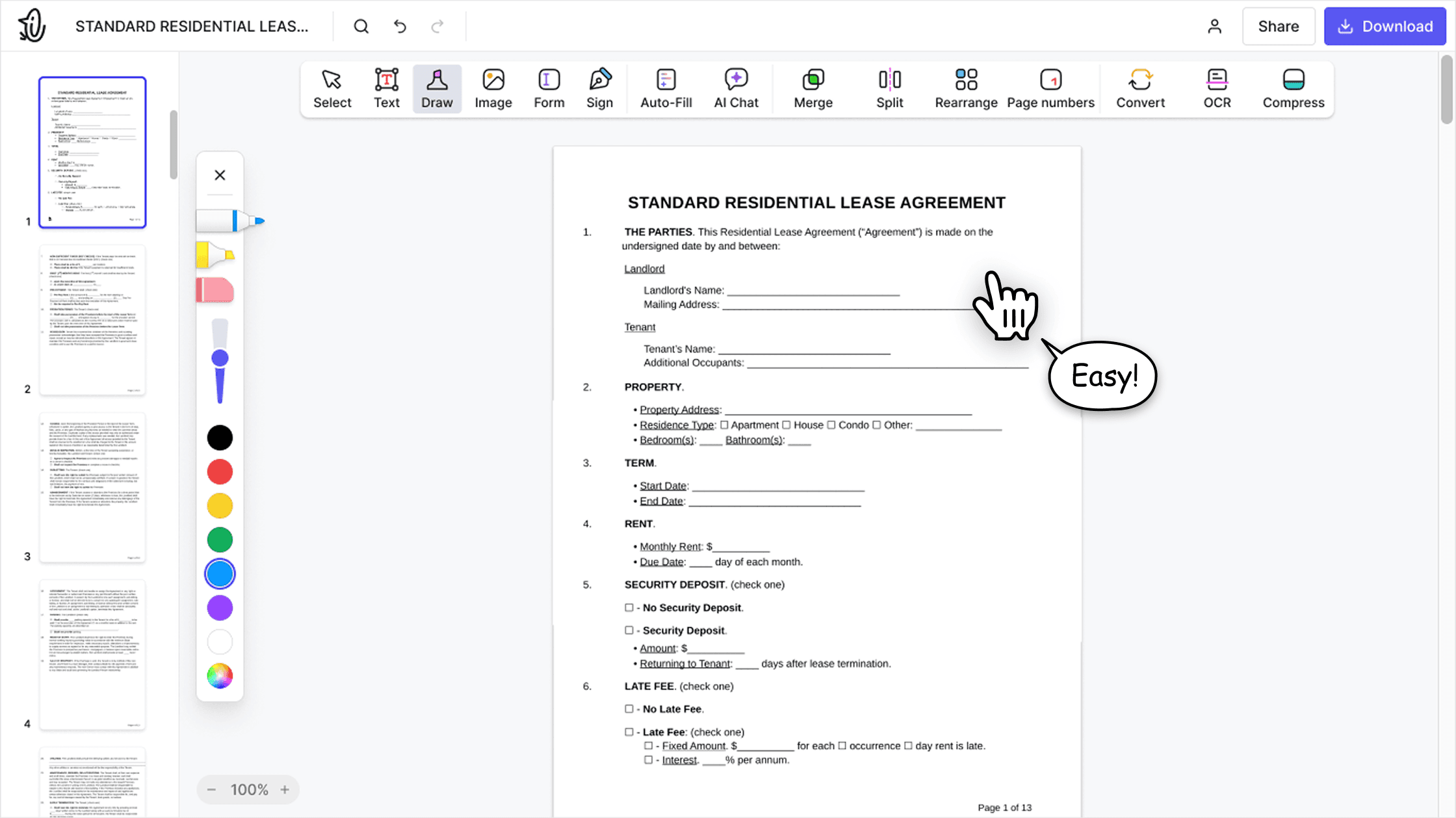
온라인 PDF 편집기는 초보자와 전문가 모두를 위해 설계된 깔끔하고 직관적이며 사용하기 쉬운 인터페이스를 제공합니다. 처음 사용하더라도 쉽게 탐색하고 PDF 파일을 편집할 수 있습니다.

올인원 PDF 편집기
당사의 편집기는 문서를 사용자 지정하고, 병합하고, 서명하는 등 다양한 작업을 할 수 있는 강력하고 포괄적인 기능 세트를 제공합니다. 더 이상 여러 애플리케이션 간에 파일을 전송할 필요가 없습니다.

문제 없이 서식 유지
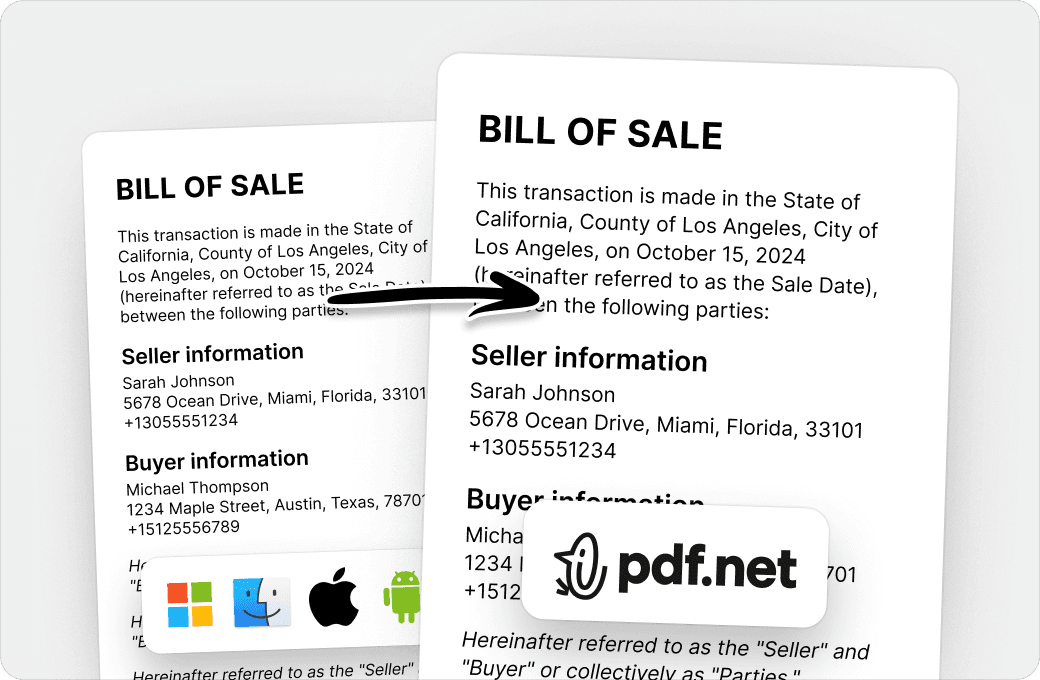
여러 시스템이나 기기에서 문서가 엉망이 되거나 서식이 일관되지 않는 문제가 더 이상 없습니다. 온라인 PDF 편집기는 크로스플랫폼 호환을 지원하며, PC, MacOS, 스마트폰, 태블릿 중 어떤 기기를 사용하든 일관성을 유지합니다.
전 세계 사람들이 문서 편집을 위해 pdf.net을 신뢰합니다
Adobe was giving me a hard time and I found this website and I was able to get my tasks acomplished.


Jesus TorresTrustpilot 리뷰 (영어 번역)
Adobe was giving me a hard time and I found this website and I was able to get my tasks acomplished.
Jesus TorresTrustpilot 리뷰 (영어 번역)
Very easy to use, and the conversion is highly accurate.

AnthonyTrustpilot 리뷰 (영어 번역)
not complicated - i have no mouse to write signatures so this way helps

Patricia DelgadilloTrustpilot 리뷰 (영어 번역)
I enjoyed it because it was simple to use and the platform was easy to maneuver.

GJ FrazierTrustpilot 리뷰 (영어 번역)
자주 묻는 질문
Here’s how to add a watermark to a PDF: upload your PDF and open the Watermark tool. Type your text or upload an image, choose the style and position, then click Save & Close. To download the file, sign in to your pdf.net account.
Yes. Switch to Image, drop an image into the upload area or choose a file, and crop it if needed. It can be a logo or a stamp: upload an image of your stamp or seal and place it once to add a PDF stamp.
Yes. In the More tab, set the page range, for example, pages 1–3. The watermark goes only on those pages.
Yes. Choose Grid to tile it evenly or Offset grid to shift every second row, then set the spacing. To place it once, choose Single and pick a position on the page.
Yes. Use the sliders to set the size and opacity, and rotate the watermark in 15° steps. Reset puts the angle back to the default.
Yes. Pick a font, a text color, and a background color, or choose a custom color. You can remove the background at any time.
Yes. Click Add a © symbol under the text field. To add a date, turn on Display date in the More tab.
Yes. pdf.net works in your browser on Windows and Mac, so you can put a watermark on a PDF without Acrobat or any other app.
Here’s how to watermark a PDF on your phone: open pdf.net in your mobile browser, upload the file, and open the Watermark tool. You get the same page preview as on desktop.
Yes. The PDF you watermark is encrypted with AES-256 while it’s stored on Google Cloud and in transit using HTTPS/TLS. We never sell your documents or share them for advertising, and the file stays in your account until you delete it.
Yes, setting up the watermark is free: upload your PDF, add your text or image, and see the result in the preview with no account. To download the watermarked PDF, you need a pdf.net account with a subscription.