

교육용 PDF:
모든 학생, 교사, 연구자에게 필요한 도구
PDF 워크시트를 편집하고, 스캔본을 하나의 파일로 합치고, AI로 퀴즈를 만드세요.
학교 또는 대학교 이메일과 연간 약정 없이 최대 80% 할인을 받으세요.
귀하의 파일은 암호화되며 절대 판매되지 않습니다
- 132k+지난 12개월간 교육 사용자
- 4,000+학교 및 대학교
- 12.5m+처리된 문서
다음 기관의 사람들이 사용합니다





모든 학술 역할을 위한 하나의 PDF 편집기
학생
읽기 자료를 강조 표시하고 PDF를 Word로 변환해 계속 작성하세요. 인턴십 및 학자금 지원 포털용으로 PDF를 압축하세요.교사 및 교수
그림과 텍스트 메모로 학생 과제에 주석을 다세요. 링크나 이메일로 유인물을 학급과 공유하고 누가 편집할 수 있는지 선택하세요.연구자
PDF 표를 Excel 또는 CSV로 가져오고, 긴 보고서를 장별로 분할하고, 페이지 번호를 추가하고, 파일 전체에서 원하는 용어를 검색하세요.관리자 및 교직원
허가서와 성적 변경 문서를 올바른 순서로 서명 요청으로 보내세요. AI로 등록 양식을 작성하세요. 교육 양식 허브


유인물부터 숙제까지, 모두 pdf.net에서
모든 기능이 브라우저에서 실행됩니다. 설치할 것도 없고, 다른 것으로 전환할 것도 없습니다.
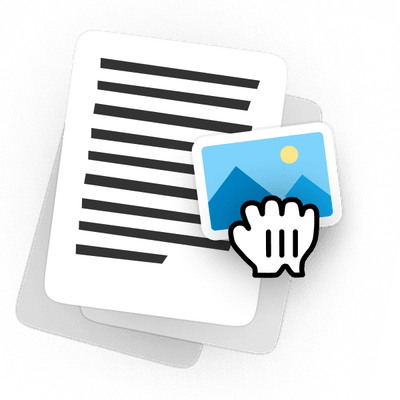
다시 만들지 않고 PDF 워크시트 편집하기
작년 유인물을 열고, 문제를 바꾸고, PDF에 이미지를 추가한 뒤, 깔끔한 사본을 인쇄하세요. 페이지 레이아웃은 그대로 유지되므로 Word에서 다시 만들 필요가 없습니다.
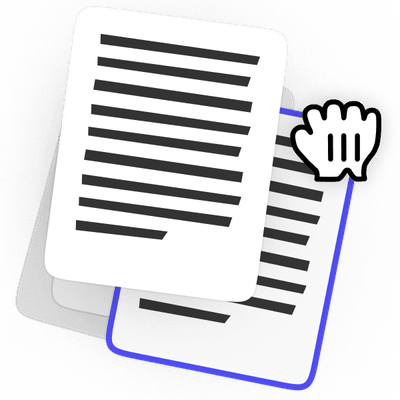
제출 전에 PDF 페이지 재정렬하기
스캔본을 하나의 파일로 합치고, 페이지를 끌어 순서를 정한 뒤, 필요 없는 페이지는 삭제하세요. 옆으로 스캔된 것은 회전하고, 문제가 필요한 곳에는 빈 페이지를 추가하세요.
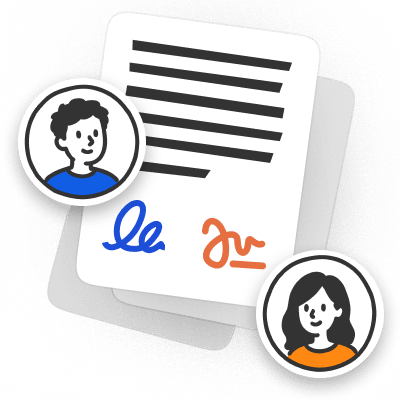
인쇄하지 않고 PDF 과제에 서명하기
과제에 답을 입력하고, 필요한 곳에 서명한 뒤, 받은 그대로의 파일로 다시 보내세요. 인쇄, 스캔, 책상 위 촬영이 전혀 필요 없습니다.
AI로 워크시트와 퀴즈 만들기
필요한 내용을 설명하면 AI가 서식이 갖춰진 워크시트 또는 퀴즈를 만들어 줍니다. 수업 전에 어떤 문제든 편집한 다음 PDF로 다운로드하세요.

처음부터 다시 시작하지 않고 수업 계획과 강의계획서 업데이트하기
날짜를 변경하고, 읽기 자료를 바꾸고, 필요한 버전을 공유하세요. 지난 학기에 만든 바로 그 파일을 편집하면 됩니다.
PDF로 공유된 강의 자료에 주석 달기
슬라이드에 표시를 하고, 이미지를 추가하고, 자료를 다시 보내세요. 원본 파일을 누구에게 요청할 필요가 없습니다.
파일은 비공개로 유지됩니다
교육용 가격으로 제공되는 전체 편집기
학교 또는 대학교 이메일로 최대 80% 할인됩니다. 할인은 첫 번째 청구에만이 아니라 매월 모든 청구에 적용됩니다.
- 모든 기능 포함편집, 서명, AI, 변환이 하나의 플랜에 포함
- 읽기 자료를 위한 AIPDF와 채팅하고 요약하세요
- 양식 서명 및 작성AI가 필드를 작성하게 한 다음 같은 파일에서 서명하세요
- 브라우저에서 작동노트북이나 휴대폰에 설치할 것이 없습니다


- 10시트 포함모든 기능에 대한 풀 액세스
- 전체 PDF 툴킷서명, 합치기, 변환, 압축 및 보호
- 여러 형식으로 다운로드PDF, Word, JPG 등
- 문서 작업을 위한 AI양식 자동 입력, 문서 정리 및 문서와 채팅


캠퍼스
학교 및 대학교용
맞춤형 가격
상담하기
기관에 필요한 사항을 알려주세요
- Class의 모든 기능모든 기능, 동일한 제한
- 유연한 팀 규모기관에 필요한 만큼 시트 추가
- 맞춤형 시트 가격시트를 추가할수록 더 유리한 요금
- 우선 지원더 빠른 답변과 예약 통화


교육 플랜은 교육 사용자 전용입니다. 구매하려면 학교 또는 대학교 이메일이 필요합니다.
예산에 더 많은 여유
pdf.net Student와 학생용 Adobe Acrobat Pro 비교
학생 | 학생용 Adobe Acrobat Pro | |
|---|---|---|
월 요금 | $49.88 / 월$9.99 / 월 80% 절약 | $19.99 / 월 |
AI 채팅 및 요약 | 포함 | AI Assistant는 +$1.99 / 월 |
AI 포함 총액 | $9.99 / 월 | $21.98 / 월 |
약정 | 없음, 월별 결제 | 12개월 |
체험 | $0.95로 14일 | 7일 무료 |
중도 해지 | 수수료 없음 | 14일 이후 취소하면 남은 연간 약정 금액의 최대 절반까지 수수료가 적용됩니다 |
 포함
포함
Acrobat에서 전환하시나요?
기존 PDF는 변환 없이 pdf.net에서 열립니다
전 세계 사람들이 문서 편집을 위해 pdf.net을 신뢰합니다
이미 가지고 있는 파일로 다양한 유형의 파일을 만드는 데 유용합니다. 변환하기만 하면 됩니다!


momscareTrustpilot 리뷰 (영어 번역)
이미 가지고 있는 파일로 다양한 유형의 파일을 만드는 데 유용합니다. 변환하기만 하면 됩니다!
momscareTrustpilot 리뷰 (영어 번역)
특히 양식 작성에 유용한 매우 다양한 도구 세트.

이해하기 쉽고, 서비스에서 말한 대로 작동합니다. 제 사업에 매우 도움이 됩니다.

tapetha spencerTrustpilot 리뷰 (영어 번역)
문서와 씨름하는 대신 실제로 제 사업을 운영하는 데 시간을 쓸 수 있게 해줍니다.

Anna Y.G2 리뷰 (영어 번역)
수업용 PDF를 준비하세요다음 문서에서 사용해 보세요
워크시트, 과제, 또는 양식을 업로드하고 브라우저에서 바로 편집하세요. 학생, 교사, 연구자는 학교 또는 대학교 이메일로 최대 80% 절약할 수 있습니다.문서를 업로드하고, 텍스트를 편집하고, 페이지를 정리하거나, AI로 양식을 작성한 다음, 완성된 PDF를 다운로드하세요
파일은 비공개로 유지됩니다
자주 묻는 질문
교육용 PDF 플랜은 학생, 교사, 연구자, 교직원을 포함해 학교 또는 대학교 이메일이 있는 누구나 이용할 수 있습니다. 플랜을 구매하려면 해당 이메일이 필요합니다.
아니요. 하지만 학생은 80% 할인을 받습니다. Student 플랜은 $49.88 대신 월 $9.99입니다.
모든 플랜은 $0.95부터 시작하는 14일 체험으로 시작됩니다. 14일 후에는 플랜의 월 요금으로 갱신됩니다: Student는 $9.99, Class는 $24.95입니다.
아니요. 할인은 첫 번째 청구에만이 아니라 매월 모든 청구에 적용됩니다.
예. 플랜은 연간 약정 없이 매월 청구되며, 취소 수수료 없이 직접 취소할 수 있습니다.
차이는 시트 수뿐입니다. Student는 1시트, Class는 10시트이며 두 플랜 모두 모든 기능이 포함됩니다.
교육용 AI 도구는 모든 플랜에 포함됩니다: Chat with PDF, PDF Summarizer, AI 양식 작성, 워크시트 및 퀴즈 생성기입니다. 추가로 더할 것은 없습니다.
예. 제출물을 열고, 페이지에서 바로 피드백을 추가한 뒤, 주석이 달린 사본을 다운로드하세요. 초안 간 변경 사항을 확인하려면 두 PDF를 비교하고 변경 사항을 하나의 목록으로 받아보세요.
기존 유인물을 열어 편집하거나, 빈 페이지에서 시작해 텍스트, 이미지, 입력 가능한 필드를 추가하세요. 편집 가능한 PDF 수업 자료는 내년에도 업데이트할 수 있도록 그대로 유지됩니다.
예. 파일을 공유하기 전에 비밀번호를 추가하면, 그 비밀번호를 가진 사람만 열 수 있습니다.
아니요. pdf.net은 노트북, 태블릿, 휴대폰의 브라우저에서 실행되므로 파일을 열고 바로 편집을 시작할 수 있습니다.
등록, 동의 및 기타 학교 양식은 교육 양식 허브에 있으며, 편집기에서 바로 열 수 있습니다.
예. 회원님의 파일은 전송 시 HTTPS/TLS로, 저장 시 AES-256으로 암호화되며, 당사 측의 파일 액세스는 엄격히 제한됩니다. 당사는 귀하의 문서를 판매하거나 광고 목적으로 공유하지 않습니다.
한곳에서 제공되는 모든 PDF 도구
설치 없음, 앱 전환 없음 — 모든 기기에서 작동


기타 도구

Word를 PDF로 변환
DOC/DOCX를 PDF로 변환하세요. 서식을 유지할 수 있습니다.

JPG를 PDF로 변환
JPEG 사진을 품질 손실 없이 하나의 PDF 파일로 병합하세요.

PNG를 PDF로 변환
여러 PNG 이미지를 하나의 PDF로 결합하세요. 해상도가 유지됩니다.

PDF를 JPG로 변환
PDF 페이지를 각각의 JPEG 이미지로 변환하세요. 공유하거나 업로드하도록 준비할 수 있습니다.

PDF Excel 변환
PDF 표를 Excel 또는 Google Sheets에서 바로 사용할 수 있는 편집 가능한 스프레드시트로 변환하세요.

PDF를 PNG로 변환
PDF 페이지를 각각의 PNG로 분할하세요. 전체 해상도가 유지됩니다.

Markdown을 PDF로 변환
.md 파일을 붙여넣거나 업로드하고 몇 초 만에 서식이 적용된 PDF를 받으세요. 표와 코드 블록도 포함됩니다.

Excel을 PDF로 변환
XLS 및 XLSX를 깔끔하고 공유하기 쉬운 PDF로 변환하세요. 서식은 그대로 유지됩니다.

PDF CSV 변환
PDF에서 표 데이터를 추출해 스프레드시트와 데이터 분석에 바로 사용할 수 있는 깔끔한 CSV 파일로 만드세요.

PDF를 PowerPoint로 변환
편집 가능한 PPT 및 PPTX 슬라이드를 가져오세요. 글꼴과 레이아웃을 유지할 수 있습니다.

HEIC를 PDF로 변환
iPhone HEIC 사진을 공유 가능한 PDF로 바꾸세요. 모든 기기에서 열 수 있습니다.

PowerPoint를 PDF로 변환
PPT 및 PPTX를 공유 준비가 된 PDF로 변환하세요. 모든 기기에서 열 수 있습니다.

은행 거래 내역 Excel로 변환
PDF 은행 거래 내역을 회계 및 분석용 편집 가능 Excel 또는 CSV 파일로 변환하세요.

EPUB를 PDF로 변환
EPUB 전자책을 인쇄용 PDF로 변환하세요. 모든 기기에서 열 수 있습니다.

PDF를 Markdown으로 변환
PDF를 깔끔한 MD 텍스트로 변환하여 메모, 문서 또는 리포지토리에 바로 사용할 수 있습니다.

PDF를 텍스트로 변환
PDF의 텍스트를 .txt 파일로 가져오세요. 이메일, 문서 또는 메모에 복사하세요.

Compare PDF
Spot every change between two PDFs. View side by side or overlay.

파일 분할
PDF를 여러 파일로 분할하세요. 분할할 페이지를 자유롭게 선택할 수 있습니다.

페이지 재정렬
드래그 앤 드롭으로 재정렬하세요. 페이지를 삭제, 복제, 회전할 수 있습니다.

페이지 번호 추가
페이지 번호를 자동으로 매기세요. 위치, 형식, 여백을 선택할 수 있습니다.

주석 추가
PDF에 마크업 추가: 그리기, 강조 표시, 지우기. 다양한 색상과 선 두께 지원.

페이지 회전
PDF 방향을 쉽게 조정하세요. 한 페이지, 여러 페이지 또는 전체 페이지를 선택할 수 있습니다.

Bates 번호 매기기
Bates 번호를 자동으로 추가하세요. 접두사, 접미사, 번호 매기기 스타일을 선택할 수 있습니다.

페이지 추출
필요한 페이지를 선택하고 새 PDF로 저장하세요.

PDF 작성 가능하게 만들기
텍스트 필드, 체크박스 및 서명을 추가하세요. 평면 양식과 스캔한 양식 모두에서 작동합니다.

PDF에 워터마크 추가
텍스트 또는 이미지로 PDF 페이지를 표시

PDF 보호
비밀번호를 통해 무단 사용으로부터 PDF를 보호하세요.

PDF 블랙마킹
PDF를 공유하기 전에 민감한 텍스트나 전체 페이지를 블랙마킹하세요.

서명 요청
누구에게나 PDF를 보내 PDF 서명을 요청하세요. 서명할 위치를 표시하고 이메일로 초대할 수 있습니다. 서명된 문서를 돌려받으세요.

서명 배경 제거
흰색 상자 없이 PDF에 서명할 수 있도록 서명을 투명하게 만드세요.

서명 생성기
서명을 입력하거나, 그리거나, 업로드하세요. 저장한 후 문서 전반에서 다시 사용할 수 있습니다.

PDF와 채팅
AI에게 PDF에 관한 무엇이든 물어보세요.

PDF 요약 생성기
AI로 PDF의 핵심 요점을 요약하세요.

PDF 생성
필요한 문서에 대해 설명하고 서식이 지정된 PDF를 받으세요.

AI 양식 작성기
가지고 있는 양식과 문서를 업로드하세요. AI가 필드를 입력해 줍니다.

PDF 공유
몇 초 만에 보안 링크 또는 이메일로 PDF를 업로드하고 공유하세요. 누가 보거나 편집할 수 있는지 제어하세요.