

PDF untuk pendidikan:
alat yang diperlukan setiap pelajar, guru dan penyelidik
Edit lembaran kerja PDF, gabungkan imbasan ke dalam satu fail, dan cipta kuiz dengan AI.
Dapatkan sehingga 80% diskaun dengan e-mel sekolah atau universiti dan tanpa kontrak tahunan.
Fail anda disulitkan dan tidak pernah dijual
- 132k+pengguna pendidikan dalam 12 bln
- 4,000+sekolah dan universiti
- 12.5m+dokumen diproses
Digunakan oleh orang di





Satu editor PDF untuk setiap peranan akademik
Pelajar
Serlahkan bahan bacaan dan tukar PDF kepada Word untuk terus menulis. Mampatkan PDF untuk portal latihan industri dan bantuan kewangan.Guru dan profesor
Tanda kerja pelajar dengan lukisan dan nota teks. Kongsi edaran dengan kelas anda melalui pautan atau e-mel dan pilih siapa yang boleh mengedit.Penyelidik
Tarik jadual PDF ke dalam Excel atau CSV, pisahkan laporan panjang kepada bab, tambah nombor halaman, dan cari seluruh fail untuk sebarang istilah.Pentadbir dan kakitangan
Hantar borang kebenaran dan perubahan gred untuk tandatangan dalam urutan yang betul. Isi borang pendaftaran dengan AI. Hab borang pendidikan


Daripada edaran hingga kerja rumah, semuanya dalam pdf.net
Semuanya berjalan dalam pelayar. Tiada apa-apa untuk dipasang, tiada apa-apa untuk ditukar.
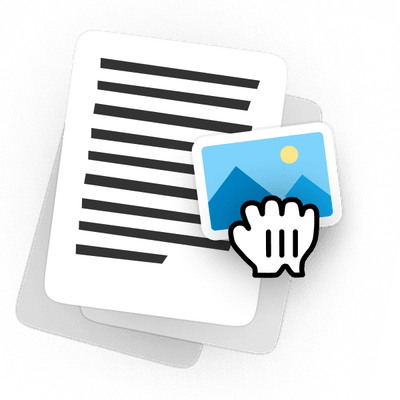
Edit lembaran kerja PDF tanpa membinanya semula
Buka edaran tahun lalu, tukar soalan, tambah imej pada PDF, dan cetak salinan yang bersih. Halaman mengekalkan susun aturnya, jadi tiada apa-apa yang perlu dibina semula dalam Word.
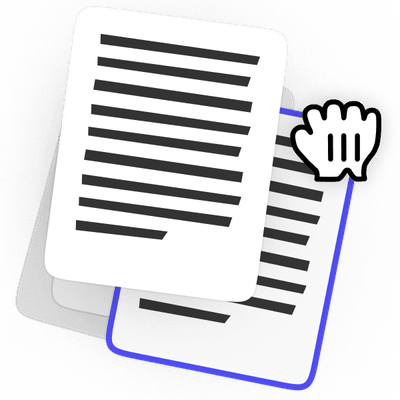
Susun semula halaman PDF sebelum anda hantar
Gabungkan imbasan anda ke dalam satu fail, seret halaman mengikut urutan, dan padam yang tidak berkaitan. Putar apa-apa yang diimbas secara senget dan tambah halaman kosong di tempat soalan memerlukannya.

Tandatangani tugasan PDF tanpa mencetak
Taip jawapan anda ke dalam tugasan, tandatangan di tempat yang diminta, dan hantar semula dalam fail yang sama tempat ia diterima. Tiada apa-apa yang perlu dicetak, diimbas atau diambil gambar di atas meja.
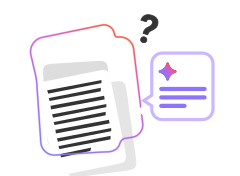
Buat lembaran kerja dan kuiz dengan AI
Terangkan apa yang anda perlukan, dan AI membina lembaran kerja atau kuiz berformat. Edit sebarang soalan sebelum kelas, kemudian muat turunnya sebagai PDF.

Kemas kini rancangan pelajaran dan silibus tanpa bermula semula
Tukar tarikh, gantikan bahan bacaan, dan kongsi versi yang anda perlukan. Fail yang anda bina semester lalu ialah fail yang anda edit.

Anotasikan dek kuliah yang dikongsi sebagai PDF
Tanda slaid, tambah imej, dan hantar semula dek itu. Anda tidak perlu meminta sesiapa untuk fail asal.
Fail kekal peribadi
Editor penuh, berharga untuk pendidikan
Sehingga 80% diskaun dengan e-mel sekolah atau universiti anda. Diskaun dikenakan pada setiap caj bulanan, bukan hanya yang pertama.
Pelajar
Untuk seorang di sekolah atau universiti
$49.88 / bulan
Jimat 80%
$9.99
/ bulan
1 tempat duduk, setiap ciri
Cuba 14 hari untuk $0.95
- Setiap ciri disertakanPengeditan, tandatangan, AI dan penukaran dalam satu pelan
- AI untuk bahan bacaan andaBerbual dengan PDF dan ringkaskannya
- Tandatangani dan isi borangBiarkan AI mengisi medan, kemudian tandatangan dalam fail yang sama
- Berfungsi pada pelayar andaTiada apa-apa untuk dipasang pada komputer riba atau telefon anda


Kelas
Untuk kelas, makmal atau jabatan
$49.88 / bulan
Jimat 50%
$24.95
/ bulan
$2.50 setiap tempat duduk apabila semua 10 digunakan
Cuba 14 hari untuk $1.95
- 10 tempat duduk disertakanAkses penuh kepada semua ciri
- Kit alat PDF lengkapTandatangan, gabung, tukar, mampatkan dan lindungi
- Muat turun dalam pelbagai formatPDF, Word, JPG dan banyak lagi
- AI untuk kertas kerjaIsi borang secara automatik, susun dan sembang dengan dokumen


Kampus
Untuk sekolah dan universiti
Harga tersuai
Mari berbincang
Beritahu kami apa yang institusi anda perlukan
- Segala-galanya dalam KelasSemua ciri, had yang sama
- Saiz pasukan yang fleksibelTambah seberapa banyak tempat duduk yang diperlukan oleh institusi anda
- Harga tempat duduk tersuaiKadar lebih baik apabila anda menambah tempat duduk
- Sokongan keutamaanBalasan lebih pantas dan panggilan berjadual


Pelan pendidikan adalah untuk pengguna pendidikan sahaja. Anda memerlukan e-mel sekolah atau universiti untuk membelinya.
Lebih banyak ruang dalam bajet anda
Bandingkan pdf.net Pelajar dengan Adobe Acrobat Pro untuk pelajar
Pelajar | Adobe Acrobat Pro untuk pelajar | |
|---|---|---|
Harga bulanan | $49.88 / bulan$9.99 / bulan Jimat 80% | $19.99 / bulan |
Sembang AI dan ringkasan | Disertakan | +$1.99 / bulan untuk AI Assistant |
Jumlah dengan AI | $9.99 / bulan | $21.98 / bulan |
Komitmen | Tiada, bulan ke bulan | 12 bulan |
Percubaan | 14 hari untuk $0.95 | 7 hari percuma |
Pembatalan awal | Tiada yuran | Yuran dikenakan sehingga separuh daripada baki komitmen tahunan anda jika anda membatalkan selepas 14 hari |
 Disertakan
Beralih daripada Acrobat?
PDF sedia ada anda dibuka dalam pdf.net tanpa perlu penukaran
Orang di seluruh dunia mempercayai pdf.net untuk mengedit dokumen mereka
Berguna untuk mencipta pelbagai jenis fail menggunakan fail yang anda sudah ada, hanya tukarkannya!


Berguna untuk mencipta pelbagai jenis fail menggunakan fail yang anda sudah ada, hanya tukarkannya!
Pelbagai set alat yang sangat banyak, terutamanya untuk mengisi borang.

Mudah untuk diikuti, dan berfungsi seperti yang dinyatakan oleh perkhidmatan ini. Sangat membantu untuk perniagaan saya.

tapetha spencerUlasan Trustpilot (diterjemahkan daripada Bahasa Inggeris)
Menjimatkan masa saya yang saya lebih suka gunakan untuk benar-benar menguruskan perniagaan saya daripada bergelut dengan dokumen.

Sediakan PDF anda untuk kelasCubanya pada dokumen anda yang seterusnya
Muat naik lembaran kerja, kertas atau borang dan edit terus dalam pelayar anda. Apabila anda sudah bersedia untuk memuat turun, dapatkan sehingga 80% diskaun dengan e-mel sekolah atau universiti.Muat naik dokumen, edit teks, susun halaman atau isi borang dengan AI, kemudian muat turun PDF siap anda
Fail kekal peribadi
Soalan lazim
Pelan PDF untuk pendidikan kami adalah untuk sesiapa sahaja yang mempunyai e-mel sekolah atau universiti, termasuk pelajar, guru, penyelidik dan kakitangan. Anda memerlukan e-mel itu untuk membeli pelan.
Tidak, tetapi pelajar mendapat diskaun 80%. Pelan Pelajar ialah $9.99 sebulan dan bukannya $49.88.
Setiap pelan bermula dengan percubaan 14 hari dari $0.95. Selepas 14 hari, ia diperbaharui pada harga bulanan pelan anda: $9.99 untuk Pelajar atau $24.95 untuk Kelas.
Tidak. Diskaun dikenakan pada setiap caj bulanan, bukan hanya yang pertama.
Ya. Pelan dibilkan setiap bulan tanpa kontrak tahunan, dan anda boleh membatalkannya sendiri tanpa yuran pembatalan.
Hanya bilangan tempat duduk. Pelajar mempunyai 1 tempat duduk, Kelas mempunyai 10, dan setiap ciri disertakan dalam kedua-duanya.
Semua alat AI untuk pendidikan kami disertakan dengan setiap pelan: Sembang dengan PDF, Peringkas PDF, pengisian borang AI dan penjana lembaran kerja serta kuiz. Tiada apa-apa tambahan untuk ditambah.
Ya. Buka penyerahan, tambah maklum balas anda terus pada halaman, dan muat turun salinan yang telah ditanda. Untuk melihat perubahan antara draf, bandingkan dua PDF dan dapatkan perubahan dalam satu senarai.
Buka edaran sedia ada dan editnya, atau mulakan dari halaman kosong dan tambah teks, imej dan medan yang boleh diisi. Bahan pengajaran PDF anda yang boleh diedit kekal sedia untuk dikemas kini tahun depan.
Ya. Tambah kata laluan sebelum anda berkongsi fail, dan hanya orang yang memilikinya boleh membukanya.
Tidak. pdf.net berjalan dalam pelayar anda pada komputer riba, tablet atau telefon, jadi anda boleh membuka fail dan mula mengedit dengan segera.
Pendaftaran, persetujuan dan borang sekolah lain tersedia dalam Hab borang pendidikan kami, sedia untuk dibuka dalam editor.
Ya. Fail anda disulitkan dengan HTTPS/TLS semasa penghantaran dan dengan AES-256 semasa disimpan, dan akses kepadanya di pihak kami adalah sangat terhad. Kami tidak menjual dokumen anda atau berkongsinya untuk pengiklanan.
Semua alat PDF di satu tempat
Tiada pemasangan, tiada pertukaran aplikasi — berfungsi pada mana-mana peranti


Lebih banyak alat

Tukar Word ke PDF
Tukarkan DOC/DOCX kepada PDF. Kekalkan pemformatan.

Tukar JPG ke PDF
Gabungkan foto JPEG menjadi satu fail PDF tanpa kehilangan kualiti.

Tukar PNG kepada PDF
Gabungkan berbilang imej PNG menjadi satu PDF. Resolusi dikekalkan.

Tukar PDF ke JPG
Tukarkan halaman PDF kepada imej JPEG berasingan. Sedia untuk dikongsi atau dimuat naik.

PDF ke Excel
Tukarkan jadual PDF kepada hamparan boleh diedit yang sedia digunakan dalam Excel atau Google Sheets.

Tukar PDF kepada PNG
Pisahkan halaman PDF kepada PNG yang berasingan. Resolusi penuh dikekalkan.

Tukar Markdown kepada PDF
Tampal atau muat naik fail .md anda dan dapatkan PDF berformat dalam masa beberapa saat. Jadual dan blok kod disertakan.

Tukar Excel ke PDF
Tukar XLS & XLSX menjadi PDF yang kemas dan mudah dikongsi. Pemformatan kekal utuh.

PDF ke CSV
Ekstrak data jadual daripada PDF ke dalam fail CSV yang bersih dan sedia untuk hamparan serta analisis data.

PDF ke PowerPoint
Dapatkan slaid PPT & PPTX yang boleh diedit. Kekalkan fon & susun atur.

Tukar HEIC ke PDF
Tukarkan foto HEIC iPhone kepada PDF yang boleh dikongsi. Boleh dibuka pada mana-mana peranti.

Tukar PowerPoint ke PDF
Tukar PPT & PPTX menjadi PDF yang sedia untuk dikongsi. Dibuka pada mana-mana peranti.

Penyata Bank ke Excel
Tukar penyata bank PDF kepada fail Excel atau CSV yang boleh diedit untuk perakaunan dan analisis.

Tukar EPUB ke PDF
Tukar eBuku EPUB menjadi PDF yang sedia untuk dicetak. Dibuka pada mana-mana peranti.

Tukar PDF ke Markdown
Tukar PDF menjadi teks MD yang bersih, sedia untuk nota, dokumen, atau repo anda.

Tukar PDF ke Teks
Dapatkan teks daripada PDF anda sebagai fail .txt. Salinnya ke dalam e-mel, dokumen atau nota.

Bandingkan PDF
Kesan setiap perubahan antara dua PDF. Lihat sebelah-menyebelah atau tindihan.

Pisah Fail
Pisah PDF kepada berbilang fail. Pilih mana-mana halaman untuk dibahagikan.

Susun Semula Halaman
Seret & lepas untuk menyusun semula. Padam, duplikasi, putar halaman.

Tambah Nombor Halaman
Nomborkan halaman secara automatik. Pilih kedudukan, format, margin.

Anotasi
Tandakan PDF: lukis, serlahkan, padam. Pelbagai warna & lebar garisan.

Putar Halaman
Laraskan orientasi PDF dengan mudah. Pilih satu, berbilang, atau semua halaman.

Penomboran Bates
Tambah nombor Bates secara automatik. Pilih awalan, akhiran dan gaya penomboran.

Ekstrak Halaman
Pilih halaman yang anda perlukan dan simpannya sebagai PDF baharu.

Jadikan PDF boleh diisi
Tambahkan medan teks, kotak pilihan & tandatangan. Berfungsi pada borang rata dan yang diimbas.

Tambah Tera Air ke PDF
Tandakan halaman PDF dengan teks anda atau imej

Lindungi PDF
Lindungi PDF daripada penggunaan tanpa kebenaran dengan kata laluan.

Sunting PDF
Hitamkan teks sensitif atau seluruh halaman sebelum anda berkongsi PDF.

Minta Tandatangan
Hantar PDF kepada sesiapa sahaja untuk ditandatangani. Tandakan tempat untuk tandatangan, jemput melalui e-mel. Dapatkan semula dokumen yang ditandatangani.

Buang Latar Belakang Tandatangan
Jadikan tandatangan anda telus untuk menandatangani PDF tanpa kotak putih.

Penjana Tandatangan
Taip, lukis, atau muat naik tandatangan anda. Simpan dan gunakannya semula merentas dokumen.

Sembang dengan PDF
Tanya AI apa-apa soalan tentang PDF anda.

Peringkas PDF
Ringkaskan PDF kepada poin utama dengan AI.

Jana PDF
Terangkan dokumen yang anda perlukan dan dapatkan PDF yang diformatkan.

Pengisi Borang AI
Muat naik borang & dokumen yang anda ada. AI mengisi medan.

Kongsi PDF
Muat naik dan kongsi PDF melalui pautan selamat atau e-mel dalam masa beberapa saat. Kawal individu yang boleh melihat atau mengedit.