
Isi mana-mana borang PDF tanpa menaip semuanya sendiri
Kebanyakan pengisi memaksa anda menaip setiap medan. pdf.net membaca dokumen yang anda sudah ada dan mengisi borang untuk anda, walaupun pada PDF rata dan yang diimbas. Anda semak, anda muat turun, siap.
Fail kekal peribadi
Tiada fail untuk dimuat naik? Semak imbas semua borang


- Tidak perlu taip semulaButiran datang daripada fail yang anda sudah ada
- Tidak perlu medan boleh isiIa berfungsi pada PDF rata dan yang diimbas
- Tiada kepercayaan membuta tuliLihat dan ubah setiap nilai sebelum muat turun
Isi automatik borang PDF daripada fail anda sendiri
Pengisi borang AI kami membaca dokumen, imbasan atau foto dengan butiran anda dan menentukan nilai yang perlu diletakkan di mana. Atau taip sendiri.
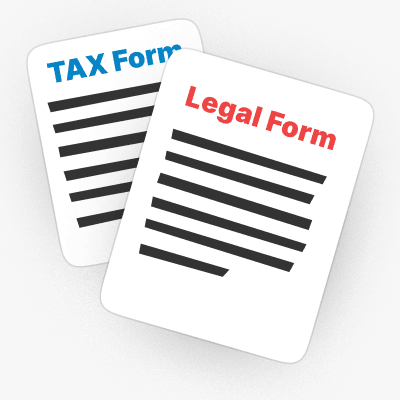
Daripada dokumen
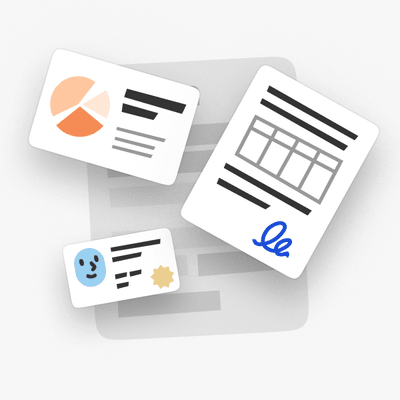
Muat naik PDF, kontrak atau fail Word yang mengandungi butiran anda, dan AI menarik setiap nilai ke dalam borang.
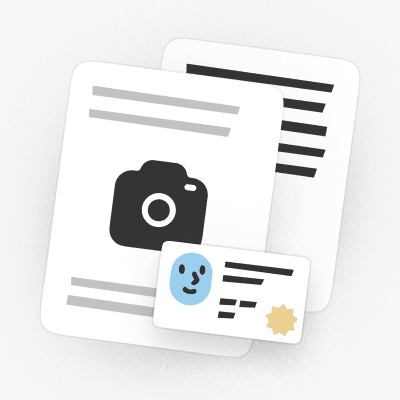
Daripada imbasan atau foto
Muat naik imbasan atau foto ID atau dokumen, dan AI membaca medan yang perlu diisi.
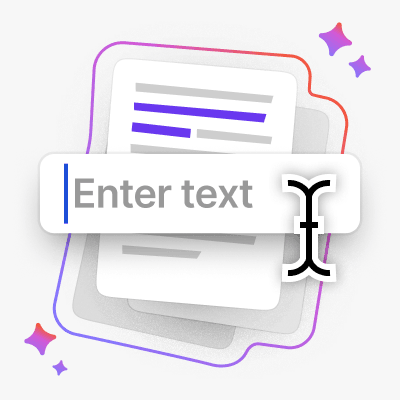
Atau taip sendiri
Lebih suka melakukannya secara manual? Taip di mana-mana pada borang, dan betulkan sebarang nilai yang diisi oleh AI.

Fail anda kekal dilindungi daripada dimuat naik ke storan
Disulitkan dengan AES-256 semasa disimpan dan TLS semasa penghantaran
Fail kekal peribadi
Pengisi PDF ini ialah salah satu alat terbaik yang pernah saya gunakan untuk mengedit dan melengkapkan dokumen PDF.
Antara mukanya bersih, mesra pengguna, dan menjadikannya sangat mudah untuk menambah teks, tandatangan, kotak pilihan, dan maklumat lain tanpa sebarang kerumitan.


Apa sahaja yang anda perlu isi
Daripada W-9 untuk klien baharu hingga dokumen untuk kerja baharu, pilih situasi anda dan mula mengisi
Kerja bebas
Isi W-9 untuk klien baharu, 1099-NEC pada musim cukai, dan Schedule C anda, tanpa menaip semula butiran anda.Memulakan kerja baharu
Selesaikan dokumen dengan cepat: I-9 dan W-4, diisi dan dimuat turun dalam beberapa minit.Musim cukai
Isi 1040, W-2 atau 1040-NR dalam talian dan muat turunnya sedia untuk difailkan.Imigresen dan perjalanan
Isi N-400, I-130 atau permohonan pasport DS-11, kemudian muat turunnya sedia untuk difailkan.Dokumen penjagaan kesihatan
Isi tuntutan CMS-1500, UB-04 atau Medicare CMS-40B tanpa kerenah kertas.Borang undang-undang dan peribadi
Isi SS-5 untuk kad Social Security atau Form 2848 surat kuasa wakil, kemudian tandatanganinya.


Semak imbas semua borang
Borang yang anda perlukan. Sentiasa terkini.
Cara mengisi borang PDF dalam 3 langkah
- 1
Muat naik borang anda, rata atau diimbas
- 2
Tambah dokumen atau taip butiran anda, AI mengisi medan
- 3
Semak dan muat turun
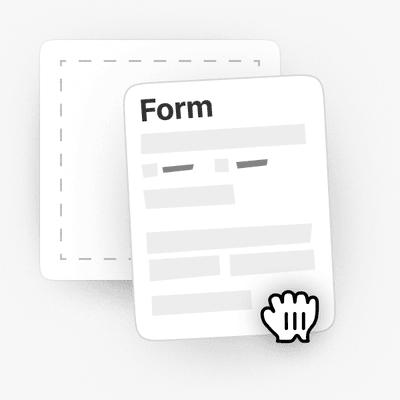
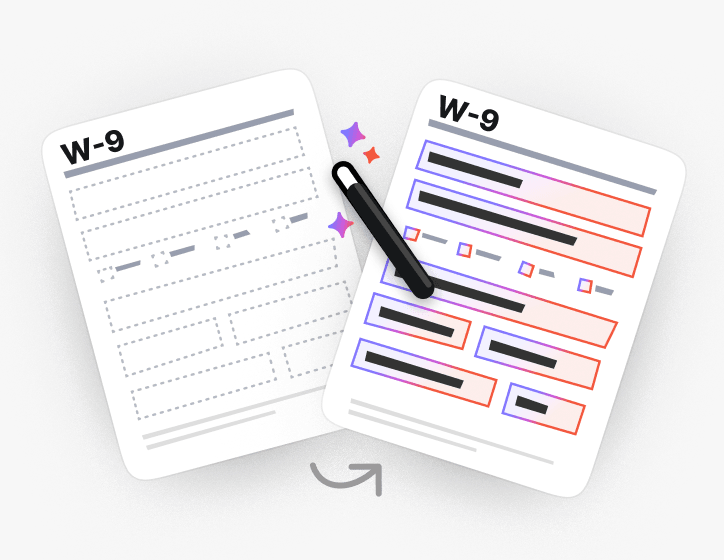
Mengisi borang rata dan yang diimbas juga
Tiada medan untuk diklik? AI mencari tempat setiap medan sepatutnya pada PDF rata dan yang diimbas lalu tetap mengisinya.
Atau jadikan PDF boleh diisi dan taip sendiri.
Pelbagai set alat yang sangat banyak, terutamanya untuk mengisi borang.

Dibina untuk borang yang anda benar-benar failkan
Semak imbas borang PDF boleh isi mengikut kategori, atau terus ke borang cukai, imigresen, undang-undang dan penjagaan kesihatan yang paling kerap diisi orang
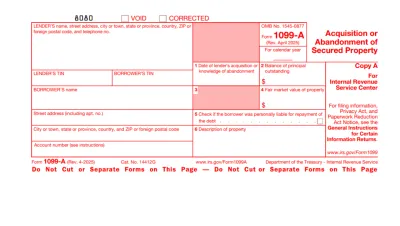
Form 1099
Form 1099 is a family of IRS information returns that payers use to report income other than regular wages, such as freelance pay, interest, dividends, or proceeds from certain sales.Access our editable Form 1099 online, enter your details, make quick changes, and download your form instantly. Simple, secure, and perfect for freelancers, contractors, and small business owners.
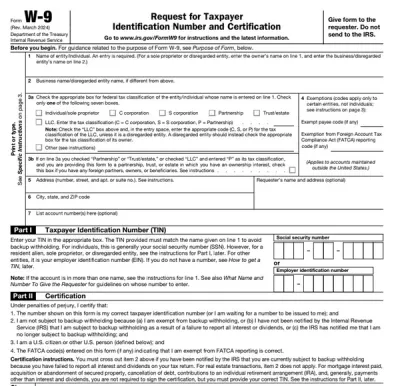
Form W-9
Form W-9 is a document used to give your correct taxpayer identification number (TIN) to a person who must report payments to the IRS.Get yours ready in minutes; add your details to our fillable Form W-9 and prepare it for submission more simply.
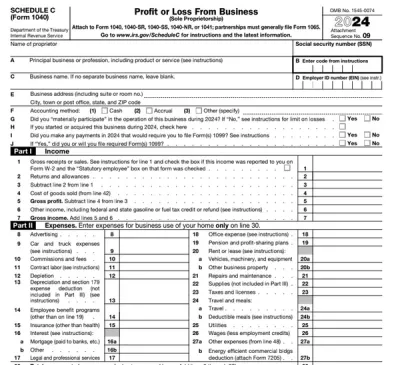
Schedule C (Form 1040)
Schedule C on Form 1040 is used to report income and loss from a business you operated or a profession you practiced as a sole proprietor.Our editable Schedule C (Form 1040) facilitates the tax filing process. All you have to do is type information directly into the empty slots.
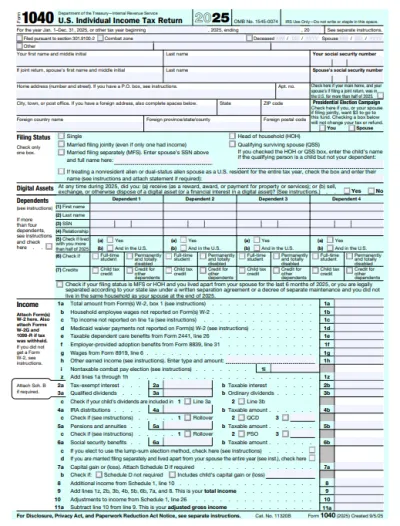
Form 1040
A Form 1040 is the IRS tax return used to report your annual income, calculate taxable income, claim credits and deductions, and determine whether you owe taxes or will receive a refund.Access our 1040 fillable form online and handle your tax return without a hassle. You can enter your income, deductions, and credits easily, review the details, and download a completed copy ready to print and mail.
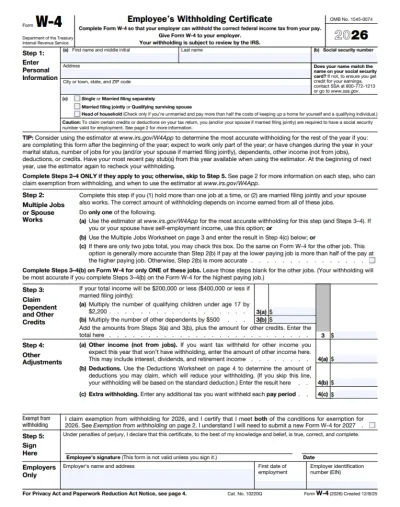
Form W-4
IRS Form W-4 informs the employer of the correct federal income tax to withhold from the employee’s paycheck.On pdf.net, you can now select a fillable tax form, open it in our PDF editor, and enter the information directly in the fields; once you complete it, you can save your W-4 and submit it to your employer.
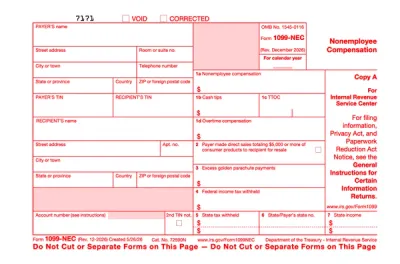
Form 1099-NEC
Form 1099-NEC is used to report payments of $600 or more to nonemployees who have performed services for you.Complete our editable Form 1099-NEC online and download it to your device. All you have to do is open it in our editor, and enter the required information as instructed.
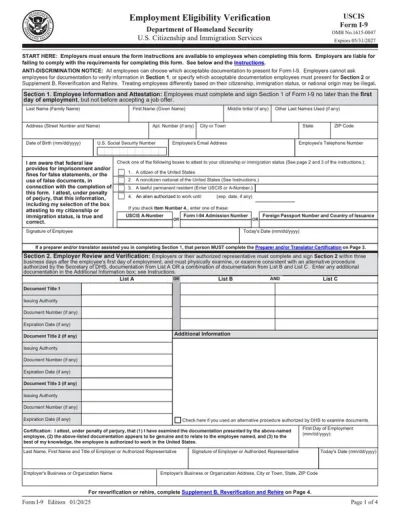
Form I-9
Employers use Form I-9 to verify the identity and employment authorization of their employees, whether they are U.S. citizens or noncitizens.Fill out our editable Form I-9 online by simply typing the required information directly into the empty slots. Once that’s done, download the form to your device.
Semak imbas semua borang PDF
Borang yang anda perlukan. Sentiasa terkini.
Lihat ia mengisi borang dalam masa nyata
Tonton AI membaca dokumen dan mengisi borang rata medan demi medan

Isi borang PDF anda sekarang
Muat naik dokumen dan biarkan AI mengisi mana-mana borang PDF, rata atau boleh isi, kemudian muat turunnya sedia untuk difailkan
Fail kekal peribadi
Soalan lazim
Ya. Anda boleh mengisi PDF dalam talian tanpa Adobe Acrobat, menggunakan pengisi borang PDF pdf.net. Ia berjalan dalam pelayar anda, jadi tiada apa-apa yang perlu dipasang sebelum anda melengkapkan borang.
Anda tidak boleh menaip dalam borang PDF anda kerana ia tidak mempunyai medan interaktif untuk diklik. Di pdf.net anda boleh menaip di mana-mana pada halaman, atau menukar fail itu menjadi borang boleh isi dan menekan Tab melalui medan-medan.
Ia membaca dokumen yang anda berikan, memadankan setiap nilai dengan medan yang betul pada borang anda, dan membolehkan anda melihat sebab ia memilih nilai tersebut. Anda boleh mengubah apa sahaja sebelum anda memuat turun.
Anda boleh menaip pada borang PDF secara terus jika anda tidak mempunyai dokumen sumber. Alat kami juga membolehkan anda mengisi PDF anda secara manual.
Ya, anda boleh mengisi PDF yang tidak boleh diisi dengan editor borang PDF kami, kerana ia membolehkan anda meletakkan kotak teks dan tanda semak di mana-mana sahaja pada halaman, walaupun pada dokumen yang diimbas atau diratakan.
Anda boleh memuat naik PDF, DOC, DOCX, XLS, XLSX, PPT, PPTX, PPSX, JPG, PNG dan HEIC. Itu termasuk foto borang kertas yang diambil pada telefon anda, jadi anda boleh mengisi dokumen yang anda hanya miliki dalam bentuk kertas.
Ya, dokumen yang anda muat naik disimpan ke akaun anda, dan anda menentukan apa yang berlaku kepada dokumen tersebut. Simpan dokumen sumber untuk digunakan semula kemudian, atau padamkannya setelah borang anda diisi.
Ya. Fail anda disulitkan dengan AES-256 semasa disimpan dan TLS semasa dipindahkan, dan anda menentukan perkara yang disimpan, dipadamkan atau dikongsi.
Ya, anda boleh mengisi PDF pada telefon anda. Muat naik fail daripada storan telefon anda atau pemacu awan, masukkan butiran anda, dan muat turun borang yang telah siap.
Tidak, anda tidak perlu mencetak PDF sebelum mengisinya. Pengisi borang PDF kami membolehkan anda menaip terus pada dokumen di skrin, sama ada ia diratakan atau diimbas, jadi anda boleh melangkau proses mencetak, menulis tangan dan mengimbas sepenuhnya.
Anda boleh mengisi hampir semua jenis borang PDF, termasuk dokumen cukai seperti W-9 dan 1040, borang pekerjaan seperti I-9 dan W-4, dokumen imigresen, dan tuntutan penjagaan kesihatan seperti CMS-1500.
Ya, anda boleh menambah tandatangan anda pada PDF sejurus selepas mengisinya. Lukis, taip atau muat naik tandatangan anda, kemudian letakkannya di mana-mana sahaja pada borang.
Semua alat PDF di satu tempat
Tiada pemasangan, tiada pertukaran aplikasi — berfungsi pada mana-mana peranti


Lebih banyak alat

Tukar Word ke PDF
Tukarkan DOC/DOCX kepada PDF. Kekalkan pemformatan.

Tukar JPG ke PDF
Gabungkan foto JPEG menjadi satu fail PDF tanpa kehilangan kualiti.

Tukar PNG kepada PDF
Gabungkan berbilang imej PNG menjadi satu PDF. Resolusi dikekalkan.

Tukar PDF ke JPG
Tukarkan halaman PDF kepada imej JPEG berasingan. Sedia untuk dikongsi atau dimuat naik.

PDF ke Excel
Tukarkan jadual PDF kepada hamparan boleh diedit yang sedia digunakan dalam Excel atau Google Sheets.

Tukar PDF kepada PNG
Pisahkan halaman PDF kepada PNG yang berasingan. Resolusi penuh dikekalkan.

Tukar Markdown kepada PDF
Tampal atau muat naik fail .md anda dan dapatkan PDF berformat dalam masa beberapa saat. Jadual dan blok kod disertakan.

Tukar Excel ke PDF
Tukar XLS & XLSX menjadi PDF yang kemas dan mudah dikongsi. Pemformatan kekal utuh.

PDF ke CSV
Ekstrak data jadual daripada PDF ke dalam fail CSV yang bersih dan sedia untuk hamparan serta analisis data.

PDF ke PowerPoint
Dapatkan slaid PPT & PPTX yang boleh diedit. Kekalkan fon & susun atur.

Tukar HEIC ke PDF
Tukarkan foto HEIC iPhone kepada PDF yang boleh dikongsi. Boleh dibuka pada mana-mana peranti.

Tukar PowerPoint ke PDF
Tukar PPT & PPTX menjadi PDF yang sedia untuk dikongsi. Dibuka pada mana-mana peranti.

Penyata Bank ke Excel
Tukar penyata bank PDF kepada fail Excel atau CSV yang boleh diedit untuk perakaunan dan analisis.

Tukar EPUB ke PDF
Tukar eBuku EPUB menjadi PDF yang sedia untuk dicetak. Dibuka pada mana-mana peranti.

Tukar PDF ke Markdown
Tukar PDF menjadi teks MD yang bersih, sedia untuk nota, dokumen, atau repo anda.

Tukar PDF ke Teks
Dapatkan teks daripada PDF anda sebagai fail .txt. Salinnya ke dalam e-mel, dokumen atau nota.

Mampatkan
Kurangkan saiz fail PDF dengan 3 tahap pemampatan.

Bandingkan PDF
Kesan setiap perubahan antara dua PDF. Lihat sebelah-menyebelah atau tindihan.

Tambah Imej
Tambah logo, foto & grafik pada PDF. Laraskan saiz dan kedudukan.

Pisah Fail
Pisah PDF kepada berbilang fail. Pilih mana-mana halaman untuk dibahagikan.

Susun Semula Halaman
Seret & lepas untuk menyusun semula. Padam, duplikasi, putar halaman.

Tambah Nombor Halaman
Nomborkan halaman secara automatik. Pilih kedudukan, format, margin.

Anotasi
Tandakan PDF: lukis, serlahkan, padam. Pelbagai warna & lebar garisan.

Putar Halaman
Laraskan orientasi PDF dengan mudah. Pilih satu, berbilang, atau semua halaman.

Penomboran Bates
Tambah nombor Bates secara automatik. Pilih awalan, akhiran dan gaya penomboran.

Ekstrak Halaman
Pilih halaman yang anda perlukan dan simpannya sebagai PDF baharu.

Jadikan PDF boleh diisi
Tambahkan medan teks, kotak pilihan & tandatangan. Berfungsi pada borang rata dan yang diimbas.

Tambah Tera Air ke PDF
Tandakan halaman PDF dengan teks anda atau imej

Buka kunci PDF
Alih keluar kata laluan dan sekatan dengan hanya beberapa klik.

Lindungi PDF
Lindungi PDF daripada penggunaan tanpa kebenaran dengan kata laluan.

Sunting PDF
Hitamkan teks sensitif atau seluruh halaman sebelum anda berkongsi PDF.

Penjana Tandatangan
Taip, lukis, atau muat naik tandatangan anda. Simpan dan gunakannya semula merentas dokumen.

Sembang dengan PDF
Tanya AI apa-apa soalan tentang PDF anda.

Peringkas PDF
Ringkaskan PDF kepada poin utama dengan AI.

Jana PDF
Terangkan dokumen yang anda perlukan dan dapatkan PDF yang diformatkan.

Kongsi PDF
Muat naik dan kongsi PDF melalui pautan selamat atau e-mel dalam masa beberapa saat. Kawal individu yang boleh melihat atau mengedit.